
Best Laptops for Office Work in Nepal – Ultimate Guide by Alam Tech
Introduction: Best Laptops for Office Work in Nepal
Best Laptops for Office Work in Nepal: Choosing the right laptop for office work can make a big difference in your productivity, comfort, and daily workflow. Whether you’re a corporate professional, a freelancer, a small business owner, or someone who needs a reliable machine for emails, spreadsheets, presentations, and virtual meetings, your laptop needs to be dependable, responsive, and efficient. At Alam Tech, located in Kathmandu-22, Tebahal, we understand the needs of office users better than most — because we help hundreds of customers find the perfect laptop for theirs every month.
This comprehensive guide is written specifically for people who want a laptop for office use in Nepal. It covers everything from essential features and specifications to real-world recommendations and buying tips. By the end of this article, you’ll feel informed, confident, and ready to make the right laptop choice for your work needs.
Why Choosing the Right Office Laptop Matters
An office laptop is not just a tool — it’s the backbone of your daily workflow. A well-chosen laptop helps you:
-
Work faster with multiple applications
-
Save time during presentations and meetings
-
Stay powered through long workdays
-
Communicate seamlessly via calls and emails
-
Avoid frustration caused by slow hardware
On the flip side, an underpowered laptop can slow you down, waste your time, and affect your professional image. That’s why at Alam Tech, we don’t just recommend the cheapest option — we help you find the best value laptop that fits your office needs and budget.
How to Choose a Laptop for Office Work
Before diving into specific laptop models, it’s important to understand what features matter most for office tasks. Here are the key areas we at Alam Tech focus on when advising customers:
Performance: The Heart of Office Productivity
For office work, your laptop needs to handle multitasking, spreadsheets, presentations, web browsing, document editing, and virtual meetings without lag. This means that the processor (CPU) and memory (RAM) are critical.
-
Processor – A modern multi-core processor (Intel Core i5 / AMD Ryzen 5 or above) ensures smooth performance across common office applications. For heavier tasks like data analysis or creative tools, you can consider higher-end CPUs.
-
RAM – 8GB RAM is the minimum recommended for office work today, with 16GB becoming more standard for power users. More RAM means smoother multitasking and better performance with multiple open applications.
At Alam Tech, we always recommend CPUs that balance power and efficiency — ensuring your laptop runs fast without overheating or draining battery too quickly.
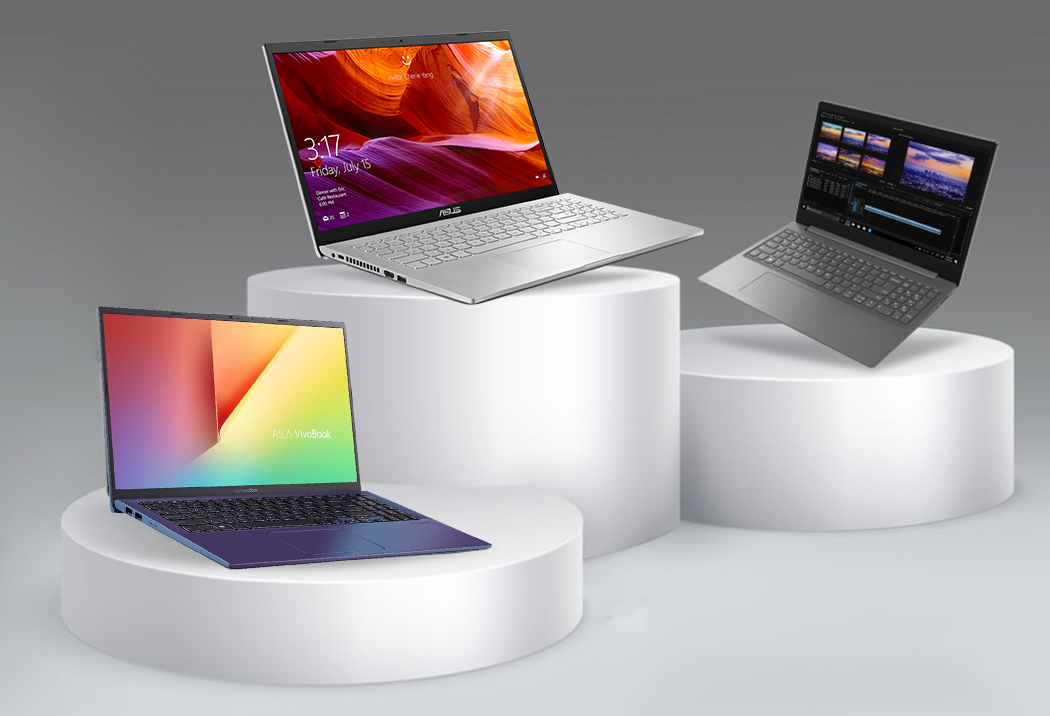
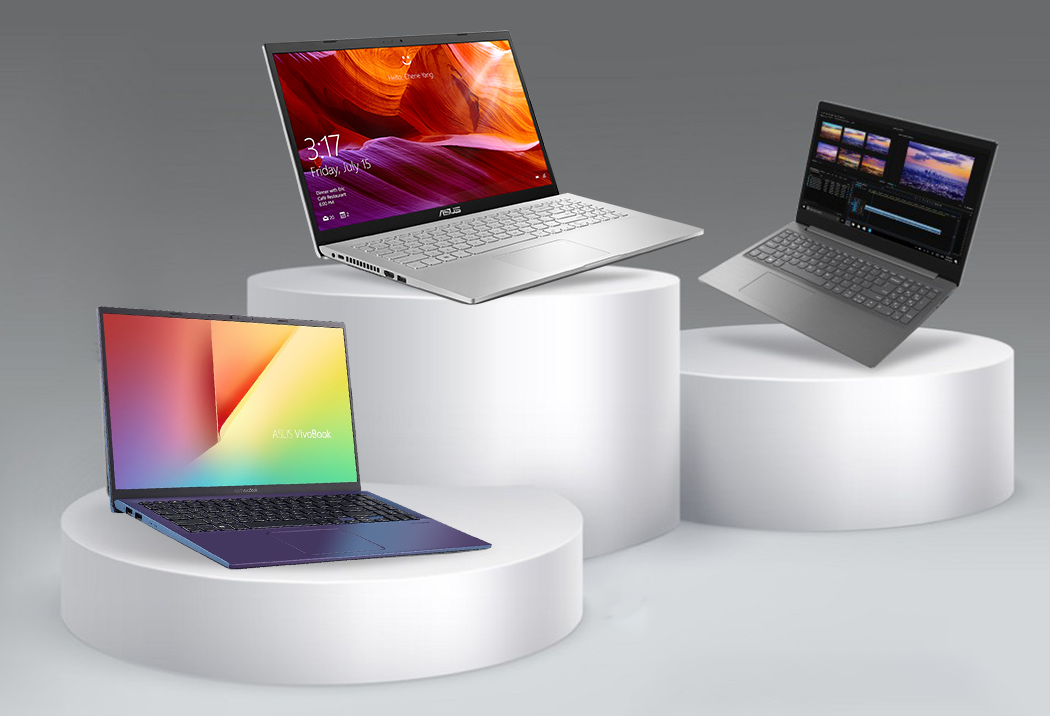
Best Laptops for Office Work in Nepal
Storage: Speed and Space for Efficiency
The type of storage your laptop uses significantly affects overall responsiveness:
-
SSD (Solid State Drive) – Fast, reliable, and energy-efficient. Almost all new office laptops should use SSD storage because it dramatically speeds up boot times and application launches.
-
HDD (Hard Disk Drive) – Traditional and slower. Not ideal for office users who want a responsive machine.
Alam Tech emphasizes SSD storage in every laptop we recommend because it improves daily performance and makes even budget laptops feel snappy.
Display: Comfort and Clarity for Long Work Days
Your laptop screen is where you spend most of your time, so it should be comfortable and productive:
-
Screen Size – 14-inch and 15.6-inch are most popular for office users. They balance portability with enough viewing space.
-
Resolution – Full HD (1920×1080) is the recommended standard for sharp clarity.
-
Panel Quality – IPS panels offer better color, wider viewing angles, and improved comfort during long use.
At Alam Tech, we help customers choose displays that reduce eye strain and enhance clarity, while avoiding low-quality screens that look washed out or dull.
Battery Life: Work Without Constant Charging
Office laptops should ideally last through a workday without needing an outlet. Most modern laptops offer:
-
5–8 hours or more battery life
-
Balanced power management
-
Energy-efficient components
Long battery life is especially helpful for business travel, meetings, and work away from desks. Alam Tech points customers toward models that excel in real-world battery tests — not just spec sheet claims.
Portability and Build Quality
Office laptops are often carried between desks, meetings, and even between home and office. Portability matters:
-
Lightweight Design – Easier to carry daily
-
Durable Build – Withstands daily use without flexing or fragile hinges
-
Keyboard Comfort – Important for long typing sessions
At Alam Tech, we consider build quality, hinge strength, and ergonomic factors when recommending laptops for professionals.
Connectivity and Ports
Business users often need multiple connectivity options:
-
USB-A and USB-C ports for peripherals
-
HDMI or VGA for projectors and external displays
-
Audio jacks for headsets
-
Fast Wi-Fi and Bluetooth for smooth communication
A well-equipped laptop prevents adapter clutter and ensures seamless integration with office devices.
Security and Productivity Features
Office laptops require features that protect data and enhance productivity:
-
Fingerprint readers or Windows Hello
-
TPM support
-
Webcams and microphones for virtual meetings
Alam Tech ensures customers consider security and productivity features, especially if laptops are used for business or sensitive work.
Best Operating System for Office Work
Most office laptops run Windows because it supports most productivity tools and software commonly used in workplaces across Nepal and worldwide. A genuine Windows installation ensures:
-
Reliable updates
-
Security patches
-
Compatibility with essential applications
Alam Tech provides laptops with proper OS setup and activation so you don’t face software issues later.
Why SSD and RAM Matter More Than You Think
Office workloads involve multiple applications running simultaneously: email clients, browsers with many tabs open, spreadsheets, presentations, and cloud tools. Both SSD storage and sufficient RAM (8GB or 16GB) make everyday tasks feel smooth and responsive. Alam Tech always stresses these components over flashy but unnecessary extras.
Choosing Between Intel and AMD
Both Intel and AMD processors are excellent for office use. The choice depends on your specific needs:
-
Intel – Known for strong single-core performance and stability
-
AMD – Offers competitive multi-core performance and often better value
Alam Tech helps customers understand performance differences and choose the right brand for their workflow and budget.
How Alam Tech Recommends Laptops
When you visit Alam Tech, we start with a conversation:
-
What do you mainly use your laptop for?
-
How many hours a day will you work on it?
-
Do you travel or work remotely often?
-
Do you use any specialized software?
Your answers guide our recommendations so you end up with a laptop that matches your real needs — not just marketing hype.
Top Considerations for Office Laptop Buyers
As a beginner, here are the top areas to prioritize:
-
Processor performance
-
SSD storage
-
Good RAM
-
Comfortable display
-
Long battery life
-
Reliable brand and warranty
Focusing on these areas ensures your laptop remains useful for years without frustrating slowdowns or disappointing performance.
Recommended Laptop Types by Office Use
Different office users have slightly different needs. Here’s how Alam Tech categorizes recommendations:
Everyday Productivity Users
These are users who primarily do:
-
Email and communication
-
Word processing and spreadsheets
-
Web browsing
-
Presentations
They need reliable performance, comfortable keyboards, and decent battery life.
Power Users and Multi-Taskers
If you work with multiple apps open together — like Excel, web browser, email, and cloud tools — you need:
-
More RAM (16GB)
-
Faster storage (SSD)
-
Better processors (Intel i5/Ryzen 5 or above)
Alam Tech points power users to laptops that stay smooth even with heavy multitasking.
Frequent Travelers and Remote Workers
If you work on the go:
-
Portability becomes key
-
Battery life matters even more
-
Durable build is essential
Alam Tech suggests lightweight laptops with long battery life and solid performance for professionals who travel frequently.
Presentation and Meeting Device
For sales people, trainers, or managers who use laptops for presentations and meetings:
-
Strong display clarity
-
HDMI or USB-C connectivity
-
Reliable performance without glitches
These features help you present work confidently without technical interruptions.
Cloud and Collaborative Tools Users
Today’s office work relies heavily on cloud tools like Google Workspace, MS Teams, and cloud storage systems. For these users:
-
Fast internet connectivity
-
Smooth browser performance
-
Stable battery life
Matter a lot. Alam Tech ensures your laptop handles cloud-based work efficiently.
Common Mistakes Office Laptop Buyers Make
Many beginners make these mistakes:
-
Choosing the cheapest model without performance
-
Ignoring SSD storage
-
Buying insufficient RAM
-
Overlooking battery life
-
Forgetting about upgrade options
Alam Tech helps customers avoid these pitfalls with expert guidance.
Budget Planning and Value
You don’t need to spend excessively to get a great office laptop. What matters is value for money:
-
Good CPU
-
Sufficient RAM
-
SSD storage
-
Long battery life
Alam Tech works with you to find the best laptop within your budget without overkill.
Upgradability and Future-Proofing
Technology changes, but office needs evolve too. Choose laptops that:
-
Allow RAM upgrades
-
Support larger SSDs
-
Offer long-term reliability
Future-proofing helps your laptop stay relevant for years.
Warranty and After-Sales Support
A good warranty and reliable after-sales support are essential. Alam Tech offers:
-
Official warranty coverage
-
Professional technical support
-
Clear guidance on service procedures
This gives you peace of mind long after your purchase.
How to Maintain Your Office Laptop
Good care extends laptop life:
-
Keep software updated
-
Clean vents regularly
-
Avoid harsh temperatures
-
Use protective bags
Alam Tech provides maintenance tips to customers so their laptops remain reliable.
Why Buy from Alam Tech
Choosing where to buy matters as much as choosing what to buy. Alam Tech offers:
-
Genuine, warranty-backed products
-
Expert consultation based on your needs
-
Transparent pricing and comparison
-
After-sales support and maintenance guidance
-
Friendly, no-pressure customer service
We help beginners feel confident, informed, and satisfied with their purchase.
Real-World Scenarios and Use Cases
At Alam Tech, we help customers choose laptops for real office situations:
-
Daily work at the desk
-
Work from home setups
-
Managerial and presentation laptops
-
Remote and field work
-
Dual-purpose laptops for office and light creative or entertainment use
Our recommendations are shaped by real experiences and real user needs.
Final Thoughts – Choose Smart, Not Just Expensive
Buying a laptop for office work doesn’t need to be confusing. With the right guidance, you can pick a laptop that:
-
Supports your daily workflow
-
Feels smooth and responsive
-
Lasts for years
-
Fits your budget
-
Gives peace of mind with warranty and support
At Alam Tech, your satisfaction matters more than a quick sale. We guide you step by step, explain every specification in simple terms, and ensure you walk out with confidence.
If you are ready to buy your next laptop for office work in Nepal, visit Alam Tech in Kathmandu. Our expert team will help you find the best laptop — one that fits your work style, budget, and future goals.
Contact us:
Faqs on Best Laptops for Office Work in Nepal by alam tech:-
1. What is the best laptop specification for office work?
A good office laptop should have at least an Intel Core i5 or Ryzen 5 processor, 8GB RAM, and a 256GB or 512GB SSD. These specs ensure smooth multitasking, quick boot times, and reliable daily performance.
2. Is 8GB RAM enough for office use?
Yes, 8GB RAM is sufficient for basic office tasks like Word, Excel, email, and web browsing. However, 16GB RAM provides better multitasking and future-proofing.
3. Do I need a dedicated graphics card for office work?
No, integrated graphics are more than enough for office tasks. Dedicated GPUs are mainly needed for gaming, video editing, or 3D design.
4. What processor is best for office productivity?
Intel Core i5 or AMD Ryzen 5 processors are ideal for office users. They balance performance, efficiency, and affordability.
5. Is SSD necessary for an office laptop?
Yes, SSD storage significantly improves speed and responsiveness. It reduces boot time and makes applications load much faster than HDD.
6. How much storage do I need for office work?
A 256GB SSD is sufficient for most office users. If you handle large files or media, 512GB or more is recommended.
7. What screen size is best for office laptops?
14-inch and 15.6-inch displays are most popular for office use. They provide enough workspace without sacrificing portability.
8. Is Full HD display important for office work?
Yes, Full HD (1920×1080) provides sharper text and better clarity. It reduces eye strain during long working hours.
9. How important is battery life for office laptops?
Battery life is very important, especially for meetings or travel. A laptop with 6–8 hours of battery backup is ideal.
10. Are lightweight laptops better for office work?
Yes, lightweight laptops are easier to carry between meetings or home and office. Portability adds convenience without sacrificing productivity.
11. What operating system is best for office work?
Windows is the most commonly used OS for office environments. It supports business software and productivity tools widely used in Nepal.
12. Is a backlit keyboard necessary?
A backlit keyboard helps in low-light environments. It improves typing comfort during late work hours.
13. Do office laptops need fingerprint security?
Fingerprint readers add an extra layer of security. They make login faster and protect sensitive business data.
14. Can I use a budget laptop for office work?
Yes, budget laptops can handle basic office tasks. However, ensure they include SSD storage and at least 8GB RAM.
15. What ports should an office laptop have?
It should include USB ports, HDMI, and an audio jack. USB-C is also helpful for modern connectivity.
16. Is touchscreen useful for office laptops?
Touchscreen can be convenient but is not essential. Most office users prefer traditional keyboards and trackpads.
17. How important is build quality?
Strong build quality ensures durability during daily transport. It reduces wear and tear over time.
18. What laptop is best for Excel-heavy work?
Choose a laptop with strong processing power and at least 16GB RAM. Excel with large datasets requires smooth multitasking.
19. Is 256GB SSD enough for business use?
For documents and software, 256GB is usually enough. Cloud storage can supplement local storage needs.
20. Should I prioritize processor or RAM?
Both are important, but upgrading RAM later is often possible. A good processor ensures long-term performance.
21. Do I need 16GB RAM for office work?
For heavy multitasking, 16GB is ideal. It ensures smoother performance with multiple applications open.
22. Is Wi-Fi speed important for office laptops?
Yes, reliable and fast Wi-Fi is essential for cloud tools and video meetings. Modern Wi-Fi standards improve stability.
23. How important is webcam quality?
A good webcam ensures professional video meetings. Clear video and audio improve communication.
24. Can office laptops handle light design work?
Yes, laptops with Ryzen 5 or Core i5 and 16GB RAM can manage light design tasks. Integrated graphics are sufficient for basic design.
25. Are business laptops better than consumer laptops?
Business laptops often offer better durability and security features. They are built for long-term office use.
26. How long should an office laptop last?
A well-maintained office laptop can last 4–6 years. Choosing good specifications increases longevity.
27. Is cooling important in office laptops?
Yes, proper cooling prevents overheating. It maintains consistent performance during long work sessions.
28. Can I upgrade RAM later?
Many laptops allow RAM upgrades. It’s best to confirm upgrade options before purchasing.
29. Should I buy a laptop with HDD?
No, HDD is slower compared to SSD. SSD is strongly recommended for office use.
30. Is screen brightness important?
Yes, brighter screens improve visibility in different lighting conditions. Around 250–300 nits is comfortable.
31. Do office laptops need high refresh rates?
No, high refresh rates are mainly for gaming. Standard 60Hz is sufficient for office tasks.
32. Is battery backup more important than performance?
Both matter, but balance is key. A powerful laptop with poor battery life can reduce mobility.
33. Are thin laptops durable?
Modern thin laptops are designed to be durable. However, build quality varies by model.
34. What is TPM and why is it important?
TPM enhances data security. It protects encryption keys and sensitive business information.
35. Should office laptops have antivirus software?
Yes, antivirus software protects against cyber threats. It safeguards important work files.
36. Is a 14-inch laptop better than 15.6-inch?
14-inch is more portable. 15.6-inch offers more screen space for spreadsheets and multitasking.
37. Are metal body laptops better?
Metal builds often feel premium and durable. They can also improve heat dissipation.
38. How much should I budget for a good office laptop?
Budget depends on needs, but mid-range options provide the best value. Investing slightly more ensures longevity.
39. Is SSD speed noticeable in daily work?
Yes, SSD significantly improves responsiveness. Applications open faster and system runs smoother.
40. Do office laptops need dedicated GPU for presentations?
No, integrated graphics handle presentations perfectly. Dedicated GPUs are unnecessary for this purpose.
41. What keyboard features matter most?
Comfortable key travel and spacing improve typing speed. A sturdy keyboard reduces fatigue.
42. Is USB-C important?
USB-C supports fast data transfer and charging. It adds modern connectivity flexibility.
43. Should I consider brand reputation?
Yes, reliable brands ensure better quality control. They often offer stronger warranty support.
44. Are refurbished laptops good for office use?
They can be cost-effective if certified and tested. Always ensure warranty coverage.
45. How much battery backup is ideal?
At least 6 hours is recommended. 8–10 hours is ideal for all-day usage.
46. Is Windows 11 suitable for office work?
Yes, Windows 11 supports modern productivity tools. It includes improved security features.
47. Should I choose Intel or AMD?
Both offer strong performance. Choose based on budget and specific workload needs.
48. What resolution is best for long hours?
Full HD resolution reduces eye strain. It provides sharper text clarity.
49. Can office laptops handle video calls smoothly?
Yes, with 8GB or more RAM and modern processors. Stable internet also plays a major role.
50. Is storage upgrade important?
Yes, it extends usability. Larger SSD improves flexibility for growing data.
51. What is the best laptop weight for office?
Under 1.7kg is ideal for portability. Lightweight laptops are easier to carry daily.
52. Do office laptops overheat?
Quality laptops with good cooling rarely overheat. Proper ventilation helps maintain performance.
53. Should I choose matte or glossy display?
Matte displays reduce glare. They are better for office lighting conditions.
54. How important is after-sales support?
Very important for long-term peace of mind. Good support ensures quick issue resolution.
55. Is Ethernet port necessary?
Not mandatory but useful for stable wired connections. Wi-Fi is usually sufficient.
56. Can I use external monitor with office laptop?
Yes, most laptops support external displays via HDMI or USB-C. It increases productivity.
57. Is laptop security important for businesses?
Yes, protecting sensitive data is crucial. Security features prevent data breaches.
58. How often should I clean my laptop?
Clean vents and keyboard every few months. Regular cleaning improves lifespan.
59. Is cloud storage better than local storage?
Cloud storage provides backup and remote access. It complements local SSD storage.
60. Do office laptops need high RAM speed?
Standard RAM speeds are sufficient. Capacity matters more than speed.
61. Should I buy extended warranty?
Extended warranty adds extra protection. It is useful for business users.
62. Is fast charging important?
Fast charging saves time during busy schedules. It keeps you productive.
63. What is the ideal processor generation?
Choose recent generations for better efficiency. Newer CPUs offer improved performance.
64. Are office laptops good for home use?
Yes, they handle browsing, streaming, and daily tasks easily. They are versatile machines.
65. How important is keyboard durability?
Very important for heavy typists. Strong keyboards withstand daily use.
66. Can office laptops run accounting software?
Yes, most modern laptops handle accounting tools smoothly. Ensure adequate RAM and SSD.
67. Is touchpad quality important?
Yes, a smooth touchpad improves navigation. Precision drivers enhance experience.
68. Should I consider screen bezels?
Thin bezels provide modern design and larger viewing area. They enhance visual appeal.
69. Are fan noises common?
Some noise is normal during heavy use. Quality laptops maintain quiet operation.
70. What is the most important feature overall?
Balanced performance is key. A combination of good processor, RAM, SSD, and battery life ensures long-term productivity.