
Best Ultrabooks for Travel in Nepal – Complete Buying Guide by Alam Tech
Introduction: Best Ultrabooks for Travel in Nepal
Best Ultrabooks for Travel in Nepal: Traveling with the right ultrabook can completely transform your productivity, comfort, and overall experience. Whether you are a business professional flying between cities, a student studying abroad, a freelancer working remotely, or a digital entrepreneur exploring new destinations, your laptop needs to be lightweight, powerful, durable, and reliable. At Alam Tech, located in Kathmandu-22, Tebahal, we specialize in helping customers choose the best ultrabooks for travel that perfectly balance portability and performance.
This in-depth guide explains everything you need to know about choosing the best ultrabook for travel in Nepal. From performance and battery life to durability and security, we will walk you through every important factor so you can confidently select the ideal device for your needs.
Why Ultrabooks Are Perfect for Travel
Ultrabooks are specifically designed to be thin, lightweight, and highly efficient. Unlike bulky traditional laptops, ultrabooks focus on mobility without compromising performance. For travelers, this combination is essential.
When you’re constantly moving through airports, attending meetings, working from cafés, or staying in hotels, carrying a heavy device becomes uncomfortable. Ultrabooks reduce that burden while still offering enough power for office work, presentations, content creation, browsing, and communication.
At Alam Tech, we recommend ultrabooks to customers who prioritize portability, battery life, and premium design while maintaining strong daily performance.
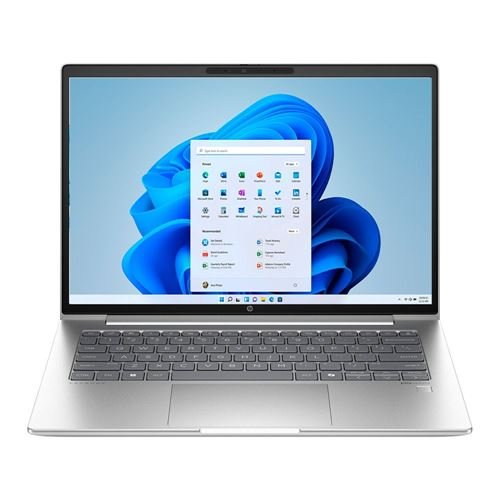
Best Ultrabooks for Travel in Nepal
What Makes an Ultrabook Ideal for Travel
Not all lightweight laptops qualify as excellent travel ultrabooks. The best travel ultrabooks combine several important features:
-
Lightweight design (typically under 1.5kg)
-
Slim profile for easy storage in backpacks
-
Long battery life for all-day use
-
Durable build quality
-
Fast SSD storage
-
Efficient processor
-
High-quality display
-
Reliable connectivity
Alam Tech helps customers evaluate all these elements before making a purchase, ensuring they get real value instead of just attractive marketing claims.
Lightweight Design: Travel Without the Burden
One of the biggest advantages of ultrabooks is their lightweight design. For travelers, every gram matters. Carrying a heavy laptop along with chargers, documents, and other essentials can quickly become exhausting.
Ultrabooks are typically:
-
Between 1.1kg and 1.5kg
-
Slim and compact
-
Easy to slide into backpacks or carry-ons
At Alam Tech, we always recommend ultrabooks that offer strong structural durability while remaining extremely portable.
Battery Life That Lasts All Day
Battery life is one of the most critical features for travelers. You may not always have access to power outlets in airports, airplanes, trains, or remote workspaces.
A good travel ultrabook should offer:
-
At least 8–10 hours of battery life
-
Efficient power management
-
Fast charging support
Alam Tech ensures that customers choose ultrabooks with realistic battery expectations based on real-world usage, not just manufacturer claims.
Performance That Keeps Up With You
Travel doesn’t mean sacrificing performance. Even on the move, you may need to:
-
Join video meetings
-
Edit documents
-
Work on spreadsheets
-
Manage presentations
-
Use cloud-based software
-
Browse with multiple tabs open
For this reason, ultrabooks recommended by Alam Tech typically include:
-
Modern Intel Core i5/i7 or AMD Ryzen 5/7 processors
-
Minimum 8GB RAM (16GB preferred for multitaskers)
-
Fast NVMe SSD storage
This combination ensures smooth multitasking and reliable performance wherever you work.
SSD Storage for Speed and Reliability
Traditional hard drives are not suitable for travel ultrabooks. SSD storage is essential because it:
-
Boots faster
-
Loads applications quickly
-
Consumes less power
-
Is more shock-resistant during travel
Alam Tech strongly advises customers to choose SSD-only ultrabooks to ensure both performance and durability while traveling.
Durable Build for Frequent Movement
Travel laptops face more physical stress than stationary devices. They are opened and closed repeatedly, packed tightly in bags, and exposed to temperature changes.
An ideal travel ultrabook should have:
-
Strong hinges
-
Solid chassis
-
Premium materials (aluminum or reinforced builds)
-
Minimal keyboard flex
At Alam Tech, we guide customers toward ultrabooks that offer premium build quality for long-term reliability.
High-Quality Display for Productivity Anywhere
A bright, sharp display is essential for productivity on the move. Travel environments vary — sometimes you work indoors, other times in bright airport lounges or cafés.
Look for:
-
Full HD resolution (1920×1080)
-
IPS panels for better viewing angles
-
Anti-glare screens
-
Adequate brightness (around 300 nits or more)
Alam Tech emphasizes display quality because it directly affects comfort and productivity during long working hours.
Comfortable Keyboard and Touchpad
When traveling, you may not always have access to an external keyboard or mouse. Your ultrabook’s built-in keyboard and touchpad must be reliable.
Important features include:
-
Comfortable key travel
-
Responsive touchpad
-
Backlit keyboard for low-light environments
Alam Tech always considers typing comfort when recommending ultrabooks for professionals and frequent travelers.
Connectivity for Global Mobility
Travelers need flexible connectivity options. A good ultrabook should include:
-
USB-A and USB-C ports
-
HDMI or display support
-
Headphone jack
-
Fast Wi-Fi support
-
Bluetooth for wireless accessories
Modern ultrabooks balance thin design with essential ports. Alam Tech helps customers select models that won’t require excessive adapters.
Security Features for Peace of Mind
When traveling, laptop security becomes even more important. Sensitive business data and personal information must be protected.
Travel ultrabooks often include:
-
Fingerprint readers
-
Face recognition login
-
TPM security modules
-
Encrypted storage options
Alam Tech advises customers on selecting ultrabooks with strong security features to prevent data breaches or unauthorized access.
Best Ultrabook Configurations for Different Travelers
Different types of travelers have different needs. Here’s how Alam Tech categorizes travel ultrabook recommendations:
Business Travelers
Business professionals need:
-
Reliable performance
-
Long battery life
-
Professional design
-
Strong security features
These ultrabooks focus on productivity, video conferencing, presentations, and portability.
Digital Nomads
Remote workers and freelancers often need:
-
Strong multitasking capability
-
Lightweight portability
-
Comfortable keyboard
-
Reliable wireless connectivity
Alam Tech recommends ultrabooks that balance performance and battery efficiency for digital nomads.
Students Studying Abroad
Students traveling for education require:
-
Portability for campus movement
-
Good battery life
-
Durable design
-
Affordable pricing
Ultrabooks provide the perfect balance between performance and ease of carrying.
Frequent Flyers
For those who travel weekly or monthly:
-
Extremely lightweight design
-
Strong hinge durability
-
Compact chargers
-
Fast charging
Alam Tech ensures these customers choose ultrabooks built for constant movement.
Common Mistakes to Avoid When Buying Travel Ultrabooks
Many buyers focus only on thin design and ignore other important factors. Common mistakes include:
-
Choosing insufficient RAM
-
Ignoring battery life
-
Selecting low-brightness displays
-
Overlooking port availability
-
Ignoring warranty and support
Alam Tech prevents these mistakes by offering personalized guidance.
Ultrabooks vs Traditional Laptops for Travel
Traditional laptops may offer larger screens and sometimes more ports, but they are usually heavier. Ultrabooks prioritize mobility and efficiency, making them ideal for travel-focused users.
For most traveling professionals, ultrabooks provide the perfect balance of power and portability.
Importance of Fast Charging
Travel schedules are unpredictable. Fast charging technology allows you to quickly recharge your ultrabook during short layovers or breaks.
Alam Tech recommends ultrabooks that support fast charging so you spend less time waiting and more time working.
Thermal Efficiency During Travel
Thin devices must manage heat properly. Good ultrabooks include advanced cooling designs to maintain performance without overheating.
Alam Tech considers thermal efficiency to ensure long-term reliability even during extended use.
Storage Considerations for Travelers
Cloud storage is popular, but having sufficient internal SSD space remains important. A 512GB SSD is often ideal for travelers who handle presentations, documents, media files, and offline data.
Alam Tech helps customers choose the right storage capacity based on their work style.
Why Buying from Alam Tech Makes a Difference
Choosing the right ultrabook is about more than specifications. At Alam Tech, we provide:
-
Personalized consultation
-
Genuine warranty-backed products
-
Clear explanations of specifications
-
Transparent pricing
-
After-sales support
-
Long-term customer relationship
We don’t push unnecessary upgrades. Instead, we focus on matching the ultrabook to your actual travel and work needs.
Long-Term Value and Future-Proofing
A travel ultrabook should last several years. Choosing modern processors, sufficient RAM, and SSD storage ensures your device remains responsive even as software requirements evolve.
Alam Tech guides customers toward future-ready ultrabooks that remain reliable for years.
Maintenance Tips for Travel Ultrabooks
To maximize lifespan:
-
Use protective sleeves
-
Avoid extreme temperatures
-
Keep vents clean
-
Update software regularly
-
Avoid overcharging for extended periods
Alam Tech also offers guidance on maintaining devices for optimal performance.
Final Thoughts – Travel Smart with the Right Ultrabook
The best ultrabook for travel is one that combines portability, performance, battery life, durability, and security. It should feel light in your bag but powerful when you open it.
At Alam Tech, we understand the unique needs of travelers in Nepal. Whether you are a corporate professional, a freelancer, a student, or a frequent flyer, we help you choose an ultrabook that supports your journey without slowing you down.
When you invest in the right ultrabook, you invest in productivity, efficiency, and comfort wherever you go. Visit Alam Tech in Kathmandu and let our experts help you find the perfect travel ultrabook that matches your goals, budget, and lifestyle.
Your journey deserves the right technology — and we’re here to help you choose it wisely.
Contact us:
Faqs on Best Ultrabooks for Travel in Nepal by alam tech:-
1. What is an ultrabook?
An ultrabook is a thin, lightweight laptop designed for portability and efficiency. It combines strong performance with long battery life, making it ideal for travel and business use.
2. Why are ultrabooks good for travel?
Ultrabooks are compact and easy to carry in backpacks or carry-on luggage. Their lightweight design and long battery life make them perfect for working on the move.
3. What weight is ideal for a travel ultrabook?
A travel ultrabook should ideally weigh under 1.5kg. Lighter models around 1.2–1.3kg are even more comfortable for frequent travelers.
4. How much battery life should a travel ultrabook have?
At least 8–10 hours of battery life is recommended. This ensures you can work during flights, meetings, or remote sessions without constantly searching for a power outlet.
5. Is 8GB RAM enough for travel work?
Yes, 8GB RAM is sufficient for browsing, documents, and video calls. However, 16GB is better for multitasking and future-proofing.
6. Is SSD storage necessary in ultrabooks?
Yes, SSD storage improves speed and durability. It loads applications quickly and handles travel vibrations better than traditional HDD.
7. What processor is best for ultrabooks?
Modern Intel Core i5/i7 or AMD Ryzen 5/7 processors are ideal. They offer strong performance while maintaining energy efficiency.
8. Do ultrabooks overheat easily?
Quality ultrabooks are designed with efficient cooling systems. Proper ventilation and usage prevent overheating issues.
9. Is Full HD display enough for travel laptops?
Yes, Full HD (1920×1080) provides sharp clarity and good text readability. It is ideal for productivity tasks while traveling.
10. Are ultrabooks durable enough for frequent travel?
Premium ultrabooks are built with strong materials like aluminum. They are designed to withstand daily movement and transportation.
11. Should I choose a metal body ultrabook?
Metal builds are generally more durable and premium. They also help with heat dissipation during extended use.
12. Are ultrabooks good for business professionals?
Yes, ultrabooks are excellent for business use. They combine portability, security, and reliable performance.
13. Can ultrabooks handle video conferencing smoothly?
Yes, modern ultrabooks with 8GB+ RAM and fast processors handle video calls without lag. Stable internet enhances the experience.
14. Is a backlit keyboard necessary for travelers?
A backlit keyboard is very helpful in low-light environments like airplanes or hotel rooms. It improves typing comfort significantly.
15. Do ultrabooks support external monitors?
Yes, most ultrabooks support external displays via HDMI or USB-C. This improves productivity when working at a desk.
16. Is fast charging important in ultrabooks?
Yes, fast charging is very useful for travelers. It allows quick battery top-ups during short breaks or layovers.
17. How much storage do travelers need?
A 512GB SSD is ideal for most travelers. It provides enough space for documents, media files, and software.
18. Are ultrabooks good for students studying abroad?
Yes, ultrabooks are lightweight and easy to carry around campus. They provide reliable performance for academic tasks.
19. What screen brightness is best for travel?
Around 300 nits brightness is comfortable for indoor and semi-bright environments. It ensures visibility in airport lounges or cafés.
20. Is Wi-Fi performance important for travel laptops?
Yes, strong Wi-Fi capability ensures smooth cloud access and video meetings. Modern Wi-Fi standards improve connectivity reliability.
21. Are ultrabooks good for digital nomads?
Yes, ultrabooks are perfect for remote workers. They provide mobility and performance for flexible working environments.
22. Can ultrabooks handle multitasking?
Yes, with 16GB RAM and a modern processor, multitasking is smooth. Multiple tabs and apps can run efficiently.
23. Should I prioritize battery life or performance?
A balanced approach is best. Good ultrabooks offer efficient performance without sacrificing battery life.
24. Do ultrabooks come with security features?
Yes, many include fingerprint readers and facial recognition. These features enhance data protection during travel.
25. Are ultrabooks expensive?
They can be slightly higher priced than standard laptops. However, their portability and premium design justify the cost.
26. Is a touchscreen necessary in ultrabooks?
Touchscreen is optional and depends on personal preference. It is not essential for most travel productivity tasks.
27. How important is keyboard comfort?
Very important, especially if you type frequently. A comfortable keyboard reduces fatigue during long sessions.
28. Can ultrabooks run office software smoothly?
Yes, modern ultrabooks easily handle productivity software. They are designed for professional tasks.
29. Is 256GB SSD enough for travelers?
It can be enough for basic use. However, 512GB offers more flexibility for growing storage needs.
30. Do ultrabooks support USB-C charging?
Many modern ultrabooks support USB-C charging. This allows more convenient and universal charging options.
31. Are ultrabooks good for presentations?
Yes, they are ideal for business presentations. Their portability and display quality make them reliable for meetings.
32. How long does an ultrabook typically last?
With proper care, an ultrabook can last 4–6 years. Choosing strong specifications extends its lifespan.
33. Are ultrabooks suitable for light content creation?
Yes, they can handle light photo editing and content tasks. For heavy editing, higher specs are recommended.
34. Should travelers choose anti-glare screens?
Yes, anti-glare screens reduce reflections in bright environments. They are ideal for working outdoors or near windows.
35. Is build quality more important than design?
Both matter, but durability is critical for travel. A strong chassis protects internal components.
36. Are ultrabooks good for remote work?
Yes, they are built for portability and productivity. They perform well in flexible work setups.
37. Do ultrabooks support cloud-based applications?
Yes, modern processors and SSDs handle cloud tools efficiently. Fast Wi-Fi enhances performance.
38. Can ultrabooks handle accounting software?
Yes, with adequate RAM and SSD storage, accounting tools run smoothly. Performance depends on software complexity.
39. Should I buy extended warranty for travel use?
Extended warranty provides additional peace of mind. It is beneficial for frequent travelers.
40. Are ultrabooks quieter than regular laptops?
Yes, many ultrabooks operate quietly due to efficient cooling systems. This is ideal for meetings and quiet spaces.
41. Is fingerprint security reliable?
Yes, fingerprint sensors are secure and convenient. They allow quick and protected login.
42. Do ultrabooks have good webcams?
Most modern ultrabooks include HD webcams. They are suitable for professional video meetings.
43. Is thin design always better?
Thin design improves portability, but durability should not be compromised. Balance is key.
44. Can ultrabooks replace desktop computers?
For most office tasks, yes. However, heavy workloads may still require desktops.
45. Is screen size important for travel?
14-inch is the most popular for portability. 13-inch models are even lighter and compact.
46. Do ultrabooks handle multiple browser tabs?
Yes, with sufficient RAM, they manage multiple tabs efficiently. Performance depends on configuration.
47. Is thermal management important?
Yes, proper cooling prevents performance drops. Efficient thermal systems maintain stability.
48. Are ultrabooks good for freelancers?
Yes, freelancers benefit from their mobility and strong battery life. They support flexible work routines.
49. How important is SSD speed?
SSD speed significantly affects system responsiveness. Faster SSDs improve boot and load times.
50. Should I prioritize RAM upgradeability?
If possible, yes. Upgrade options provide flexibility for future needs.
51. Is Windows ideal for travel ultrabooks?
Yes, Windows supports business and productivity tools widely used globally.
52. Are ultrabooks good for long flights?
Yes, their long battery life and compact size make them perfect for flights.
53. Do ultrabooks support Bluetooth devices?
Yes, they support wireless keyboards, mice, and headphones. This improves convenience while traveling.
54. Can ultrabooks handle light gaming?
They can manage light gaming with integrated graphics. They are not designed for heavy gaming.
55. Is storage expansion important?
It provides flexibility for future growth. Larger SSDs improve usability.
56. Are ultrabooks safe for frequent movement?
Yes, SSD storage and solid build enhance travel durability.
57. How important is charger size?
Compact chargers are easier to carry. USB-C chargers add convenience.
58. Can ultrabooks work in hot climates?
Quality ultrabooks manage heat efficiently. Proper ventilation helps maintain performance.
59. Are ultrabooks suitable for entrepreneurs?
Yes, entrepreneurs benefit from mobility and reliable performance during travel.
60. Is display color accuracy important?
For general work, standard accuracy is fine. Creative professionals may require higher color accuracy.
61. Can ultrabooks handle multitasking apps?
Yes, especially with 16GB RAM. They manage productivity software efficiently.
62. Is keyboard durability important?
Yes, frequent typing requires strong and reliable keys.
63. Should I consider Wi-Fi 6 support?
Yes, Wi-Fi 6 improves speed and connectivity reliability in modern networks.
64. Are ultrabooks energy efficient?
Yes, they are designed for power efficiency. This extends battery life.
65. Do ultrabooks have good audio quality?
Most modern ultrabooks provide decent audio for meetings and media.
66. Is thin bezel design beneficial?
Thin bezels reduce overall size while maintaining screen space. This enhances portability.
67. Can ultrabooks run productivity suites smoothly?
Yes, they are optimized for productivity software performance.
68. Are ultrabooks good for hybrid work setups?
Yes, they are ideal for switching between home and office environments.
69. Should I prioritize brand reliability?
Yes, trusted brands offer better durability and warranty support.
70. What is the most important feature in a travel ultrabook?
Balanced performance and battery life are the most important. A lightweight, durable build completes the ideal travel package.