
Laptops for Animation: Alam Tech Complete Buying Guide
Laptops for Animation: Choosing the right device for creative work is one of the most important decisions for animators, designers, and digital artists. Whether you are working on 2D animation, 3D modeling, motion graphics, or visual storytelling, your laptop directly impacts your productivity, rendering speed, and overall creative quality. This detailed guide on laptops for animation is designed to help you understand everything you need before making a purchase, especially when choosing from Alam Tech’s trusted and performance-focused laptop collection in Nepal.
At Alam Tech, the focus is not just on selling devices but on helping creators find machines that truly match their artistic workflow. This guide will walk you through hardware requirements, performance expectations, software compatibility, and expert recommendations so you can confidently choose the right laptop for your animation journey.
Why Choosing the Right Laptop Matters for Animation
Animation is one of the most resource-intensive creative fields. Unlike basic office tasks, animation requires heavy rendering, real-time previews, and complex graphical computations. A weak system can slow down your creativity, cause software lag, and increase rendering times significantly.
That is why selecting the right laptops for animation is not just a technical decision—it is a creative investment. At Alam Tech, every recommendation is based on real-world performance needs rather than just specifications on paper.
A proper animation laptop should allow smooth workflow in software like Blender, Adobe After Effects, Maya, Cinema 4D, and Adobe Animate without freezing or crashing during critical tasks.
Laptops for Animation
Understanding Animation Workload Requirements
Before selecting a device, it is important to understand what animation actually demands from a laptop. Animation tasks vary widely, and each type requires different levels of performance.
2D Animation Workload
2D animation focuses on drawing, frame-by-frame creation, and motion sequencing. While it is less demanding than 3D work, it still requires stable performance for software like Adobe Animate, Toon Boom Harmony, and Photoshop.
A good entry-level laptops for animation setup can handle 2D animation smoothly if it includes sufficient RAM and SSD storage.
3D Animation Workload
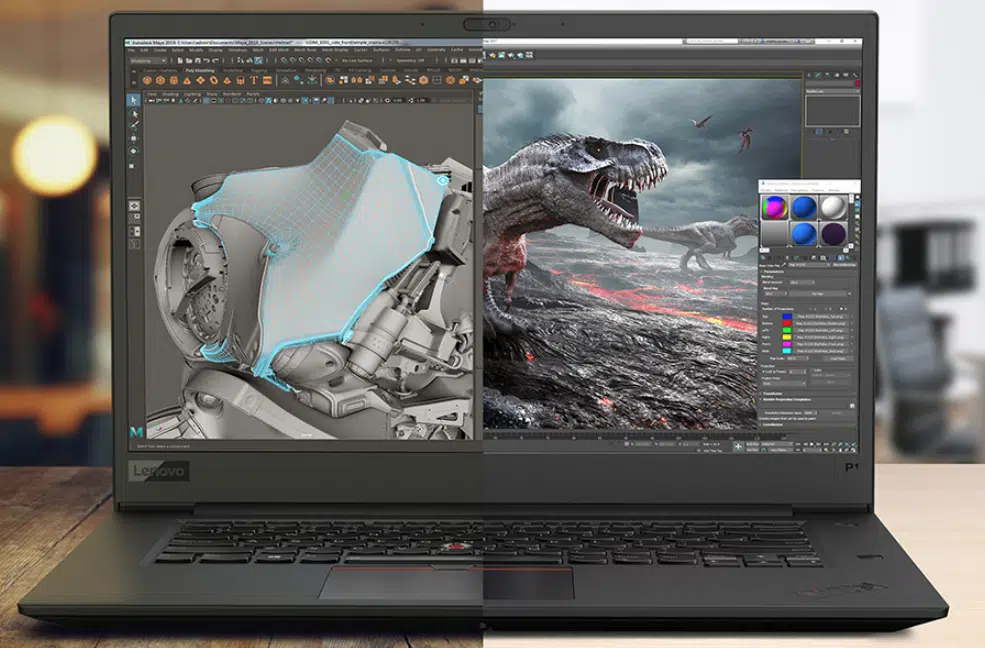
3D animation is significantly more demanding. It includes modeling, texturing, rigging, lighting, and rendering. Software like Blender, Autodesk Maya, and Cinema 4D require powerful GPUs and CPUs.
For 3D artists, a high-performance laptops for animation setup is essential to avoid lag during rendering and viewport navigation.
Motion Graphics and VFX
Motion graphics and visual effects require a combination of CPU and GPU power. Applications like After Effects demand high RAM and fast storage to handle layered compositions.
Alam Tech recommends performance-balanced systems for motion designers working on commercial projects or freelance video production.
Processor Requirements for Animation Laptops
The processor is the brain of your animation system. It determines how fast your software responds and how quickly your projects render.
For animation work, multi-core processors are essential. The more cores and threads your CPU has, the better it performs under heavy workloads.
Alam Tech offers laptops equipped with modern Intel and AMD processors that are optimized for creative workloads. These processors ensure smoother playback, faster rendering, and better multitasking capabilities.
When selecting laptops for animation, always prioritize newer generation CPUs for long-term performance stability.
Graphics Card Importance in Animation Work
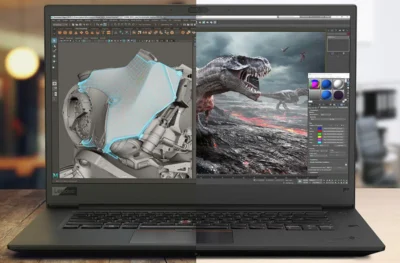
The GPU plays a major role in animation, especially for 3D modeling, rendering, and real-time previews. Without a strong graphics card, your workflow can become slow and frustrating.
Dedicated GPUs significantly enhance rendering speed and allow smoother viewport navigation in complex scenes.
Alam Tech provides a range of laptops with dedicated NVIDIA and AMD graphics solutions designed for creative professionals. These GPUs are optimized for animation software and deliver stable performance during intensive tasks.
For anyone investing in laptops for animation, a dedicated GPU is not optional—it is essential.
Laptops for Animation
RAM Requirements for Smooth Animation Workflow
RAM determines how many tasks your laptop can handle simultaneously. Animation software often runs multiple processes at once, including rendering, preview playback, and asset loading.
For basic animation work, 16GB RAM is recommended. However, for professional 3D animation and VFX, 32GB RAM or higher is ideal.
Alam Tech ensures that most creative laptops come with upgradeable RAM options, allowing users to scale their performance as their projects grow.
A well-optimized laptops for animation setup must always prioritize sufficient memory capacity.
Storage Speed and Capacity for Animation Projects
Animation files are large and require fast read/write speeds. This makes SSD storage essential for creative workflows.
Unlike traditional HDDs, SSDs allow faster project loading, quicker rendering cache access, and smoother software performance.
Alam Tech strongly recommends NVMe SSD-based laptops for animation professionals. These drives significantly reduce waiting time during large project handling.
For laptops for animation, storage speed is just as important as storage size, especially when dealing with high-resolution assets.
Laptops for Animation
Display Quality for Animators and Designers
A high-quality display is crucial for accurate color representation and detailed visual work. Animators rely heavily on screen precision to ensure their work looks correct across all devices.
Key display factors include:
- Full HD or higher resolution
- IPS panel for better color accuracy
- Wide color gamut support
- Good brightness levels
Alam Tech offers laptops with professional-grade displays suitable for animation, design, and editing tasks. A good display ensures that your creative output remains visually consistent and professional.
For laptops for animation, display quality directly affects creative accuracy and output quality.
Cooling System and Thermal Performance
Animation tasks can push hardware to its limits, especially during rendering. Without proper cooling, laptops may throttle performance or overheat.
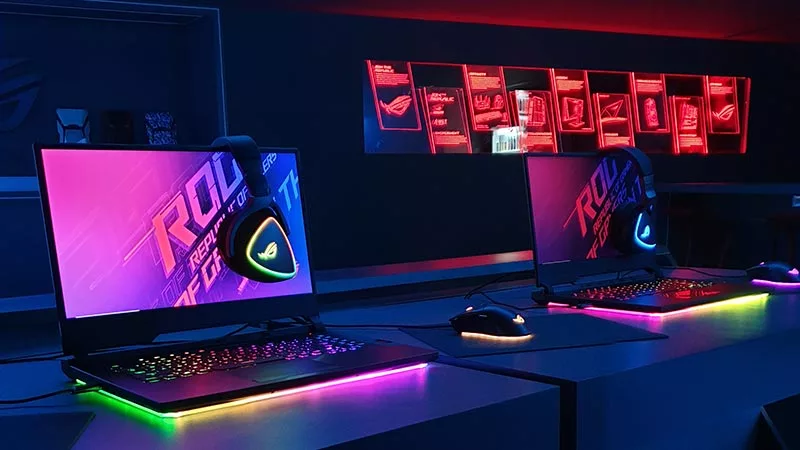
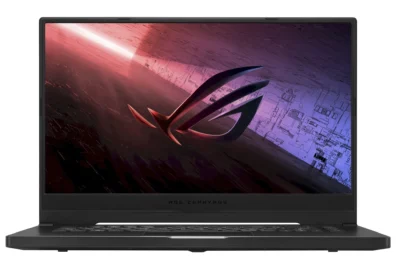
Efficient thermal design ensures stable performance during long rendering sessions. Gaming-grade cooling systems are often ideal for animation workloads due to their ability to handle sustained performance.
Alam Tech carefully selects laptops with strong cooling systems to ensure reliability during heavy workloads.
A stable laptops for animation setup must always include efficient heat management.
Best Laptop Types for Animation at Alam Tech
Alam Tech offers several categories of laptops suitable for animation professionals.
Entry-Level Animation Laptops
These are suitable for beginners learning 2D animation or basic motion graphics. They offer balanced performance at an affordable price.
Mid-Range Animation Laptops
Ideal for freelance animators and students working on 3D projects. These laptops offer strong CPUs, dedicated GPUs, and sufficient RAM for smooth workflow.
High-End Professional Laptops
Designed for professionals working in studios or handling complex VFX and 3D rendering. These systems provide maximum performance and reliability.
Alam Tech ensures that every category of laptops for animation is tailored to specific user needs.
Software Compatibility Considerations
Different animation software has different system requirements. A good animation laptop should support all major creative tools without lag.
Common software includes:
- Blender
- Autodesk Maya
- Cinema 4D
- Adobe After Effects
- Adobe Animate
- Photoshop and Illustrator
Alam Tech ensures that recommended laptops are tested for compatibility with industry-standard animation tools.
A properly optimized laptops for animation setup guarantees seamless software performance.
Portability vs Performance in Animation Laptops
Animators often struggle between choosing portability and performance. Lightweight laptops are easier to carry, but high-performance machines tend to be heavier.
Alam Tech helps users strike the right balance based on their workflow. If you work in a studio, portability may be less important. However, for freelancers and students, a lightweight yet powerful laptop is ideal.
Modern laptops for animation now offer a balance of both performance and portability.
Battery Life Expectations for Animation Work
Animation software consumes significant power, especially during rendering. As a result, battery life tends to be shorter in high-performance laptops.
Alam Tech provides laptops with optimized battery systems, but it is recommended to use power supply during heavy workloads for maximum performance.
Understanding battery limitations is important when choosing laptops for animation.
Common Mistakes When Buying Animation Laptops
Many buyers make mistakes that affect their workflow later.
Common errors include:
- Choosing low RAM systems
- Ignoring GPU requirements
- Buying outdated processors
- Focusing only on price
- Overlooking cooling systems
Alam Tech helps customers avoid these mistakes by offering expert consultation and need-based recommendations.
A well-chosen laptops for animation prevents performance issues and improves creative efficiency.
How Alam Tech Helps Animation Professionals
Alam Tech is not just a laptop provider—it is a trusted technology advisor for creatives in Nepal. The store focuses on understanding user requirements and recommending the most suitable systems for animation workflows.
Whether you are a student, freelancer, or professional animator, Alam Tech ensures that you get the right combination of performance, durability, and value.
Every laptops for animation recommendation is based on real usage scenarios, not just technical specifications.
Future-Proofing Your Animation Laptop
Technology evolves quickly, and animation software becomes more demanding over time. Future-proofing ensures that your laptop remains usable for several years.
Key future-proof features include:
- Latest generation CPU
- Upgradeable RAM
- Fast NVMe SSD storage
- Dedicated GPU
- Strong cooling system
Alam Tech ensures that users invest in systems that remain powerful and relevant for long-term creative work.
A future-ready laptops for animation setup saves both time and money in the long run.
Final Thoughts on Choosing Laptops for Animation
Selecting the right device is one of the most important steps in building a successful animation career. The right system enhances creativity, reduces frustration, and improves workflow efficiency.
This guide on laptops for animation highlights everything you need to consider—from processors and GPUs to RAM, storage, and display quality.
Alam Tech plays a crucial role in helping users make informed decisions by offering reliable, high-performance laptops tailored for creative professionals in Nepal. Whether you are just starting or already working in the industry, choosing the right laptop ensures your creativity is never limited by hardware.
A well-selected laptops for animation setup is not just a tool—it is the foundation of your creative journey.
Contact us:
Frequently Asked Questions (FAQs) – Laptops for Animation: Alam Tech
1. What is the most important factor when choosing laptops for animation?
The most important factor is balanced performance between CPU, GPU, RAM, and storage. Animation software requires all components to work together smoothly, especially during rendering and playback. At Alam Tech, users are guided based on whether they do 2D animation, 3D modeling, or motion graphics. This ensures they do not overspend on unnecessary specs or underbuy underpowered systems. A well-balanced system improves workflow efficiency significantly. For laptops for animation, balance is always more important than focusing on a single specification.
2. How much RAM is required for animation work?
For basic animation, 16GB RAM is the minimum requirement for smooth performance. However, professional 3D animation and VFX work often require 32GB or more. More RAM allows better multitasking and handling of large project files. Alam Tech recommends upgradeable laptops so users can expand memory in the future. This flexibility is important for long-term creative growth. Adequate RAM is essential for stable performance in laptops for animation.
3. Is a dedicated graphics card necessary for animation?
Yes, a dedicated GPU is highly recommended for animation work, especially for 3D projects. It helps with rendering, viewport performance, and real-time previews. Integrated graphics are not sufficient for heavy animation tasks. Alam Tech provides laptops with NVIDIA and AMD dedicated graphics options. These GPUs are optimized for creative workloads. A strong GPU is essential for professional laptops for animation.
4. Can I do animation on a budget laptop?
Yes, but only for basic 2D animation and learning purposes. Budget laptops can handle simple tasks but struggle with heavy 3D rendering. Alam Tech offers entry-level options for students and beginners. However, performance limitations should be expected in complex projects. It is better to upgrade as your skills grow. Budget systems are suitable only for starter laptops for animation users.
5. Which processor is best for animation laptops?
Multi-core processors from Intel and AMD are best for animation work. They handle rendering and multitasking more efficiently. New generation processors offer better speed and power optimization. Alam Tech recommends modern CPUs for smooth animation workflows. Older processors may cause lag in heavy software. Strong CPUs are essential in laptops for animation setups.
6. How important is SSD storage for animation work?
SSD storage is extremely important for animation projects. It speeds up file loading, software startup, and rendering cache access. HDDs are too slow for modern animation workloads. Alam Tech prioritizes NVMe SSD laptops for creators. Faster storage improves overall workflow efficiency. SSD is a must-have in laptops for animation.
7. What software can I run on animation laptops?
You can run software like Blender, Autodesk Maya, Cinema 4D, Adobe After Effects, and Adobe Animate. These applications require strong hardware for smooth operation. Alam Tech ensures laptops are compatible with industry-standard tools. Compatibility is checked before recommending devices. This ensures a smooth creative experience. Proper software support is crucial for laptops for animation.
8. How much storage do I need for animation projects?
At least 512GB SSD is recommended for beginners, while professionals may need 1TB or more. Animation files are large and take significant storage space. External storage is also helpful for backups. Alam Tech offers expandable storage options in many laptops. Fast storage is just as important as storage size. Proper storage planning is key for laptops for animation.
9. Are gaming laptops good for animation?
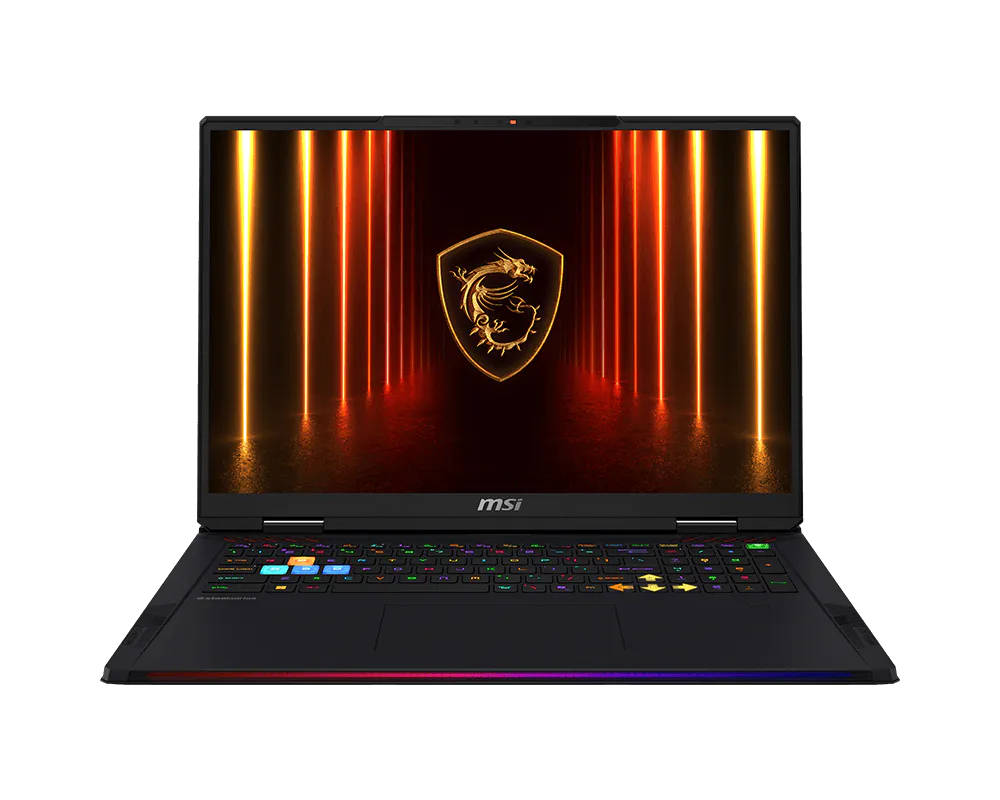
Yes, gaming laptops are excellent for animation work due to strong GPUs and CPUs. They are designed for heavy performance and long usage. Alam Tech often recommends gaming laptops for animators. These systems handle rendering and editing efficiently. However, they may be heavier and consume more power. Gaming laptops are ideal high-performance laptops for animation.
10. What display is best for animation work?
A Full HD IPS display with good color accuracy is ideal. Animators need precise colors for professional results. Higher refresh rates help with smoother previews. Alam Tech provides laptops with color-accurate screens for creators. Poor displays can affect visual quality. A good screen is essential for laptops for animation.
11. Can I use a normal laptop for animation learning?
Yes, a normal laptop can be used for learning basic animation skills. However, performance may be limited in advanced projects. Alam Tech recommends upgrading when moving to professional work. Beginners should focus on learning fundamentals first. Later, stronger systems become necessary. Entry systems are acceptable starting laptops for animation.
12. How does GPU affect animation performance?
The GPU handles rendering, visual effects, and real-time previews. A strong GPU significantly reduces rendering time. It also improves viewport performance in 3D software. Alam Tech offers laptops with powerful dedicated GPUs. Without a GPU, animation work becomes slow. GPU is critical in laptops for animation.
13. What is the ideal laptop for 3D animation?
A 3D animation laptop should have a strong CPU, dedicated GPU, 16–32GB RAM, and SSD storage. Cooling is also very important for long rendering sessions. Alam Tech provides laptops tailored for 3D creators. These systems handle complex models and animations efficiently. Performance stability is key for professionals. This defines high-end laptops for animation.
14. Do animation laptops overheat easily?
Yes, animation workloads generate heavy heat during rendering. Poor cooling systems can lead to performance drops. Alam Tech ensures laptops have efficient thermal designs. Gaming-grade cooling is often recommended. Proper airflow prevents overheating issues. Cooling is vital for laptops for animation.
15. How long does an animation laptop last?
A good animation laptop can last 4–6 years with proper care. Regular maintenance improves lifespan significantly. Alam Tech helps users choose durable systems. Upgradable laptops last even longer. Usage intensity also affects lifespan. Longevity matters in laptops for animation investment.
16. Is portability important for animation laptops?
Yes, especially for freelancers and students who travel frequently. However, performance should not be compromised for portability. Alam Tech helps balance both needs. Lightweight laptops are available with decent power. Studio users may prefer heavier high-performance machines. Portability is optional in laptops for animation.
17. Can I upgrade animation laptops later?
Many laptops allow RAM and storage upgrades. This helps improve performance over time. Alam Tech offers upgrade-friendly models. Some slim laptops may have limitations. Always check upgrade options before buying. Upgradeability is important for laptops for animation.
18. How much should I spend on an animation laptop?
Budget depends on your skill level and workload. Beginners can start with mid-range systems. Professionals need higher investment for better performance. Alam Tech offers all price ranges. Spending more usually means better efficiency. Smart budgeting is important for laptops for animation.
19. Are MacBooks good for animation?
Yes, MacBooks are good for animation, especially for motion graphics and design. However, they may be expensive for some users. Alam Tech focuses more on Windows-based alternatives. Both systems have advantages. Choice depends on software preference. MacBooks are premium laptops for animation.
20. What is better: laptop or desktop for animation?
Desktops offer better performance and upgradeability. However, laptops provide portability and convenience. Alam Tech provides powerful laptop alternatives for mobility. Many professionals prefer laptops for flexibility. Choice depends on work style. Both are valid for laptops for animation.
21. Can animation laptops handle gaming?
Yes, most animation laptops can handle gaming easily. They come with strong GPUs and CPUs. Alam Tech offers gaming-capable creative laptops. However, battery may drain faster during gaming. Performance is usually excellent. These are powerful laptops for animation systems.
22. How important is keyboard quality for animators?
Keyboard quality matters for long editing sessions. A comfortable keyboard reduces fatigue. Alam Tech offers laptops with ergonomic designs. Good input devices improve productivity. Animators often work for long hours. Comfort is important in laptops for animation.
23. Do I need a high refresh rate display?
High refresh rate helps in smoother previews and navigation. It improves user experience in animation software. Alam Tech provides such display options. However, it is not mandatory for beginners. Professionals benefit more from it. It enhances laptops for animation performance.
24. Is battery life important for animation work?
Battery life is less important during heavy rendering. Most work is done while plugged in. Alam Tech optimizes laptops for performance over battery. Portable usage still requires decent backup time. Power usage is high in animation tasks. Battery is secondary in laptops for animation.
25. What makes Alam Tech good for animation laptops?
Alam Tech provides expert guidance and genuine products. They recommend laptops based on real creative needs. Customers receive personalized suggestions. This reduces wrong purchases. Support is reliable and practical. Alam Tech is trusted for laptops for animation.
26. Can I do freelance animation with a mid-range laptop?
Yes, mid-range laptops are perfect for freelance work. They handle most animation tasks efficiently. Alam Tech offers suitable mid-range options. Performance depends on project complexity. Many freelancers start with such systems. Mid-range setups are ideal laptops for animation.
27. How important is RAM speed in animation?
RAM speed improves responsiveness and multitasking. It helps in smoother software operation. Alam Tech provides modern high-speed memory systems. Faster RAM improves workflow slightly. Capacity is more important than speed. Both matter in laptops for animation.
28. Do animation laptops need external monitors?
External monitors are optional but useful for professionals. They improve workspace and productivity. Alam Tech supports setups with external display compatibility. Larger screens help in detailed work. It enhances creative control. Monitors complement laptops for animation.
29. What is the biggest mistake when buying animation laptops?
The biggest mistake is ignoring GPU and RAM requirements. Many users focus only on price. Alam Tech helps avoid such errors. Proper guidance prevents poor purchases. Planning is essential for success. Avoiding mistakes ensures better laptops for animation choices.
30. Why should I follow this animation laptop guide?
This guide helps you understand technical requirements clearly. It simplifies complex specifications into practical advice. Alam Tech ensures users make informed decisions. It reduces confusion and wrong purchases. Following it improves long-term performance. It is essential for choosing the best laptops for animation.