

Best Laptop Settings for Performance: Alam Tech
Best Laptop Settings for Performance: Getting the most out of your laptop is not just about having powerful hardware—it’s also about optimizing the way your system runs. The right adjustments can dramatically improve speed, responsiveness, and overall efficiency. For users in Nepal looking to enhance their computing experience, understanding the best laptop settings for performance is essential. At Alam Tech, we not only provide high-quality laptops but also guide customers on how to fine-tune their devices for maximum output.
Whether you are a student, professional, gamer, or casual user, applying the best laptop settings for performance ensures smoother multitasking, faster application loading, and a more reliable system. With the right configuration, even mid-range laptops can deliver impressive results. Alam Tech focuses on helping users unlock the full potential of their devices through practical and effective optimization strategies.
Understanding Laptop Performance Optimization
Laptop performance depends on a combination of hardware capabilities and system settings. While powerful processors, RAM, and storage play a major role, software optimization is equally important. The best laptop settings for performance involve managing system resources efficiently and reducing unnecessary load on the system.
At Alam Tech, we emphasize that optimization is not a one-time task but an ongoing process. Regular updates, proper configuration, and smart usage habits contribute to consistent performance. By adjusting key settings, users can significantly improve speed and stability without needing expensive upgrades.
Best Laptop Settings for Performance
Why Performance Settings Matter
Many users experience slow laptops due to default settings that prioritize battery life or visual effects over speed. Adjusting these settings can make a noticeable difference. The best laptop settings for performance help reduce lag, improve responsiveness, and enhance productivity.
Alam Tech ensures that customers understand how to balance performance with other factors such as battery life and heat management. Proper settings allow laptops to operate efficiently under different workloads. This ensures that users get the best possible experience from their devices.
Power Settings for Maximum Performance
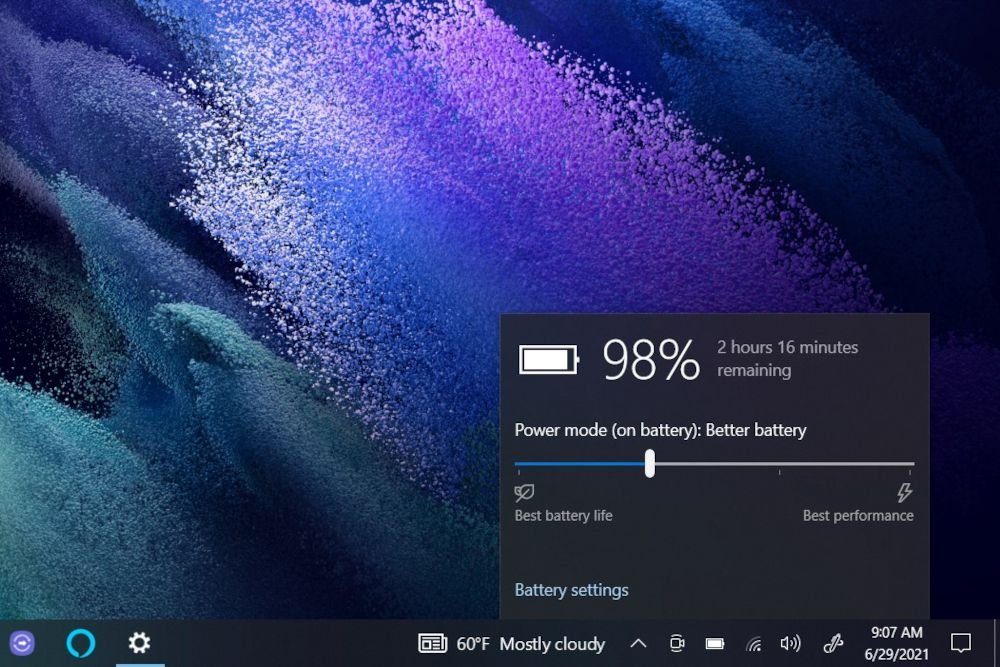
One of the most important adjustments involves power settings. Most laptops come with multiple power modes, such as balanced, power saver, and high performance. Selecting the high-performance mode ensures that the system uses maximum resources for speed.
Alam Tech recommends choosing the appropriate power plan based on usage. For intensive tasks like gaming or editing, high-performance mode is ideal. For everyday tasks, balanced mode may be sufficient. Adjusting power settings is one of the simplest ways to achieve the best laptop settings for performance.
Best Laptop Settings for Performance
Managing Startup Programs
Startup programs can significantly impact boot time and system performance. Many applications automatically launch when the laptop starts, consuming valuable resources. Disabling unnecessary startup programs helps speed up the system.
At Alam Tech, we guide users on how to manage startup applications effectively. Keeping only essential programs enabled ensures faster startup and improved performance. This is a key step in achieving the best laptop settings for performance.
Optimizing Background Processes
Background processes often run without the user’s knowledge, consuming CPU and memory resources. Monitoring and managing these processes can improve performance. Closing unused applications and services frees up system resources.
Alam Tech recommends regularly checking system activity to identify resource-heavy processes. Proper management ensures smoother operation and reduces lag. This optimization step is crucial for maintaining the best laptop settings for performance.
Adjusting Visual Effects
Modern operating systems include visual effects such as animations and transparency. While these enhance appearance, they can reduce performance on some laptops. Disabling unnecessary visual effects can improve speed.
Alam Tech suggests customizing visual settings to prioritize performance. Reducing animations and effects helps the system run more efficiently. This adjustment is especially useful for older or mid-range laptops. It contributes to achieving the best laptop settings for performance.
Keeping Software Updated
Software updates play a vital role in maintaining performance and security. Updates often include bug fixes, performance improvements, and compatibility enhancements.
Alam Tech encourages users to keep their operating system and applications updated. Regular updates ensure that the laptop runs smoothly and efficiently. This is an essential part of maintaining the best laptop settings for performance.
Storage Optimization
Storage management is critical for system performance. A nearly full storage drive can slow down the laptop significantly. Keeping sufficient free space ensures smooth operation.
Alam Tech recommends using SSD storage for faster performance. Regularly deleting unnecessary files and organizing data helps maintain efficiency. Disk cleanup and optimization tools further enhance performance. Proper storage management supports the best laptop settings for performance.
Best Laptop Settings for Performance
RAM Management and Multitasking
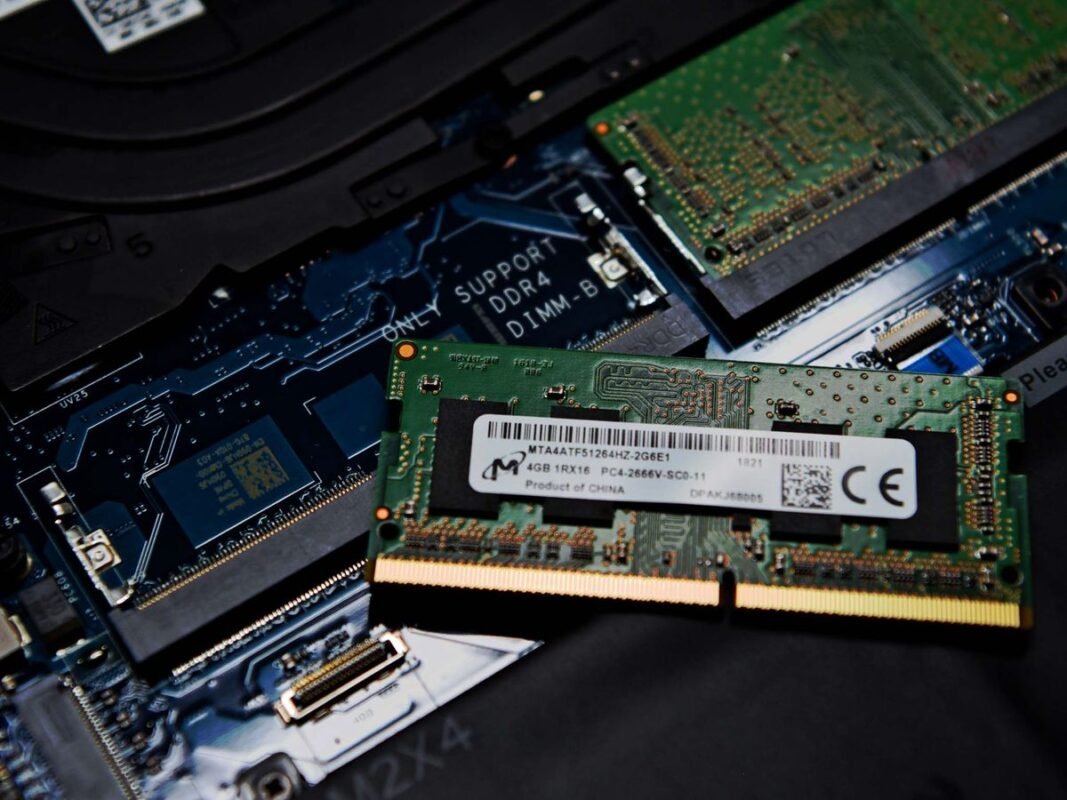
Efficient use of RAM is essential for smooth multitasking. Running too many applications simultaneously can slow down the system. Managing open programs and closing unused ones helps maintain performance.
Alam Tech provides laptops with adequate RAM for everyday tasks and multitasking. Users can also upgrade RAM if needed. Proper RAM management is key to achieving the best laptop settings for performance.
Cooling and Thermal Performance
Heat can significantly impact laptop performance. Overheating may cause the system to slow down or shut down to prevent damage. Proper cooling is essential for maintaining performance.
Alam Tech recommends keeping ventilation areas clear and using cooling pads if necessary. Regular cleaning prevents dust buildup that can block airflow. Effective thermal management ensures consistent performance and contributes to the best laptop settings for performance.
Battery Optimization vs Performance
Balancing battery life and performance is important. High-performance settings consume more power, reducing battery life. Users must choose settings based on their needs.
Alam Tech suggests switching between power modes depending on usage. For high-performance tasks, prioritize speed. For portability, optimize battery settings. This balance helps maintain the best laptop settings for performance while ensuring convenience.
Driver Updates and System Stability
Drivers play a crucial role in hardware performance. Outdated drivers can cause compatibility issues and reduce efficiency. Keeping drivers updated ensures optimal performance.
Alam Tech recommends regularly checking for driver updates. Updated drivers improve hardware functionality and system stability. This step is essential for achieving the best laptop settings for performance.
Antivirus and Security Optimization
Security software is important but can sometimes impact performance. Choosing efficient antivirus solutions ensures protection without slowing down the system.
Alam Tech advises using lightweight security software and avoiding unnecessary scans during active use. Proper security settings help maintain performance. This contributes to the best laptop settings for performance.
Network and Internet Optimization
Internet speed affects many tasks, including browsing, streaming, and online work. Optimizing network settings ensures faster and more stable connections.
Alam Tech provides laptops with advanced connectivity features. Users can improve performance by using stable Wi-Fi connections and minimizing network congestion. Efficient network settings enhance overall performance.
Customizing Performance Settings for Different Users
Different users have different performance needs. Students, professionals, and gamers require specific configurations. Customizing settings ensures optimal performance for each use case.
Alam Tech helps customers choose the right configurations and settings. Personalized optimization ensures that users get the best results from their laptops. This approach ensures the best laptop settings for performance.
Maintenance Tips for Long-Term Performance
Regular maintenance is essential for sustaining performance. Cleaning hardware, updating software, and managing storage help maintain efficiency.
Alam Tech recommends periodic system checks to identify issues early. Proper maintenance prevents performance degradation. This ensures that the best laptop settings for performance remain effective over time.
Common Mistakes to Avoid
Many users unknowingly reduce their laptop’s performance through poor habits. Installing unnecessary software, ignoring updates, and neglecting maintenance can cause slowdowns.
Alam Tech advises users to avoid these mistakes. Proper usage habits improve performance and extend the laptop’s lifespan. Avoiding common errors is essential for maintaining the best laptop settings for performance.
Future of Laptop Performance Optimization
Technology continues to evolve, and performance optimization techniques are improving. Advanced software and hardware innovations are making laptops faster and more efficient.
Alam Tech stays updated with the latest trends to provide customers with modern solutions. Future laptops will offer smarter optimization features and better performance management. Staying informed ensures continued improvement in performance.
Why Choose Alam Tech
Alam Tech is committed to providing high-quality laptops and expert guidance. Our focus on customer satisfaction ensures that users get the best experience. We offer reliable products and professional support.
Customers benefit from our expertise in selecting and optimizing laptops. Alam Tech ensures that every device performs at its best. Choosing Alam Tech means investing in quality and performance.
Final Thoughts
Optimizing your laptop is essential for achieving the best possible performance. By applying the best laptop settings for performance, users can improve speed, efficiency, and reliability. Alam Tech provides both high-quality laptops and expert advice to help customers get the most out of their devices.
With proper settings, maintenance, and usage habits, any laptop can deliver excellent performance. Whether for work, study, or entertainment, optimizing your system ensures a smooth and enjoyable experience. Alam Tech remains your trusted partner in achieving the best laptop performance in Nepal.
Contact us:
Faq on Best Laptop Settings for Performance: Alam Tech:
1. What are the best laptop settings for performance?
The best laptop settings for performance are configurations that maximize system speed and efficiency. These include adjusting power plans, managing startup programs, and optimizing background processes. At Alam Tech, we guide users to prioritize performance over unnecessary visual effects. Proper settings ensure faster response times and smoother multitasking. They help reduce lag and improve overall system stability. Applying these settings allows users to get the most out of their laptops.
2. Why is it important to optimize laptop settings?
Optimizing laptop settings improves speed, responsiveness, and efficiency. Many laptops run slower due to default configurations that prioritize balance rather than performance. Alam Tech helps users adjust these settings for better results. Optimization reduces system lag and enhances productivity. It also extends the lifespan of the device. Proper configuration ensures consistent and reliable performance.
3. How do power settings affect laptop performance?
Power settings control how system resources are used. High-performance mode allows the processor to run at maximum speed. Alam Tech recommends using this mode for demanding tasks. Balanced or power-saving modes reduce performance to conserve battery. Adjusting power settings is one of the best laptop settings for performance. It directly impacts speed and efficiency.
4. What are startup programs and why should they be managed?
Startup programs are applications that launch when the laptop boots. Too many startup programs slow down boot time and consume resources. Alam Tech advises disabling unnecessary startup applications. This improves system startup speed and overall performance. Managing startup programs is essential for optimization. It ensures that only important applications run at startup.
5. How do background processes impact performance?
Background processes use CPU and memory without user interaction. Too many processes can slow down your laptop significantly. Alam Tech recommends monitoring and closing unnecessary tasks. Managing background processes improves system responsiveness. It ensures that resources are available for active applications. This is a key part of performance optimization.
6. Should I disable visual effects for better performance?
Yes, disabling visual effects can improve performance. Animations and transparency consume system resources. Alam Tech suggests reducing these effects for smoother operation. This is especially helpful for mid-range or older laptops. Prioritizing performance over appearance increases speed. It is one of the best laptop settings for performance.
7. How often should I update my laptop software?
Regular updates are essential for maintaining performance. Alam Tech recommends updating software whenever updates are available. Updates include bug fixes and performance improvements. They also enhance security and compatibility. Keeping software updated ensures smooth operation. It is a key step in optimization.
8. Does storage affect laptop performance?
Yes, storage plays a significant role in performance. A full drive can slow down the system. Alam Tech advises keeping sufficient free space for smooth operation. SSD storage provides faster speeds compared to traditional drives. Regular cleanup improves efficiency. Proper storage management supports better performance.
9. How can I optimize RAM usage?
Efficient RAM usage improves multitasking and speed. Alam Tech recommends closing unused applications to free memory. Running too many programs can slow down the system. Upgrading RAM may also improve performance. Proper RAM management ensures smooth operation. It is an essential optimization step.
10. Why is cooling important for performance?
Overheating can reduce performance and damage components. Alam Tech advises maintaining proper airflow and cleaning vents regularly. Cooling systems help maintain stable performance. Using cooling pads can further improve heat management. Proper cooling prevents slowdowns. It ensures consistent performance during heavy usage.
11. Can antivirus software affect performance?
Yes, heavy antivirus software can slow down your laptop. Alam Tech recommends using efficient and lightweight security solutions. Proper configuration ensures protection without affecting speed. Avoid running unnecessary scans during active use. Balanced security settings are important. This helps maintain optimal performance.
12. How do browser settings impact performance?
Browsers consume significant system resources. Too many tabs and extensions can slow down performance. Alam Tech suggests limiting open tabs and removing unnecessary extensions. Clearing cache improves browsing speed. Optimizing browser settings enhances overall system performance. It is an important optimization step.
13. Should I defragment my laptop?
Defragmentation is useful for traditional hard drives. It organizes data for faster access. Alam Tech recommends defragmentation for HDDs only. SSDs do not require this process. Proper storage optimization improves performance. Regular maintenance ensures efficiency.
14. What role do drivers play in performance?
Drivers ensure proper communication between hardware and software. Outdated drivers can cause performance issues. Alam Tech recommends keeping drivers updated. Updated drivers improve efficiency and compatibility. They enhance system stability. This is a key part of optimization.
15. How can I improve battery performance without losing speed?
Balancing battery life and performance is important. Alam Tech suggests switching between power modes based on usage. Use high-performance mode when needed. Use balanced mode for everyday tasks. Proper management ensures efficiency. This helps maintain performance without draining battery quickly.
16. Are performance settings different for gaming laptops?
Yes, gaming laptops require additional optimization. Alam Tech recommends adjusting graphics and system settings. High-performance mode is essential for gaming. Cooling management is also important. Optimized settings improve gameplay experience. They ensure smooth and responsive performance.
17. Can I automate performance optimization?
Some tools allow automatic optimization. Alam Tech suggests using trusted system optimization tools. These tools manage background processes and clean storage. Automation saves time and effort. However, manual adjustments are still important. Combining both methods gives the best results.
18. What are common mistakes that reduce performance?
Common mistakes include installing unnecessary software and ignoring updates. Overloading storage and running too many programs also slow down laptops. Alam Tech advises avoiding these habits. Proper usage ensures better performance. Awareness helps maintain efficiency. Avoiding mistakes is crucial for optimization.
19. How does internet speed affect performance?
Internet speed affects online tasks such as browsing and streaming. Slow connections can make laptops feel sluggish. Alam Tech recommends using stable Wi-Fi or wired connections. Optimizing network settings improves performance. Faster internet enhances user experience. Connectivity plays a key role in efficiency.
20. Is upgrading hardware necessary for better performance?
Not always, as proper settings can improve performance significantly. Alam Tech suggests optimizing settings first. If performance is still insufficient, upgrades may help. Adding RAM or switching to SSD improves speed. Hardware upgrades enhance capability. They complement software optimization.
21. How do I keep my laptop running smoothly over time?
Regular maintenance is essential for long-term performance. Alam Tech recommends cleaning, updating, and monitoring system usage. Avoid overloading the laptop with unnecessary applications. Proper care prevents slowdowns. Consistent maintenance ensures reliability. It keeps the laptop running efficiently.
22. Can performance settings improve older laptops?
Yes, optimization can significantly improve older laptops. Alam Tech suggests applying the best laptop settings for performance. Reducing visual effects and managing resources helps. Upgrading RAM or storage can further enhance speed. Optimization extends usability. It makes older devices more efficient.
23. What is the best way to manage multitasking?
Efficient multitasking requires proper resource management. Alam Tech recommends closing unused applications. Using sufficient RAM improves multitasking performance. Avoid running too many programs simultaneously. Proper management ensures smooth operation. It enhances productivity and efficiency.
24. Do updates slow down laptops?
Updates may temporarily slow down systems during installation. However, they improve performance in the long run. Alam Tech recommends keeping systems updated. Updates fix bugs and enhance efficiency. They ensure compatibility with new software. Overall, they benefit performance.
25. Can cleaning my laptop improve performance?
Yes, cleaning helps maintain airflow and prevent overheating. Alam Tech advises removing dust from vents and fans. Clean hardware improves cooling efficiency. Better cooling enhances performance. Regular cleaning is important. It contributes to long-term reliability.
26. How do I know if my laptop needs optimization?
Signs include slow performance, lag, and long loading times. Alam Tech recommends monitoring system behavior. Frequent crashes or overheating indicate issues. Optimization can resolve many problems. Regular checks ensure smooth operation. Early action prevents major issues.
27. Are performance settings safe to change?
Yes, most performance settings are safe to adjust. Alam Tech provides guidance on proper configuration. Avoid changing advanced settings without knowledge. Basic optimization steps are user-friendly. Following recommended practices ensures safety. Proper adjustments improve performance without risk.
28. What tools can help optimize performance?
Various tools assist in cleaning and managing systems. Alam Tech recommends using trusted software only. These tools help remove junk files and manage startup programs. They improve efficiency and speed. However, manual optimization is also important. Combining both methods works best.
29. Why choose Alam Tech for performance guidance?
Alam Tech provides expert advice and high-quality laptops. We help customers optimize their devices effectively. Our support ensures better performance and reliability. Customers receive personalized recommendations. We focus on long-term satisfaction. Choosing Alam Tech ensures the best experience.
30. What makes performance optimization a good investment?
Optimizing performance improves efficiency without extra cost. Alam Tech ensures users get maximum value from their laptops. Better performance enhances productivity and user experience. It extends the lifespan of the device. Optimization is simple yet effective. It is a smart and practical investment.











 Apple MacBook

