
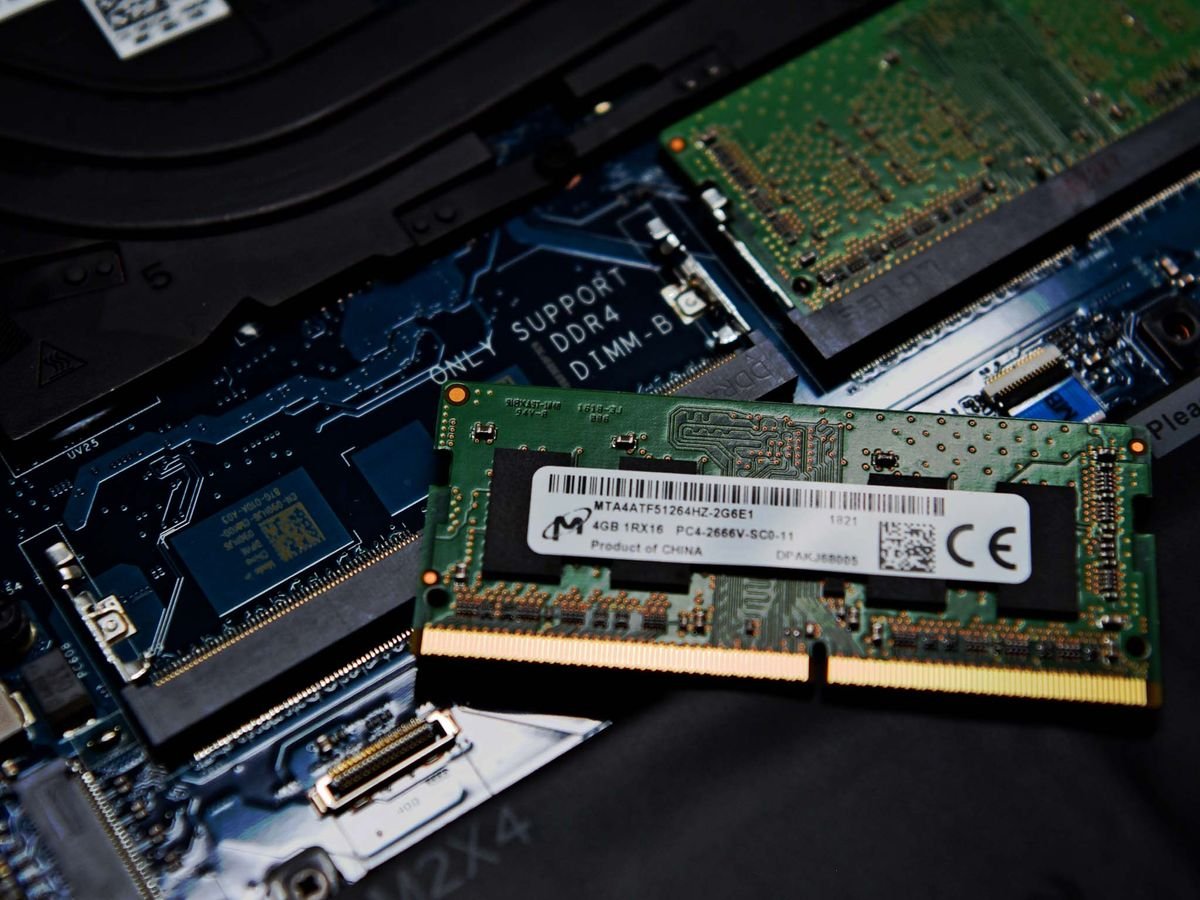

How to Upgrade Laptop RAM: Alam Tech Complete Step-by-Step Guide
Introduction: How to Upgrade Laptop RAM
How to Upgrade Laptop RAM: Upgrading laptop RAM is one of the most effective ways to improve performance without replacing your entire device. Many users experience slow systems, lag during multitasking, or delays when opening applications. In most cases, insufficient memory is the cause. Learning how to upgrade laptop RAM can help extend the life of your laptop and significantly boost its speed.
At Alam Tech, the focus is on helping users get the most out of their devices. Whether you are a student, professional, or gamer, upgrading RAM can transform your experience. This complete guide explains how to upgrade laptop RAM, what to consider before upgrading, and how to ensure compatibility and safety.
Understanding Laptop RAM and Its Importance
RAM, or Random Access Memory, is responsible for handling active processes and applications. It allows your laptop to run multiple programs smoothly without slowing down.
When RAM is limited, your system struggles to manage tasks efficiently. This results in lag, slow performance, and delays.
Understanding how to upgrade laptop RAM begins with recognizing its importance in system performance. Alam Tech recommends upgrading RAM as a cost-effective way to improve speed and multitasking.

How to Upgrade Laptop RAM
Signs That Your Laptop Needs a RAM Upgrade
Before upgrading, it is important to identify whether your laptop actually needs more RAM.
Common signs include:
- Slow performance when opening applications
- Frequent system lag or freezing
- Difficulty running multiple programs
- Browser tabs slowing down your system
If you experience these issues, learning how to upgrade laptop RAM can solve many of these problems.
Alam Tech helps users diagnose performance issues and determine whether a RAM upgrade is the right solution.
Benefits of Upgrading Laptop RAM
Upgrading RAM offers several advantages that improve overall system performance.
Key benefits include:
- Faster multitasking
- Improved application performance
- Reduced lag and delays
- Better gaming and productivity
Understanding how to upgrade laptop RAM allows users to enjoy these benefits without investing in a new device.
Alam Tech ensures that users get the maximum performance improvement from RAM upgrades.
Checking Laptop Compatibility
Not all laptops support RAM upgrades, so compatibility must be checked before proceeding.
Important factors include:
- Maximum supported RAM
- RAM type (DDR3, DDR4, DDR5)
- Number of RAM slots
- Supported speed
Alam Tech helps users verify compatibility before upgrading.
Knowing these details is essential when learning how to upgrade laptop RAM.
Choosing the Right RAM
Selecting the correct RAM is critical for a successful upgrade.
Key considerations:
- Match RAM type with your laptop
- Choose appropriate speed
- Select a reliable capacity (8GB, 16GB, etc.)
Alam Tech provides guidance in choosing compatible and high-quality RAM.
Choosing the right component is a crucial step in how to upgrade laptop RAM.
Tools Required for RAM Upgrade
Upgrading RAM does not require many tools, but having the right equipment is important.
Basic tools include:
- Small screwdriver
- Anti-static precautions
- Clean working surface
Alam Tech recommends handling components carefully to avoid damage.
Preparation is an important part of how to upgrade laptop RAM.
Safety Precautions Before Upgrading
Safety should always come first when working with hardware.
Important precautions:
- Turn off the laptop
- Disconnect power supply
- Remove battery if possible
- Ground yourself to prevent static damage
Alam Tech emphasizes proper handling techniques.
Following safety steps is essential in how to upgrade laptop RAM.
Step-by-Step Process to Upgrade Laptop RAM
Understanding the actual process is the core of this guide.
Step 1: Power Off the Laptop
Ensure the laptop is completely turned off and unplugged.
Step 2: Open the Back Panel
Use a screwdriver to carefully remove the back cover.
Step 3: Locate RAM Slots
Identify the existing RAM modules.
Step 4: Remove Old RAM (if needed)
Gently release the clips and remove the module.
Step 5: Insert New RAM
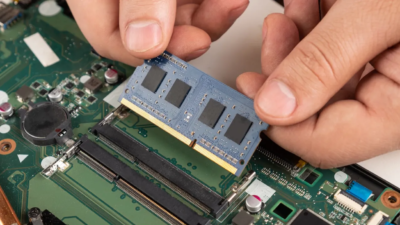
Align the RAM correctly and press it into place.
Step 6: Close the Panel
Secure the back cover and screws.
Step 7: Power On and Check
Turn on the laptop and verify the upgrade.
Alam Tech ensures that customers receive proper guidance throughout the process.
This step-by-step approach explains how to upgrade laptop RAM safely and effectively.
Verifying RAM Installation
After installation, it is important to confirm that the system recognizes the new RAM.
You can check system settings to verify total memory.
If the RAM is not detected, reinstallation may be required.
Alam Tech assists users in troubleshooting installation issues.
Verification is a key step in how to upgrade laptop RAM.

How to Upgrade Laptop RAM
Common Mistakes to Avoid
Many users make mistakes during RAM upgrades.
Common mistakes include:
- Buying incompatible RAM
- Improper installation
- Ignoring safety precautions
- Forcing components into place
Alam Tech helps users avoid these errors.
Avoiding mistakes ensures success in how to upgrade laptop RAM.
Single Channel vs Dual Channel RAM
RAM configuration affects performance.
Dual-channel setups provide better speed compared to single-channel.
Using two identical RAM modules improves efficiency.
Alam Tech recommends balanced configurations for better results.
Understanding this concept is important in how to upgrade laptop RAM.
How Much RAM Do You Need?
The required RAM depends on usage.
General recommendations:
- 8GB for basic use
- 16GB for multitasking
- 32GB for advanced tasks
Alam Tech helps users choose the right capacity.
Selecting proper memory size is essential in how to upgrade laptop RAM.
Upgrading RAM for Gaming
Gamers benefit significantly from RAM upgrades.
More RAM reduces stuttering and improves performance.
Alam Tech provides gaming-friendly upgrade solutions.
Gaming performance improves with proper memory configuration.
This makes how to upgrade laptop RAM important for gamers.
How to Upgrade Laptop RAM
Upgrading RAM for Students and Professionals
Students and professionals use multiple applications daily.
RAM upgrades improve productivity and efficiency.
Alam Tech recommends upgrades for better workflow.
Improved multitasking supports academic and professional tasks.
This highlights the importance of how to upgrade laptop RAM.
When RAM Upgrade Is Not Enough
Sometimes upgrading RAM alone may not solve performance issues.
Other factors include:
- Slow storage (HDD instead of SSD)
- Outdated processor
- Software issues
Alam Tech helps diagnose complete system performance.
Understanding limitations is part of how to upgrade laptop RAM.
Cost vs Performance Benefits
RAM upgrades are cost-effective compared to buying a new laptop.
They provide noticeable performance improvements at a lower cost.
Alam Tech ensures affordable upgrade options.
Value is an important factor in decision-making.
Cost efficiency makes how to upgrade laptop RAM a smart choice.
Professional Assistance vs DIY Upgrade
Users can upgrade RAM themselves or seek professional help.
DIY upgrades save money but require careful handling.
Professional assistance ensures safe installation.
Alam Tech offers expert support for users who need help.
Choosing the right approach is part of how to upgrade laptop RAM.
Why Choose Alam Tech for RAM Upgrades
Alam Tech is a trusted provider of laptop components and services in Nepal.
They offer:
- Genuine RAM products
- Expert recommendations
- Compatibility checks
- Professional installation support
This ensures a reliable upgrade experience.
Choosing Alam Tech makes how to upgrade laptop RAM easier and safer.
Future-Proofing Your Laptop
Upgrading RAM helps prepare your laptop for future tasks.
Modern applications require more memory.
Alam Tech recommends upgrading to higher capacities when possible.
Future-proofing improves long-term usability.
Planning ahead is important in how to upgrade laptop RAM.
Final Thoughts on How to Upgrade Laptop RAM
Learning how to upgrade laptop RAM is one of the most practical ways to improve laptop performance. It is a simple upgrade that delivers significant results in speed, multitasking, and overall efficiency.
This guide covers everything from understanding RAM to installation and troubleshooting. With the right approach, users can extend the life of their laptops and improve productivity.
Alam Tech plays an important role in helping users choose compatible RAM and providing expert support throughout the upgrade process.
Investing time in learning how to upgrade laptop RAM ensures better performance, improved usability, and long-term value for your device.
Contact us:
Frequently Asked Questions (FAQs) – How to Upgrade Laptop RAM: Alam Tech
1. What is laptop RAM and why is it important?
Laptop RAM (Random Access Memory) is a component that temporarily stores data your system is actively using. It allows your laptop to run multiple applications smoothly. Without enough RAM, your system becomes slow and unresponsive. More RAM improves multitasking and overall performance. Alam Tech recommends adequate RAM for better efficiency. Understanding this is the first step in how to upgrade laptop RAM.
2. How do I know if my laptop needs a RAM upgrade?
If your laptop slows down during multitasking, it may need more RAM. Frequent freezing, lag, or delayed responses are common signs. Heavy applications may struggle to run smoothly. Monitoring system performance can confirm this. Alam Tech helps diagnose such issues. These signs indicate it’s time to learn how to upgrade laptop RAM.
3. Can all laptops be upgraded with more RAM?
Not all laptops support RAM upgrades. Some modern ultrabooks have soldered RAM that cannot be replaced. Others have limited upgrade capacity. It is important to check compatibility before upgrading. Alam Tech assists in verifying upgrade options. This is an essential step in how to upgrade laptop RAM.
4. How much RAM should I upgrade to?
The ideal RAM depends on your usage needs. 8GB is enough for basic tasks, while 16GB is better for multitasking. Advanced users may require 32GB or more. Upgrading beyond your needs may not provide additional benefits. Alam Tech helps choose the right capacity. Proper planning is key in how to upgrade laptop RAM.
5. What types of RAM are used in laptops?
Laptops use different types of RAM such as DDR3, DDR4, and DDR5. Each type has different speeds and compatibility. You must match the correct type with your laptop. Using incompatible RAM will not work. Alam Tech ensures correct RAM selection. Knowing this is important in how to upgrade laptop RAM.
6. How do I check my current RAM specifications?
You can check RAM details through system settings or task manager. It shows total memory, type, and usage. Some tools provide more detailed information. Knowing your current setup helps in upgrading. Alam Tech can assist with this process. It is a necessary step in how to upgrade laptop RAM.
7. What tools are needed to upgrade RAM?
A small screwdriver is usually required to open the laptop. Anti-static precautions are also important. A clean workspace helps prevent damage. No advanced tools are needed for most laptops. Alam Tech recommends careful handling. Preparation is essential in how to upgrade laptop RAM.
8. Is it safe to upgrade laptop RAM yourself?
Yes, it is safe if done carefully and correctly. Following proper steps reduces risk. Static electricity can damage components, so precautions are necessary. If unsure, professional help is recommended. Alam Tech provides expert assistance. Safety is important in how to upgrade laptop RAM.
9. How long does it take to upgrade RAM?
The process usually takes 10 to 30 minutes. It depends on the laptop design and user experience. Simple models are easier to upgrade. Complicated designs may take longer. Alam Tech can perform quick upgrades. Time efficiency is part of how to upgrade laptop RAM.
10. Will upgrading RAM improve gaming performance?
Yes, upgrading RAM can improve gaming performance. It reduces lag and improves smoothness. However, GPU and CPU also affect gaming. More RAM helps with multitasking during gaming. Alam Tech recommends balanced configurations. Gaming benefits from how to upgrade laptop RAM.
11. Can I mix different RAM brands?
Mixing RAM brands is possible but not recommended. Differences in speed and compatibility may cause issues. Using identical modules ensures better performance. Alam Tech advises matched RAM kits. Stability is important. This affects how to upgrade laptop RAM.
12. What is dual-channel RAM?
Dual-channel RAM uses two memory modules for better performance. It increases data transfer speed. This improves overall system efficiency. Matching RAM sticks are required. Alam Tech recommends dual-channel setups. It enhances how to upgrade laptop RAM.
13. What happens if RAM is not installed properly?
Improper installation can prevent the laptop from starting. The system may not detect new RAM. It can also cause instability. Reinstalling correctly usually solves the issue. Alam Tech provides troubleshooting support. Proper installation is crucial in how to upgrade laptop RAM.
14. Can RAM upgrade damage my laptop?
If done incorrectly, it can cause damage. Static electricity or forceful installation can harm components. Following proper steps prevents issues. Using compatible RAM is essential. Alam Tech ensures safe upgrades. Care is important in how to upgrade laptop RAM.
15. Do I need to reinstall software after upgrading RAM?
No, upgrading RAM does not require reinstalling software. It does not affect stored data. The system automatically detects new memory. However, checking system settings is recommended. Alam Tech ensures smooth upgrades. This simplifies how to upgrade laptop RAM.
16. Will upgrading RAM void my warranty?
It depends on the laptop manufacturer. Some allow upgrades without voiding warranty. Others may have restrictions. Checking warranty terms is important. Alam Tech can guide you. Warranty awareness is part of how to upgrade laptop RAM.
17. Can I upgrade RAM without opening the laptop?
No, physical access is required to upgrade RAM. Some laptops have easy-access panels. Others require full disassembly. Proper tools are needed. Alam Tech provides assistance if needed. Physical installation is part of how to upgrade laptop RAM.
18. Does RAM speed matter?
Yes, RAM speed affects performance. Faster RAM improves data transfer rates. However, it must match system compatibility. Higher speed RAM may not work if unsupported. Alam Tech helps select correct speed. Speed matters in how to upgrade laptop RAM.
19. What is maximum RAM capacity?
Each laptop has a maximum supported RAM limit. Exceeding this limit will not work. Checking specifications is important. Alam Tech verifies compatibility. Knowing limits ensures proper upgrades. This is key in how to upgrade laptop RAM.
20. Can RAM upgrade fix slow startup?
RAM may improve startup performance slightly. However, storage type has a bigger impact. SSD upgrades are more effective for boot speed. Combining both upgrades is ideal. Alam Tech provides complete solutions. Understanding this helps in how to upgrade laptop RAM.
21. Is RAM upgrade better than buying a new laptop?
In many cases, yes. It is more cost-effective and improves performance. However, older systems may have limitations. Evaluating overall hardware is important. Alam Tech helps make decisions. Cost efficiency is key in how to upgrade laptop RAM.
22. Can RAM upgrade improve battery life?
Indirectly, yes. Efficient multitasking reduces system strain. However, battery improvement is minimal. Power consumption depends on overall usage. Alam Tech recommends balanced upgrades. Battery impact is limited in how to upgrade laptop RAM.
23. What is the difference between laptop and desktop RAM?
Laptop RAM is smaller and designed for compact systems. Desktop RAM is larger and not interchangeable. Using the wrong type will not work. Compatibility is crucial. Alam Tech ensures correct selection. This is important in how to upgrade laptop RAM.
24. Do I need technical knowledge to upgrade RAM?
Basic knowledge is sufficient for most upgrades. Following step-by-step guides helps. However, mistakes can occur without experience. Professional help ensures safety. Alam Tech provides support. Knowledge helps in how to upgrade laptop RAM.
25. Can RAM upgrade improve multitasking?
Yes, more RAM allows multiple applications to run smoothly. It reduces lag and improves responsiveness. Heavy tasks become easier to manage. Alam Tech recommends upgrades for productivity. Multitasking improves significantly. It is a major benefit of how to upgrade laptop RAM.
26. Is 4GB RAM enough today?
4GB RAM is not sufficient for modern usage. It struggles with multitasking and heavy applications. Upgrading to 8GB or more is recommended. Alam Tech advises higher capacity. Modern tasks require more memory. This highlights how to upgrade laptop RAM.
27. Can RAM upgrade improve video editing performance?
Yes, more RAM helps handle large files and editing software. It improves rendering and playback. However, CPU and GPU also matter. Balanced hardware is important. Alam Tech provides suitable configurations. Editing benefits from how to upgrade laptop RAM.
28. What is latency in RAM?
Latency refers to the delay in data access. Lower latency means faster response. It affects performance slightly. Most users focus on capacity and speed. Alam Tech ensures balanced RAM selection. Latency is a minor factor in how to upgrade laptop RAM.
29. Can I upgrade RAM on a gaming laptop?
Yes, most gaming laptops support RAM upgrades. They often have multiple slots. More RAM improves gaming performance. Alam Tech offers gaming upgrade solutions. Performance increases with proper configuration. Gaming benefits from how to upgrade laptop RAM.
30. How do I test RAM after upgrading?
You can check system settings or use diagnostic tools. It confirms proper installation. Stress testing ensures stability. If issues occur, reinstallation may be needed. Alam Tech assists with testing. Verification is part of how to upgrade laptop RAM.
31. Can RAM upgrade reduce system crashes?
Yes, insufficient RAM can cause crashes. Upgrading improves stability. However, software issues can also cause crashes. Proper diagnosis is important. Alam Tech helps identify problems. Stability improves with how to upgrade laptop RAM.
32. What is soldered RAM?
Soldered RAM is fixed to the motherboard. It cannot be removed or upgraded. Many thin laptops use this design. Checking before purchase is important. Alam Tech helps identify upgradeable laptops. This affects how to upgrade laptop RAM.
33. Can RAM upgrade improve browser performance?
Yes, more RAM allows multiple tabs to run smoothly. It reduces lag and improves speed. Browsers consume significant memory. Alam Tech recommends upgrades for heavy users. Performance improves noticeably. Browsing benefits from how to upgrade laptop RAM.
34. Should I upgrade RAM or SSD first?
It depends on your system’s bottleneck. SSD improves speed more significantly. RAM helps with multitasking. Combining both upgrades is ideal. Alam Tech provides guidance. Decision-making is part of how to upgrade laptop RAM.
35. Why choose Alam Tech for RAM upgrades?
Alam Tech offers genuine components and expert support. They ensure compatibility and safe installation. Customers receive reliable service. Their experience ensures quality upgrades. It is a trusted provider in Nepal. Ideal for how to upgrade laptop RAM.













 Apple MacBook

