
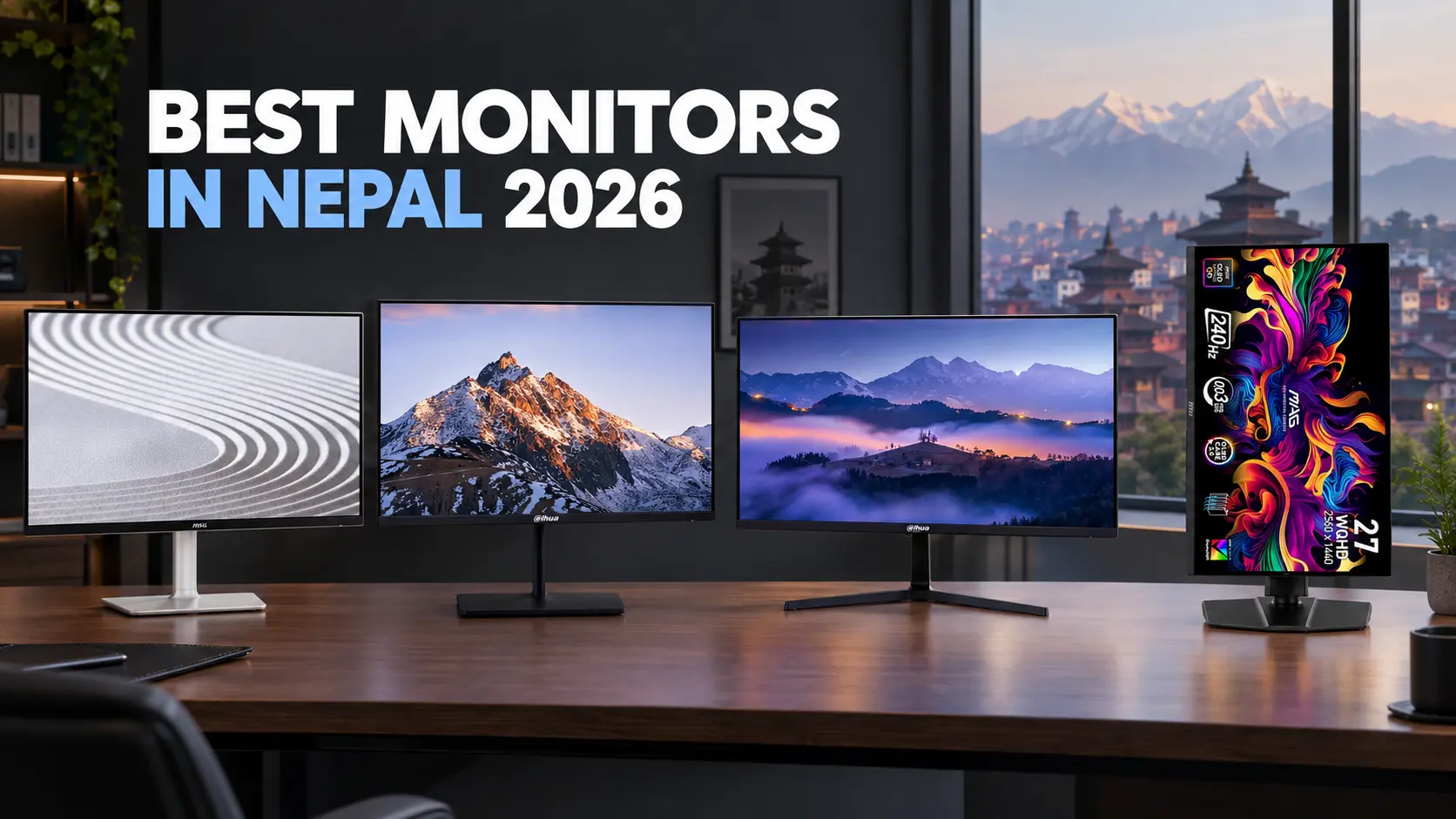

If you’re looking for the best monitor in Nepal, the right choice depends less on chasing the highest specifications and more on how you plan to use it. A monitor for office productivity and software development demands very different priorities than an esports panel or a color-critical creative setup.
In this guide, we compare four monitors available in Nepal across different budgets and use cases—from accessible office displays to competitive high-refresh panels and premium QD-OLED hardware. We compare their real-world capabilities, trade-offs, and current listed prices to help you choose the right display for your setup in 2026.
Note: Monitor prices and availability can change. The prices shown in this guide reflect the listed prices at the time of publication. Check the linked product pages for the latest price and stock information before purchasing.
Best Monitors in Nepal at a Glance
| Monitor | Best For | Size | Resolution | Panel | Refresh Rate | Price (NPR) |
|---|---|---|---|---|---|---|
| Dell S2425H | Work & Productivity | 23.8″ | 1080p (FHD) | IPS | 100Hz | Rs. 22,000 |
| Dahua DHI-LM27-B221S | Budget Gaming & All-Rounder | 27″ | 1080p (FHD) | IPS | 144Hz | Rs. 21,000 |
| Dahua DHI-LM27-U401A | Coding & 4K Creation | 27″ | 4K UHD | IPS | 60Hz | Rs. 49,490 |
| MSI MAG 273QP QD-OLED X24 | Enthusiast Gaming & Color | 26.5″ | 1440p (WQHD) | QD-OLED | 240Hz | Rs. 110,000 |
How to Choose the Right Monitor
Before committing to a purchase, evaluate these five technical factors to avoid paying for features you do not need:
- Screen Size: 24-inch panels are well suited to compact workstations and competitive esports setups where you may prefer to keep the entire screen within your field of view. 27-inch displays provide more screen area for multitasking, gaming, and detailed productivity work.
- Resolution & PPI: 1080p looks relatively sharp on a 24-inch screen at around 92 PPI. On a 27-inch screen, 1080p drops to around 81 PPI, resulting in softer text and interface elements at close viewing distances. For detailed document work, software development, or video editing on a 27-inch display, 1440p or 4K provides substantially higher pixel density.
- Panel Technology:
- IPS (In-Plane Switching): Commonly used for its wide viewing angles and balanced image quality. IPS displays are suitable for office work, editing, and general-purpose gaming.
- VA (Vertical Alignment): Typically offers deeper blacks and higher static contrast than IPS, although some VA panels can show dark smearing during fast motion.
- QD-OLED: Uses self-emissive pixels to produce very deep blacks, extremely high contrast, and very fast pixel response without traditional backlight bleed.
- Refresh Rate: Standard office monitors commonly operate at 60Hz, while 100Hz can make scrolling, window movement, and general desktop interaction feel noticeably smoother. For gaming, 144Hz provides a substantial improvement in motion fluidity over 60Hz, while 240Hz can provide additional smoothness and lower display latency for competitive players who can sustain high frame rates.
- Connectivity: Make sure the monitor provides the ports required by your computer and peripherals. For laptop-focused setups, a USB Type-C port with Power Delivery can allow a single cable to carry display output and power, with additional peripheral connectivity depending on the monitor.
Best Monitors in Nepal
Dell S2425H: Best for Work & Productivity
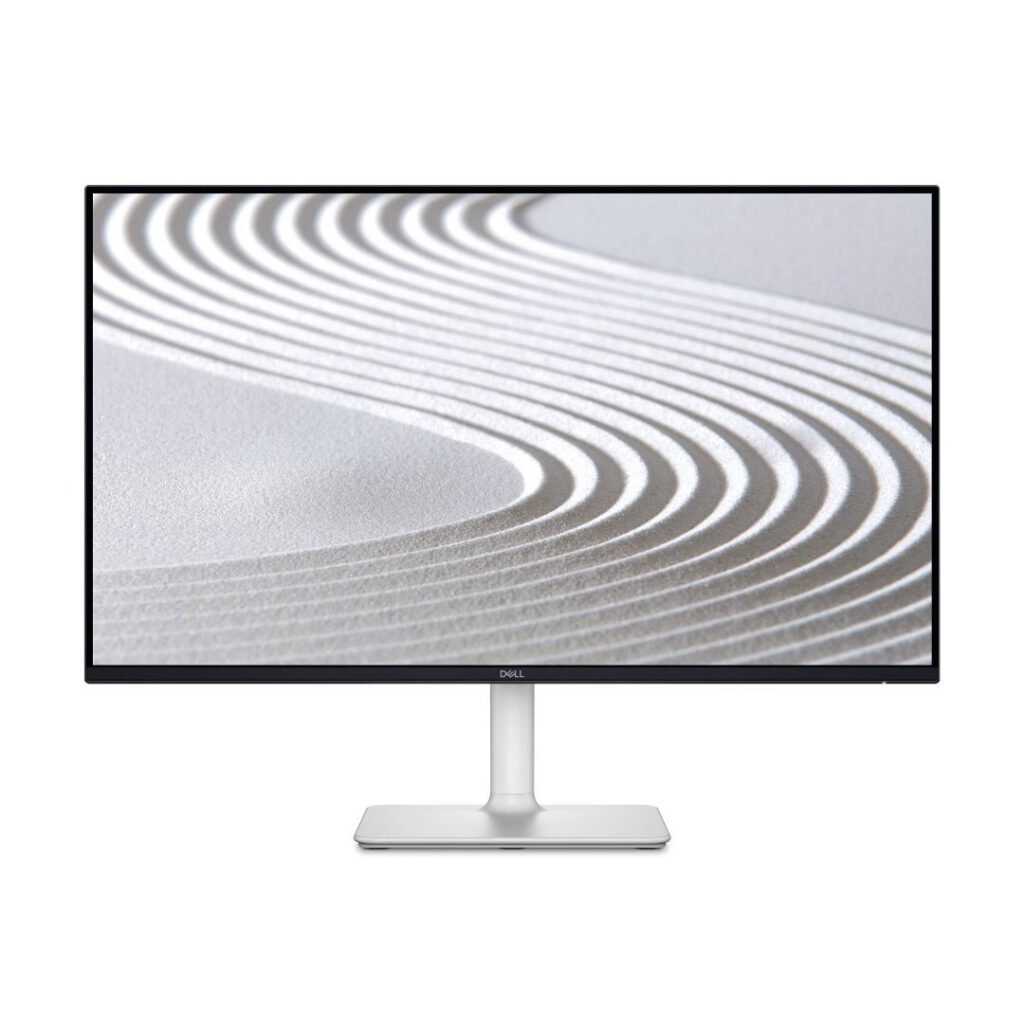
Dell S2425H (23.8″ FHD IPS 100Hz)
In Stock
The Dell S2425H is designed for students, office setups, and professionals seeking a clean, dependable second display. It upgrades the traditional 60Hz office standard to a smoother 100Hz refresh rate while maintaining Dell’s established display quality.
Who It’s For: Everyday office work, remote employees, programming, web browsing, and multi-monitor workstations where desk space is limited.
Dell S2425H Specifications
- Screen Size: 23.8 inches
- Resolution: Full HD (1920 × 1080)
- Panel Type: IPS (99% sRGB)
- Refresh Rate: 100Hz
- Audio: Integrated dual 5W speakers
- Ports: 2 × HDMI 1.4
Dell S2425H Advantages
- 100Hz refresh rate delivers fluid motion for document scrolling and window management.
- Built-in dual 5W stereo speakers can eliminate the need for separate desktop speakers.
- Compact footprint with IPS viewing angles suitable for everyday desktop use.
Dell S2425H Limitations
- 1080p resolution provides less screen real estate for complex editing timelines or large side-by-side windows than higher-resolution 1440p or 4K displays.
- Lacks DisplayPort connectivity and uses HDMI inputs for display connection.
Dahua DHI-LM27-B221S: Best Budget 144Hz Monitor
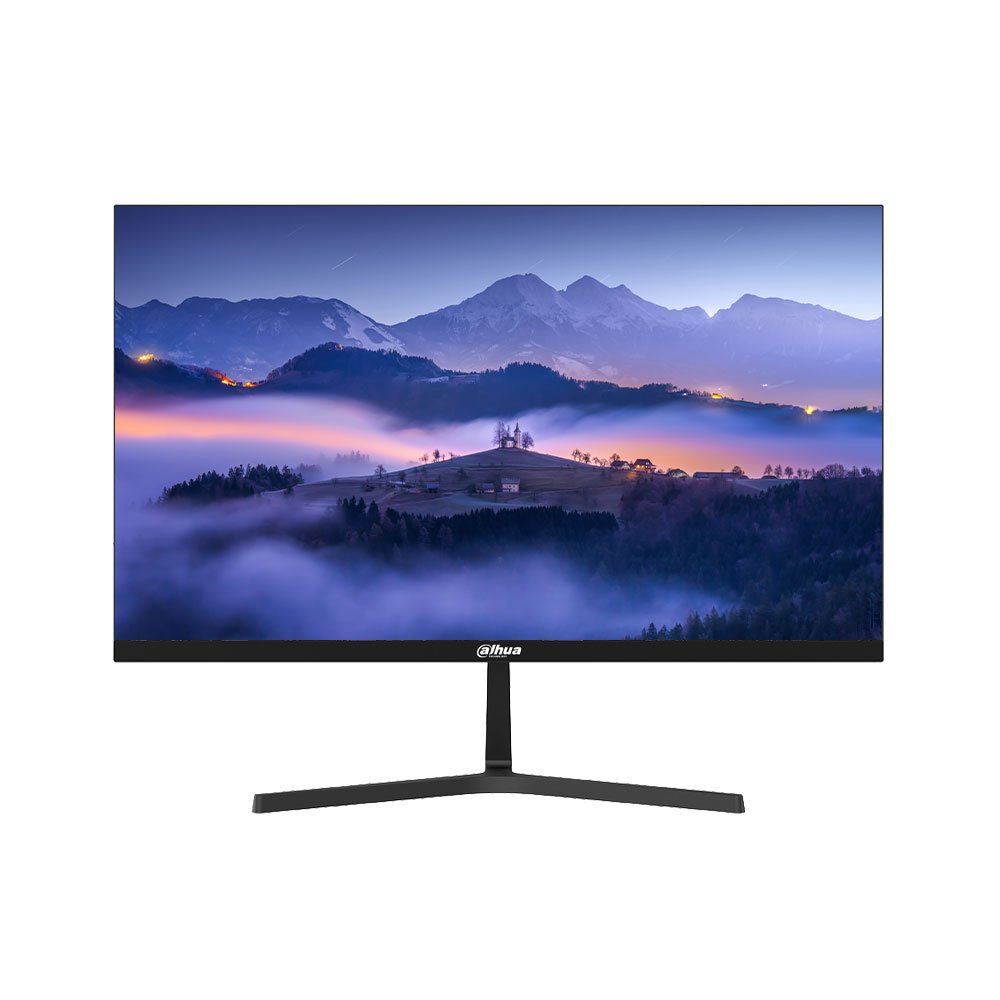
Dahua DHI-LM27-B221S (27″ FHD IPS 144Hz)
In Stock
The Dahua DHI-LM27-B221S is designed for budget-conscious gamers and users who want a large, fast screen. It combines a 27-inch Full HD IPS panel with a 144Hz refresh rate at an accessible price point.
Who It’s For: Gamers playing esports titles like Valorant or CS2 on a budget, and users who want a smooth 144Hz 27-inch display for a mix of work and play.
Dahua DHI-LM27-B221S Specifications
- Screen Size: 27 inches
- Resolution: Full HD (1920 × 1080)
- Panel Type: IPS
- Refresh Rate: 144Hz
- Response Time: 1ms
- Ports: 1 × HDMI, 1 × DisplayPort
Dahua DHI-LM27-B221S Advantages
- 144Hz refresh rate provides a substantial improvement in motion smoothness over standard 60Hz displays.
- IPS panel technology provides wide viewing angles and balanced image quality for gaming and general use.
- Offers a 27-inch IPS display with a 144Hz refresh rate at Rs. 21,000.
Dahua DHI-LM27-B221S Limitations
- 1080p resolution on a 27-inch screen results in lower pixel density, so fine text will not look as sharp as it does on a 1440p panel.
- Includes a basic stand with limited ergonomic adjustments.
Dahua DHI-LM27-U401A: Best 4K Monitor for Productivity
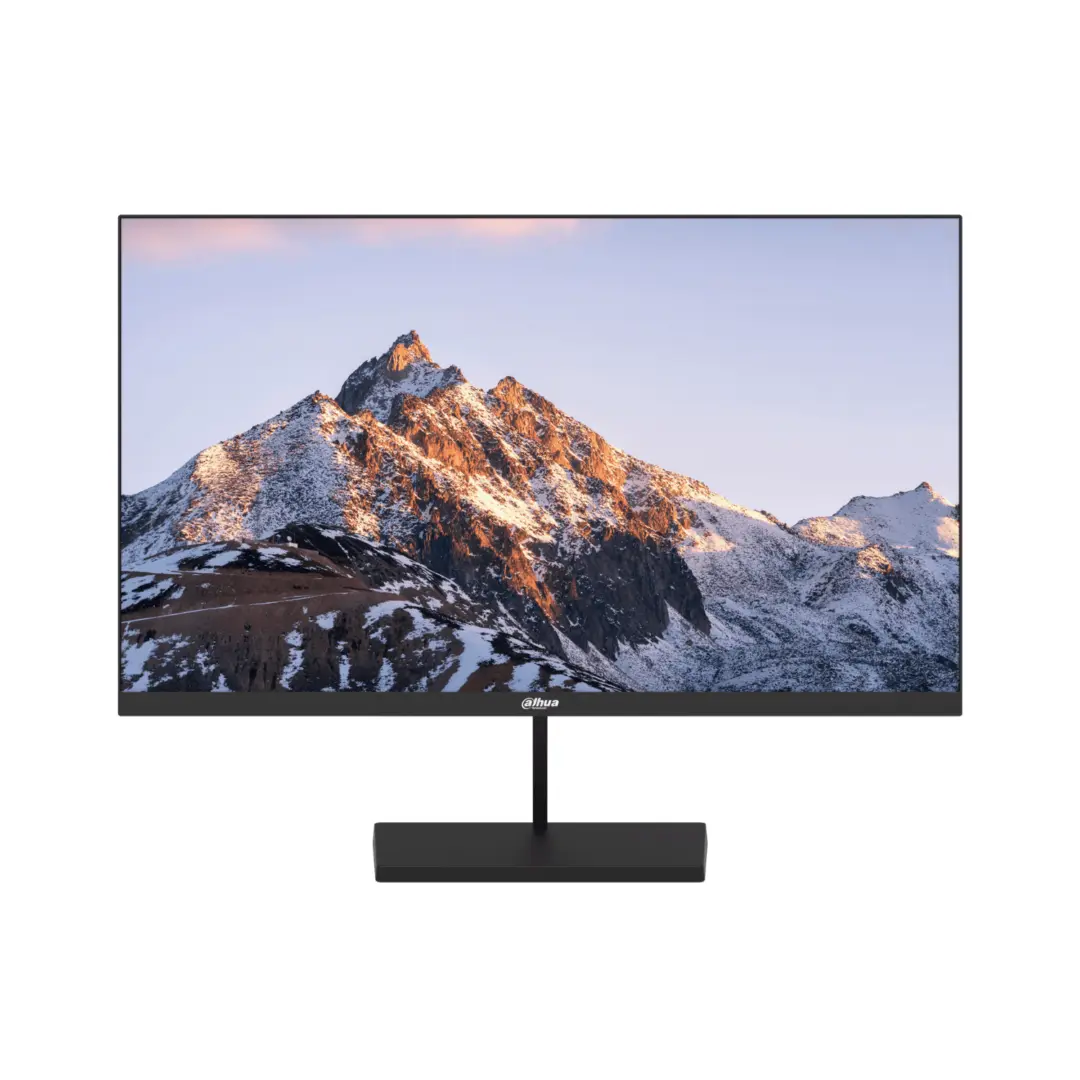
Dahua DHI-LM27-U401A (27″ 4K UHD IPS)
In Stock
The Dahua DHI-LM27-U401A is designed for intensive multitasking, design, and coding workflows. It combines 4K UHD resolution with USB-C connectivity and 65W Power Delivery for laptop-focused workstations.
Who It’s For: Programmers, video editors, financial analysts, and laptop users who require maximum desktop screen space, crisp text rendering, and convenient USB-C connectivity.
Dahua DHI-LM27-U401A Specifications
- Screen Size: 27 inches
- Resolution: 4K Ultra HD (3840 × 2160)
- Panel Type: IPS
- Refresh Rate: 60Hz
- Ergonomics: Height, Tilt, Swivel, and 90° Pivot
- Ports: 1 × USB Type-C (65W PD), 1 × DisplayPort 1.4, 2 × HDMI 2.0
Dahua DHI-LM27-U401A Advantages
- Roughly 163 PPI at 27 inches provides very sharp text for code, documentation, spreadsheets, and detailed interfaces.
- USB Type-C with 65W Power Delivery can charge a compatible laptop while carrying display output through a single cable.
- Fully adjustable stand supports a 90-degree vertical orientation for documents, code, and long-form content.
Dahua DHI-LM27-U401A Limitations
- Fixed 60Hz refresh rate makes it less suitable for competitive fast-motion gaming.
- 4K gaming requires significantly more GPU rendering performance than 1080p or 1440p at comparable settings.
MSI MAG 273QP QD-OLED X24: Best Premium QD-OLED Monitor
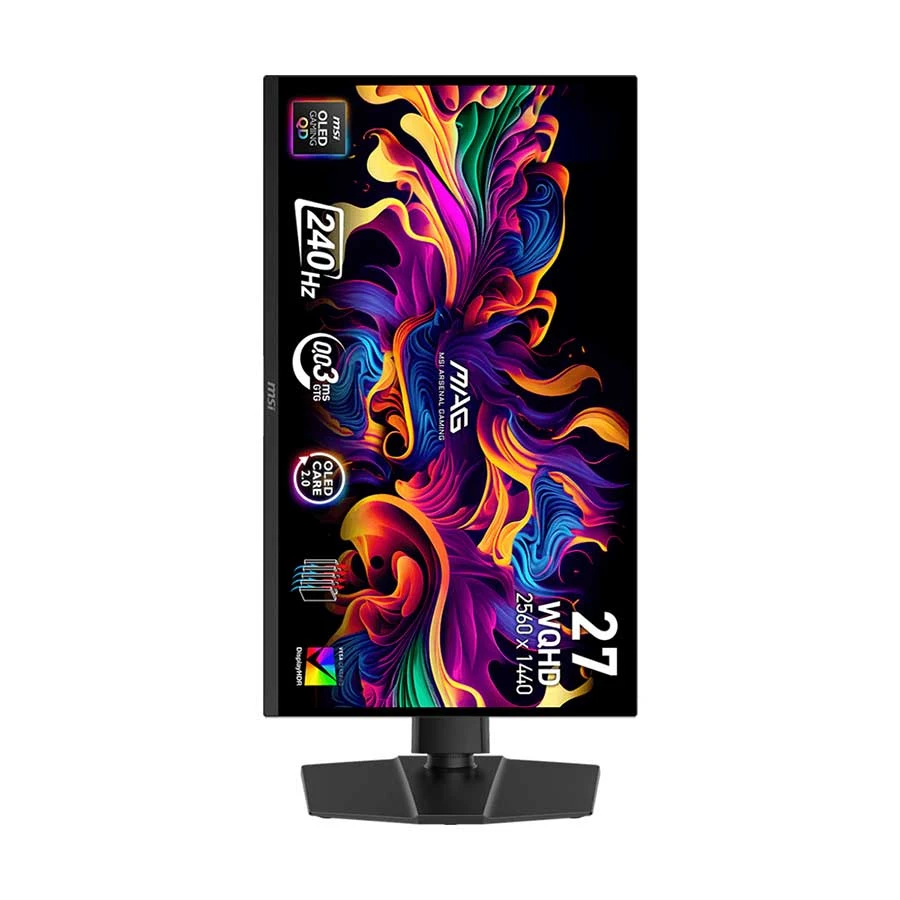
MSI MAG 273QP QD-OLED X24 (26.5″ WQHD 240Hz)
In Stock
The MSI MAG 273QP QD-OLED X24 combines a QD-OLED panel with WQHD resolution, a 240Hz refresh rate, and extremely fast pixel response for users who want high-end gaming performance together with wide color coverage and deep contrast.
Who It’s For: Enthusiast gamers, content creators, and users running high-end PC builds who want premium image quality, high refresh rate performance, and wide color coverage.
MSI MAG 273QP QD-OLED X24 Specifications
- Screen Size: 26.5 inches
- Resolution: WQHD (2560 × 1440)
- Panel Type: Quantum Dot OLED (QD-OLED)
- Refresh Rate: 240Hz
- Response Time: 0.03ms (GtG)
- Color Gamut: 99% DCI-P3 / 98% Adobe RGB / 138% sRGB
- Ports: 1 × DisplayPort 1.4a, 2 × HDMI 2.1, 1 × headphone-out
MSI MAG 273QP QD-OLED X24 Advantages
- QD-OLED technology produces extremely deep blacks and very high contrast without a conventional LCD backlight.
- 0.03ms GtG response time combined with 240Hz refresh rate enables very fast pixel transitions and smooth motion.
- Wide color-gamut coverage makes the display suitable for users who value strong color reproduction alongside gaming performance.
- MSI OLED Care 2.0 includes features designed to reduce the risk of OLED image retention and burn-in.
MSI MAG 273QP QD-OLED X24 Limitations
- Premium pricing makes it unnecessary for users who primarily need a basic office or productivity monitor.
- To take full advantage of 1440p at 240Hz in demanding games, your PC needs hardware capable of producing high frame rates.
- OLED displays require sensible management of long-term static content because prolonged static elements can contribute to image retention or burn-in.
Which Monitor Should You Buy?
To make your decision simple, match your setup to these scenarios:
- Choose the Dell S2425H if you need a reliable everyday monitor for work, remote study, programming, or basic multi-screen setups without spending extra money on gaming-focused features.
- Choose the Dahua DHI-LM27-B221S if you want an affordable 144Hz display for gaming while retaining the viewing angles and general image characteristics of an IPS panel.
- Choose the Dahua DHI-LM27-U401A if you spend your workday writing code, reviewing spreadsheets, editing video, or want a one-cable USB-C connection with up to 65W Power Delivery for a compatible laptop.
- Choose the MSI MAG 273QP QD-OLED X24 if you want a premium combination of QD-OLED image quality, wide color coverage, and 240Hz gaming performance.
24-inch vs 27-inch: Which Size Is Better?
The right screen size depends on your viewing distance, desk space, workload, and resolution:
- Choose 24-inch if you sit relatively close to your screen or work on a compact desk. A 24-inch-class 1080p panel maintains roughly 92 PPI, providing a relatively crisp pixel density for everyday text and interface elements.
- Choose 27-inch if you want more physical screen area for multitasking, gaming, or media. At 27 inches, 1440p or 4K provides a higher pixel density than 1080p and generally produces sharper text and finer image detail.
Is 1440p Worth It Over 1080p?
For many 27-inch monitors, yes. 1440p (2560 × 1440) contains about 78% more pixels than 1080p (1920 × 1080), providing more room for detailed interfaces, documents, timelines, and side-by-side applications. On a 27-inch display, 1440p provides roughly 109 PPI, giving you sharper text and image detail than 1080p while requiring less GPU rendering power than 4K at comparable settings.
Do You Need 144Hz or 240Hz?
If you play competitive first-person shooters like Valorant, CS2, or Fortnite, higher refresh rates can provide smoother motion and lower display latency. Moving from 60Hz to 144Hz is a substantial improvement in perceived motion fluidity. Moving from 144Hz to 240Hz provides a smaller but measurable reduction in frame-to-frame display interval and can make fast camera movements appear smoother for competitive players who can sustain high frame rates.
Frequently Asked Questions
What is the best all-round monitor under Rs. 25,000 in Nepal?
The Dell S2425H is a strong option under Rs. 25,000 for office work and everyday productivity, while the Dahua DHI-LM27-B221S is better suited to buyers whose main priority is affordable 144Hz gaming. The right choice depends on whether productivity or gaming is your primary use case.
What is the advantage of buying a monitor with an official warranty in Nepal?
A monitor with an official manufacturer or authorized-distributor warranty can make warranty claims and service easier to handle than relying solely on a shop warranty. Coverage, duration, dead-pixel policies, and service procedures vary by brand and model, so check the warranty terms for the specific monitor before purchasing.
Can I connect a MacBook or modern Windows laptop to the Dahua 4K monitor with one cable?
Yes. The Dahua DHI-LM27-U401A includes a USB Type-C connection with 65W Power Delivery and display output, allowing a compatible laptop to charge while sending video to the 4K display through a single USB-C cable.
Final Verdict
The bottom line: Your monitor won’t instantly make you a better gamer or a faster coder, but it matters during the hundreds of hours you spend looking at it. Prioritize resolution, pixel density, screen real estate, and ergonomics for productivity and editing rather than paying for extreme refresh rates you will not use. For competitive gaming, refresh rate and response performance become much more important. The right monitor is the one whose specifications actually match your workload.
Find a Monitor Built for Your Setup
Browse high-resolution, color-accurate monitors at Alam Tech, Newroad and Putalisadak.



 Apple MacBook

