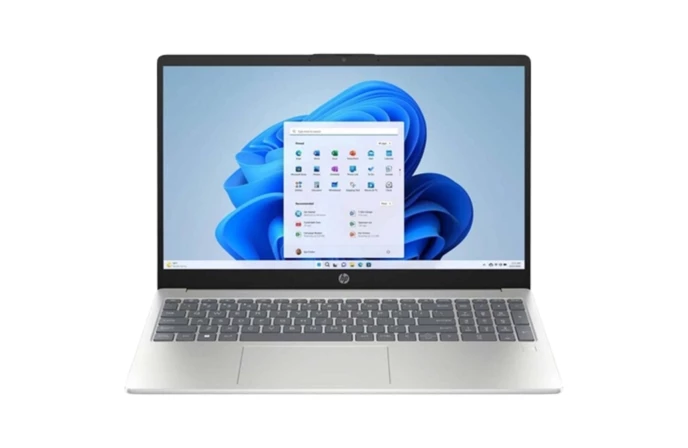

Gaming Laptop Cooling Tips in Nepal – Keep Your Performance Smooth with Alam Tech
Gaming Laptop Cooling Tips in Nepal: Gaming laptops are powerful machines designed to push high performance in a compact body. But there is one problem almost every Nepali gamer faces sooner or later – overheating. Whether you are gaming in the dusty streets of Kathmandu, the humid monsoon of Pokhara, or the extreme heat of Terai, your gaming laptop is constantly fighting against Nepal’s harsh climate.
If your laptop gets too hot, performance drops, games start lagging, and components slowly get damaged. That’s why cooling is not optional for gamers in Nepal – it’s a necessity.
In this complete guide by Alam Tech, you’ll learn practical, real-world gaming laptop cooling tips specifically designed for Nepal’s environment and conditions.
Understanding Why Gaming Laptops Overheat in Nepal
Gaming laptops already produce more heat than normal laptops because of:
- Powerful GPUs
- High-performance processors
- Compact design with limited airflow
Now add Nepal’s environment into the mix:
- High dust levels in cities like Kathmandu & Lalitpur
- High humidity during monsoon
- Extreme temperatures in Terai regions
- Poor ventilation in small rooms
All of this makes overheating a common issue for Nepali gamers.
But the good news? Most of these problems can be solved or controlled with the right habits.
Gaming Laptop Cooling Tips in Nepal
1. Use a Quality Cooling Pad
A cooling pad is one of the best investments for a gaming laptop in Nepal.
Why Cooling Pads Are Essential in Nepal
- Improves airflow below the laptop
- Reduces keyboard heating
- Keeps GPU and CPU temperatures stable
- Adds extra fan support during heavy gaming
- Helps in hot Terai climates and dusty areas
How to Choose the Right Cooling Pad
When choosing a cooling pad, consider:
- Fan size and speed
- Metal mesh surface for heat dissipation
- Adjustable height stand
- USB-powered reliability
- Build quality for long-term use
Using a cooling pad can reduce your laptop temperature by 5–15°C, which makes a huge difference in long gaming sessions.
2. Avoid Gaming on Bed or Carpet
Many Nepali gamers love playing on their bed, especially during winter or late nights. But this is one of the biggest reasons for overheating.
Why Soft Surfaces Are Bad
- Blocks air vents
- Traps heat inside
- Restricts cooling fans
- Causes dust buildup faster
Better Alternatives
- Always use a hard table
- If on bed, place a wooden board underneath
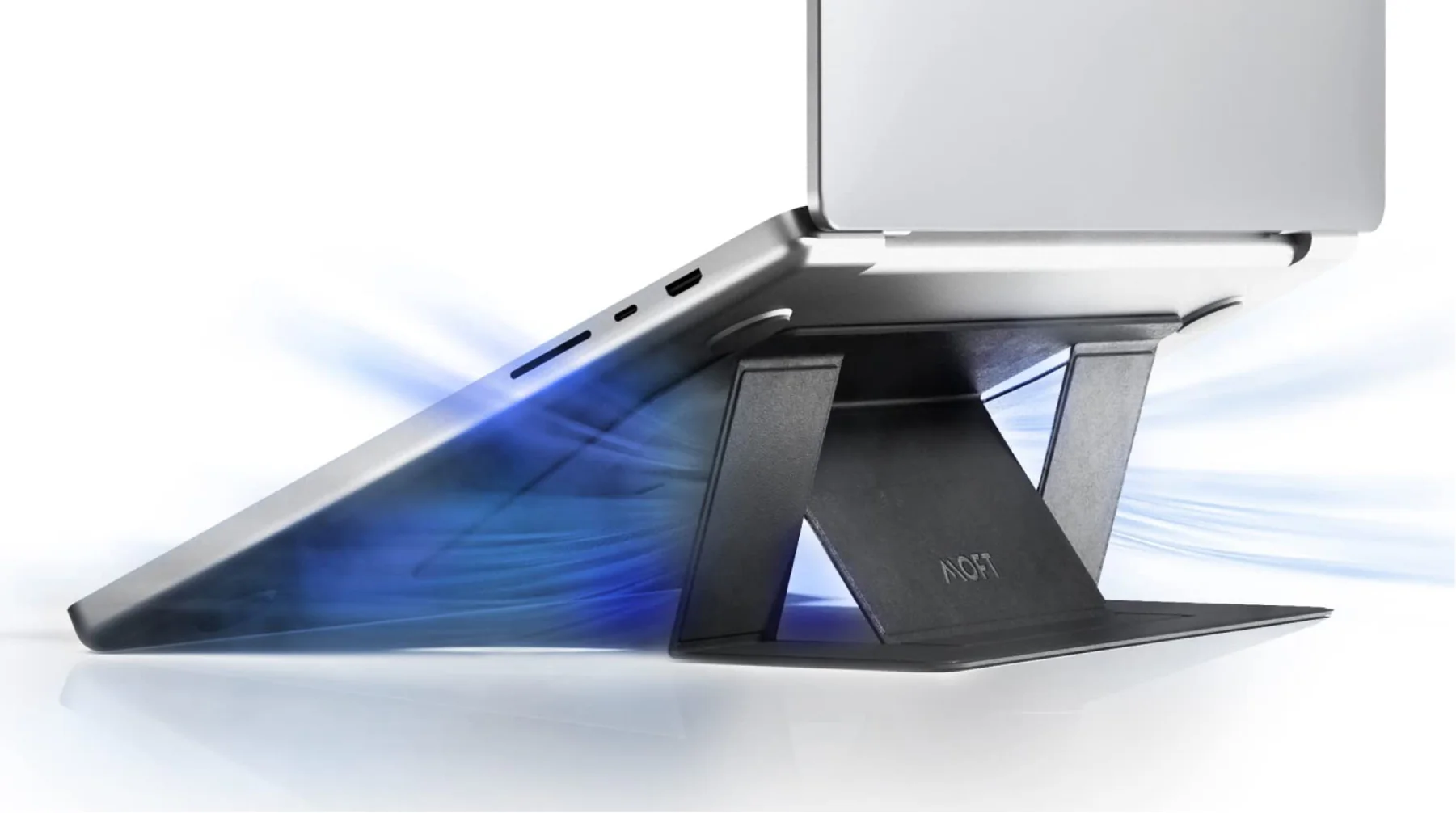
- Use a laptop stand with airflow
- Keep ventilation area clear
Airflow is the lifeline of your gaming laptop. Never block it.
3. Clean Dust Regularly
Nepal has one of the dustiest urban environments in South Asia. Construction, road dust, and pollution enter easily into laptop vents.
What Happens When Dust Builds Up?
- Fans become slow
- Heat gets trapped
- Laptop makes loud noises
- Internal components overheat
- GPU performance drops
Cleaning Tips for Nepal Environment
- Clean external vents every week
- Do internal cleaning every 4–6 months
- Use air blowers or soft brushes
- Avoid using water or wet cloth near vents
Professional cleaning at a trusted service center like Alam Tech ensures safe dust removal without damaging components.
4. Replace Thermal Paste Regularly
Thermal paste is a heat-conducting compound between your CPU/GPU and heat sink.
Over time, especially in Nepal’s temperature and humidity, thermal paste dries out.
Symptoms of Bad Thermal Paste
- Temperature increases despite cleaning
- Laptop heats up faster than before
- Fans run at full speed constantly
Recommended Thermal Paste Replacement
- Every 1–1.5 years
- Always use high-quality paste
- Done by professional technician
Fresh thermal paste can reduce temperatures by 8–20°C depending on laptop condition.
5. Control Room Temperature
No cooling solution works if your environment itself is extremely hot.
Ideal Room Temperature for Gaming
- Below 28°C for best performance
- Use fan or AC if possible
- Avoid playing in direct sunlight
- Close curtains during daytime heat
If you live in Terai regions like Biratnagar, Nepalgunj, or Janakpur, try playing during cooler hours like early morning or night.
6. Lift Your Laptop Slightly
Even without a cooling pad, just lifting your laptop slightly improves airflow.
Simple Methods:
- Use a laptop stand
- Place small supports under back edges
- Use books or stable objects
This allows more air to flow underneath, reducing heat buildup.
7. Undervolt Your CPU and GPU
Undervolting reduces the voltage supplied to your processor while keeping performance stable.
Benefits:
- Reduces heat generation
- Improves battery health
- Keeps performance stable
- Increases laptop寿命
This is especially helpful for high-performance gaming laptops in warm Nepali climate.
Professional configuration is recommended if you’re not technically experienced.
8. Adjust Graphics Settings Smartly
Not every game needs Ultra settings.
Lowering certain graphics features can significantly reduce laptop heat.
Important Settings to Adjust:
- Shadows
- Anti-aliasing
- Ray tracing
- Texture quality
- Resolution scaling
This helps reduce GPU load and overheating.
9. Update BIOS and Drivers
Outdated BIOS and drivers can cause improper fan control.
Benefits of Updates:
- Improved fan control
- Better heat management
- Enhanced performance
- Bug fixes
Make sure to use official updates and not random sources.
10. Limit Background Applications
Running multiple software while gaming increases heat.
What to Do:
- Close unnecessary programs
- Disable heavy startup apps
- Keep only essential applications open
- Monitor task manager usage
Less load = less heat.
11. Use High Performance Mode Carefully
High Performance mode increases heat output.
Instead:
- Use Balanced mode for normal gaming
- Switch to high performance only when needed
- Monitor temps using software
12. Monitor Your Laptop Temperature
Temperature monitoring is crucial for gamers.
Safe Temperature Range:
- CPU: 60°C – 85°C
- GPU: 55°C – 80°C
If it crosses these regularly, you need better cooling.
13. Keep Ventilation Area Clean
Always ensure:
- Rear vents are not facing walls
- Side vents have space
- No dust blocking intake
Improper placement can trap hot air inside.
14. Avoid Overcharging During Gaming
Charging while gaming increases internal heat.
Try:
- Charging before gaming
- Removing charger after battery reaches 80%
- Using smart charging features if available
15. Moisture and Humidity Control
During monsoon season:
- Keep drying agents like silica gel near your laptop
- Avoid gaming in extremely humid rooms
- Use dehumidifier if possible
- Store laptop in dry area after use
Moisture + heat is deadly for electronics.
16. Use External Keyboard and Mouse
Gaming on laptop keyboard increases internal heating in key areas.
Using external peripherals reduces direct heat transfer from fingers and better ventilation.
17. Don’t Block Exhaust Fan
Always ensure the exhaust area remains free. Many gamers block them with walls or books.
Let hot air escape freely.
18. Upgrade RAM and SSD for Efficient Load Handling
Lagging laptop puts more load on CPU and GPU.
More RAM and SSD improve performance and reduce heat by reducing load stress.
19. Avoid Cheap Unbranded Cooling Accessories
Low-quality cooling fans:
- Give false ventilation
- May damage USB ports
- Often fail quickly
Use good quality accessories recommended by professionals.
20. When to Seek Professional Help
If:
- Laptop shuts down frequently
- Heats up within 10–15 minutes
- Fan makes grinding noise
- Performance suddenly drops
It’s time to show your laptop to a professional technician.
Why Proper Cooling is Important for Your Gaming Laptop in Nepal
Proper cooling:
- Extends laptop life
- Protects expensive GPU
- Improves gaming FPS
- Prevents sudden breakdowns
- Saves repair cost
Gaming laptops are expensive investments. Maintaining their temperature ensures they perform like new for years.
Final Word from Alam Tech
In Nepal’s climate, gaming laptop cooling is not luxury – it’s a requirement.
By following these practical steps:
- Cleaning regularly
- Using proper cooling tools
- Maintaining good room conditions
- Taking professional support when required
You can enjoy smooth gaming without worrying about overheating.
Alam Tech always recommends preventive care instead of expensive repairs.
FAQ’s on Gaming Laptop Cooling Tips in Nepal – Alam Tech
General Cooling FAQs
- Why do gaming laptops overheat more in Nepal?
Because Nepal has high dust pollution, strong humidity during monsoon, and extreme summer temperatures, which reduce the effectiveness of laptop cooling systems. - Is overheating normal in gaming laptops?
Some heat is normal, but frequent overheating is not. It can damage internal components if not controlled. - How dangerous is overheating for my gaming laptop?
Excess heat reduces performance, shortens component lifespan, and may cause permanent hardware failure. - What temperature is considered too hot for gaming laptops?
CPU above 90°C and GPU above 85°C regularly is considered dangerous. - Why does my laptop suddenly shut down while gaming?
This usually happens because the system overheats and triggers automatic shutdown to protect components.
Cooling Pad & Accessories FAQs
- Does a cooling pad really help in Nepal’s climate?
Yes, it helps maintain airflow and lowers temperature even in warm environments like Terai. - Which type of cooling pad is best for gaming laptops?
Cooling pads with large fans, metal mesh surfaces, and adjustable angles work best. - Is a laptop stand better than a cooling pad?
A stand improves airflow but doesn’t actively cool like a fan-based pad. - Can I use a table fan near my laptop for cooling?
Yes, external air circulation helps, especially in rooms without AC. - Do external fans damage laptop vents?
No, if used correctly and not too close to vents.
Dust & Cleaning FAQs
- How often should I clean my gaming laptop in Nepal?
Every 3–6 months depending on dust exposure and usage. - Can I clean my laptop myself at home?
You can clean external parts, but internal cleaning should be done professionally. - Why does dust cause heating problems?
Dust blocks airflow in vents and clogs cooling fans. - Is using a vacuum cleaner safe for laptops?
No, it may generate static electricity which can damage internal parts. - Which tools are used for safe laptop cleaning?
Compressed air, anti-static brush, microfiber cloth, and professional blower.
Thermal Management FAQs
- What is thermal throttling?
It’s when your laptop reduces performance due to overheating. - How often should thermal paste be replaced?
Every 1 to 1.5 years for gaming laptops. - Can bad thermal paste cause sudden FPS drops?
Yes, because heat builds up faster and CPU throttles performance. - Is liquid metal better than thermal paste?
It’s efficient but risky; recommended only for experienced technicians. - Will replacing thermal paste void warranty?
Usually yes, unless done by authorized service provider.
Power & Charging FAQs
- Is it safe to game while charging?
Yes, but it increases heat; make sure cooling is proper. - How does overcharging affect laptop temperature?
It makes battery hotter and affects overall internal heat. - Can using a non-original charger increase heat?
Yes, improper voltage causes heat issues and can damage components. - Should I remove charger after full charge while gaming?
If your laptop supports smart charging, it’s better for long-term health. - Is fast charging harmful for gaming laptops?
Not directly, but it generates more heat during charging.
Software & System FAQs
- Can software updates improve cooling?
Yes, BIOS and system updates may enhance fan control. - Which programs can monitor laptop temperature?
Many built-in gaming software or third-party tools help monitor temperature. - Does Windows performance mode increase heat?
Yes, High Performance mode increases CPU and GPU load. - Can undervolting reduce heat?
Yes, undervolting significantly reduces temperature without decreasing performance. - Is overclocking harmful for gaming laptops in Nepal?
Yes, due to high ambient temperature, overclocking increases heat risk.
Environmental FAQs
- How does Terai heat affect gaming laptops?
Constant high temperature makes cooling systems less effective. - Is humidity harmful for gaming laptops?
Yes, moisture causes corrosion and cooling fan damage. - How to protect laptop during monsoon?
Use silica gel, keep it dry, and avoid using it near open windows. - Is air conditioning necessary for gaming?
Not necessary but very helpful in hot climates. - Can cold weather damage laptop cooling system?
Cold can temporarily slow fan response but is generally less harmful than heat.
Usage Behavior FAQs
- Is gaming on bed harmful to laptop cooling?
Yes, it blocks ventilation and traps heat. - Should I use laptop while lying on floor?
Not recommended due to dust and airflow blockage. - Can long gaming sessions damage laptop?
Yes if cooling isn’t managed properly. - Is playing for 8 hours continuously dangerous?
It is if the laptop overheats repeatedly without breaks. - How often should I take breaks while gaming?
A 5–10 minute break every 2 hours helps both laptop and your health.
Hardware Upgrade FAQs
- Can upgrading RAM help with overheating?
Yes, it reduces CPU stress by improving overall performance. - Does adding SSD reduce laptop temperature?
Yes, SSD generates less heat than HDD. - Which component heats fastest during gaming?
The GPU usually heats the most under load. - Is external GPU (eGPU) better for cooling?
Yes, it moves processing outside laptop chassis. - Is cooling system upgradable in gaming laptops?
Cooling fans are replaceable but major upgrades are limited.
Troubleshooting FAQs
- Why does fan noise suddenly increase?
When temperature rises, fan speed increases automatically. - What if my fan stops working?
Stop using laptop immediately and consult a service center. - Can overheating damage my graphics card?
Yes, prolonged heat can permanently damage GPU. - Is lag always related to overheating?
Not always, but overheating is a major cause. - How do I know if my cooling system is failing?
Frequent overheating, loud noise, and fast performance drop are signs.
Service & Maintenance FAQs
- How often should I service my gaming laptop?
Once or twice a year depending on use. - Is professional thermal service expensive in Nepal?
It’s affordable compared to cost of GPU replacement. - Does Alam Tech provide gaming laptop cooling services?
Yes, complete cleaning, repasting, and airflow optimization services. - How long does professional cleaning take?
Usually 1–3 hours depending on model. - Can old laptops benefit from new cooling solutions?
Yes, even older gaming laptops show great improvement after proper service.
Buying & Usage Decision FAQs
- Which gaming laptops are best for Nepal climate?
Models with strong cooling design and dual fans. - Should I prioritize cooling or GPU while buying?
Both are important, but good cooling protects GPU investment. - What is the lifespan of a gaming laptop in Nepal?
5–7 years with proper cooling and care. - Does cooling improve FPS?
Yes, because thermal throttling reduces performance. - What is Alam Tech’s final advice for cooling?
Invest early in cooling solutions and practice regular maintenance for long-term gaming performance.
Contact us:
{
“@context”: “https://schema.org”,
“@graph”: [
{
“@type”: “Organization”,
“@id”: “https://alamtech.com.np/#organization”,
“name”: “Alamtech Suppliers”,
“url”: “https://alamtech.com.np/”,
“email”: “alamtechnp@gmail.com”,
“telephone”: [“01-4246548”, “9851193787”, “9818413835”],
“vatID”: “601613908”,
“address”: {
“@type”: “PostalAddress”,
“streetAddress”: “Kathmandu-22, Tebahal”,
“addressLocality”: “Kathmandu”,
“addressCountry”: “NP”
}
},
{
“@type”: “LocalBusiness”,
“@id”: “https://alamtech.com.np/#localbusiness”,
“name”: “Alamtech Suppliers”,
“image”: “https://alamtech.com.np/logo.png”,
“url”: “https://alamtech.com.np/”,
“telephone”: [“01-4246548”, “9851193787”, “9818413835”],
“vatID”: “601613908”,
“priceRange”: “Rs 1000 – Rs 500000”,
“address”: {
“@type”: “PostalAddress”,
“streetAddress”: “Kathmandu-22, Tebahal”,
“addressLocality”: “Kathmandu”,
“addressCountry”: “Nepal”
}
},
{
“@type”: “WebSite”,
“@id”: “https://alamtech.com.np/#website”,
“url”: “https://alamtech.com.np/”,
“name”: “Alamtech Suppliers”,
“publisher”: { “@id”: “https://alamtech.com.np/#organization” }
},
{
“@type”: “WebPage”,
“@id”: “https://alamtech.com.np/#webpage”,
“url”: “https://alamtech.com.np/”,
“name”: “Gaming Laptop Cooling Tips in Nepal”,
“isPartOf”: { “@id”: “https://alamtech.com.np/#website” },
“about”: { “@id”: “https://alamtech.com.np/#localbusiness” }
},
{
“@type”: “Person”,
“@id”: “https://alamtech.com.np/#author”,
“name”: “Alamtech Suppliers”,
“worksFor”: { “@id”: “https://alamtech.com.np/#organization” }
},
{
“@type”: “Article”,
“@id”: “https://alamtech.com.np/#article”,
“headline”: “Gaming Laptop Cooling Tips in Nepal”,
“description”: “Complete guide on how to keep your gaming laptop cool in the Nepali climate provided by Alamtech Suppliers.”,
“author”: { “@id”: “https://alamtech.com.np/#author” },
“publisher”: { “@id”: “https://alamtech.com.np/#organization” },
“mainEntityOfPage”: { “@id”: “https://alamtech.com.np/#webpage” }
},
{
“@type”: “FAQPage”,
“@id”: “https://alamtech.com.np/#faq”,
“mainEntity”: [
{
“@type”: “Question”,
“name”: “Why is gaming laptop cooling important in Nepal?”,
“acceptedAnswer”: {
“@type”: “Answer”,
“text”: “Nepal’s dust, heat and humidity can cause overheating, reducing laptop performance and lifespan.”
}
},
{
“@type”: “Question”,
“name”: “What temperature is safe for gaming laptops?”,
“acceptedAnswer”: {
“@type”: “Answer”,
“text”: “Ideally below 85°C during heavy gaming load.”
}
},
{
“@type”: “Question”,
“name”: “Do cooling pads really help?”,
“acceptedAnswer”: {
“@type”: “Answer”,
“text”: “Yes, they improve airflow and reduce heat buildup from the base.”
}
},
{
“@type”: “Question”,
“name”: “How often should gaming laptops be cleaned in Nepal?”,
“acceptedAnswer”: {
“@type”: “Answer”,
“text”: “Every 3 to 6 months due to dust and pollution levels.”
}
},
{
“@type”: “Question”,
“name”: “Is thermal paste replacement necessary?”,
“acceptedAnswer”: {
“@type”: “Answer”,
“text”: “Yes, replacing thermal paste helps improve CPU and GPU heat transfer.”
}
},
{
“@type”: “Question”,
“name”: “Does the Nepali climate damage gaming laptops?”,
“acceptedAnswer”: {
“@type”: “Answer”,
“text”: “Yes, especially during summer and monsoon due to heat and humidity.”
}
},
{
“@type”: “Question”,
“name”: “What are signs of overheating?”,
“acceptedAnswer”: {
“@type”: “Answer”,
“text”: “Sudden FPS drops, loud fan noise, shutdowns, and keyboard heating.”
}
},
{
“@type”: “Question”,
“name”: “Can under-volting help cooling?”,
“acceptedAnswer”: {
“@type”: “Answer”,
“text”: “Yes, it lowers heat output without reducing performance significantly.”
}
},
{
“@type”: “Question”,
“name”: “Is laptop stand better than flat surface?”,
“acceptedAnswer”: {
“@type”: “Answer”,
“text”: “Yes, it improves airflow and reduces heat trapping.”
}
},
{
“@type”: “Question”,
“name”: “Does room temperature affect laptop cooling?”,
“acceptedAnswer”: {
“@type”: “Answer”,
“text”: “Yes, cooler rooms drastically improve laptop thermal performance.”
}
},
{
“@type”: “Question”,
“name”: “How to cool laptop while power outage?”,
“acceptedAnswer”: {
“@type”: “Answer”,
“text”: “Use battery saver mode and reduce performance settings.”
}
},
{
“@type”: “Question”,
“name”: “Is AC necessary for gaming setups?”,
“acceptedAnswer”: {
“@type”: “Answer”,
“text”: “Not mandatory but highly recommended for temperature control.”
}
},
{
“@type”: “Question”,
“name”: “Does gaming laptop fan speed matter?”,
“acceptedAnswer”: {
“@type”: “Answer”,
“text”: “Yes, higher fan speeds improve cooling performance.”
}
},
{
“@type”: “Question”,
“name”: “Do external exhaust fans help?”,
“acceptedAnswer”: {
“@type”: “Answer”,
“text”: “They marginally help by improving airflow direction.”
}
},
{
“@type”: “Question”,
“name”: “What cooling accessories are best in Nepal?”,
“acceptedAnswer”: {
“@type”: “Answer”,
“text”: “Cooling pads, thermal paste, laptop vacuum coolers.”
}
},
{
“@type”: “Question”,
“name”: “Does playing games on bed cause overheating?”,
“acceptedAnswer”: {
“@type”: “Answer”,
“text”: “Yes, soft surfaces block airflow and trap heat.”
}
},
{
“@type”: “Question”,
“name”: “How to reduce GPU temperature?”,
“acceptedAnswer”: {
“@type”: “Answer”,
“text”: “Lower game graphics settings and update GPU drivers.”
}
},
{
“@type”: “Question”,
“name”: “Can BIOS update improve cooling?”,
“acceptedAnswer”: {
“@type”: “Answer”,
“text”: “Sometimes manufacturers optimize fan curves.”
}
},
{
“@type”: “Question”,
“name”: “Should I close background apps?”,
“acceptedAnswer”: {
“@type”: “Answer”,
“text”: “Yes, it reduces CPU load and system heat.”
}
},
{
“@type”: “Question”,
“name”: “Where to buy cooling accessories in Nepal?”,
“acceptedAnswer”: {
“@type”: “Answer”,
“text”: “You can buy them directly from Alamtech Suppliers in Kathmandu.”
}
},
{
“@type”: “Question”,
“name”: “Does using SSD reduce heating?”,
“acceptedAnswer”: {
“@type”: “Answer”,
“text”: “SSDs generate less heat compared to HDDs.”
}
},
{
“@type”: “Question”,
“name”: “Is liquid cooling available for laptops?”,
“acceptedAnswer”: {
“@type”: “Answer”,
“text”: “External solutions exist but are rarely practical.”
}
},
{
“@type”: “Question”,
“name”: “What software monitors laptop temperature?”,
“acceptedAnswer”: {
“@type”: “Answer”,
“text”: “Programs like HWMonitor or MSI Afterburner help monitor temps.”
}
},
{
“@type”: “Question”,
“name”: “Can overheating damage motherboard?”,
“acceptedAnswer”: {
“@type”: “Answer”,
“text”: “Yes, excessive heat can permanently damage internal components.”
}
},
{
“@type”: “Question”,
“name”: “Is aluminum laptop body better for cooling?”,
“acceptedAnswer”: {
“@type”: “Answer”,
“text”: “Yes, metal chassis disperses heat better than plastic.”
}
},
{
“@type”: “Question”,
“name”: “Does 144Hz display increase heat?”,
“acceptedAnswer”: {
“@type”: “Answer”,
“text”: “Slightly, due to increased GPU load.”
}
},
{
“@type”: “Question”,
“name”: “Is repasting safe?”,
“acceptedAnswer”: {
“@type”: “Answer”,
“text”: “Yes, if done by professionals like Alamtech technicians.”
}
},
{
“@type”: “Question”,
“name”: “How can Alamtech help with laptop cooling?”,
“acceptedAnswer”: {
“@type”: “Answer”,
“text”: “We provide professional cleaning, repasting and cooling accessories.”
}
}
]
}
]
}