Last updated: September 10, 2026 | Reviewed by: Alam Tech Laptop Specialists, Kathmandu
If you’re a recent engineering graduate studying for the Nepal Engineering Council (NEC) license exam, you’ve probably wondered whether your laptop actually matters for exam day — and whether it’s worth upgrading before you sit the test. Here’s the honest answer, and what actually helps during preparation.
Quick answer
Your personal laptop won’t matter on exam day — the NEC license exam is a computer-based MCQ test conducted at the exam center on their own systems, not your own device. Where a laptop genuinely helps is preparation — running MCQ practice platforms, past papers, and prep videos for weeks or months beforehand. For that, prioritize battery life and portability over raw power; you don’t need a gaming laptop to study.
Does Your Laptop Matter on NEC Exam Day?
The NEC license exam is computer-based — 2 hours, objective MCQ format, conducted at a designated exam center. Per the Nepal Engineering Council’s official site, exam centers are physical locations set up for each sitting (recent exams have run in Kathmandu and Pokhara) using the center’s own computers, not a candidate’s personal device. If you’re buying a laptop specifically because you think you’ll need it in the exam hall, that’s not accurate — bring your admit card and ID, not your laptop. For exam dates, registration, and official syllabus details, the NEC’s own registration portal is the authoritative source — this guide focuses on laptop choice, not exam logistics.
Where your own laptop genuinely matters is everything leading up to that day.
What a Laptop Actually Helps With During NEC Prep
NEC exam preparation today is largely computer-based even though the sitting isn’t on your own device: MCQ practice platforms, downloadable past papers and model sets, and recorded prep classes are all things engineering graduates use a laptop for during the weeks or months of study before the exam. A comfortable, reliable laptop for long study sessions — evenings at a desk, hours at a library or café — is the actual use case here, not exam-day performance.
What Spec Actually Matters for This — And What Doesn’t
This is where NEC exam prep is genuinely different from a typical “laptop for engineering students” recommendation. Most engineering-student laptop guides focus on GPU power for AutoCAD, MATLAB, SolidWorks, or 3D rendering — real requirements during a degree. NEC prep doesn’t need any of that. You’re running a browser, a PDF reader, maybe a video player for recorded classes — light, sustained, everyday computing, not simulation software.
What matters instead:
- Battery life — long study sessions away from a charger, whether at a library or a café, matter more than they did during your degree if you’re studying independently now
- Portability — a lighter laptop is easier to carry to study groups or a workspace outside home
- Comfortable display and keyboard — you’ll be reading dense technical material and typing notes for extended periods
- Enough RAM for multiple browser tabs and a PDF reader open simultaneously — 8GB is workable, 16GB is more comfortable
A dedicated GPU, a high-refresh gaming display, or a top-tier processor are not requirements here — paying for them is paying for headroom this specific use case won’t use.
Do You Even Need a New Laptop?
Before spending anything: if your current laptop already runs a browser with several tabs, a PDF reader, and video playback without lagging, you likely don’t need a new machine for NEC prep specifically. This guide exists for graduates whose current laptop genuinely struggles with that — not as a reason to upgrade a laptop that’s already doing the job.
Which Laptop Should You Buy for NEC Exam Preparation?
Based on the priorities above, here are real options across different budgets, currently available at Alam Tech. Our ranking prioritizes battery life and portability first, RAM/storage second, and raw CPU power last — the reverse of how a typical “engineering student” laptop guide would rank these, because the use case here is genuinely different.
Product pages: Acer Aspire Lite Ryzen 5 7430U · Acer Aspire Lite Ryzen 7 7730U · HP Notebook 15 Ryzen 7 7730U · ASUS ZenBook UX3405CA.
Prices checked against live Alam Tech listings — confirm current pricing before purchase, as configurations change.
A solid entry point for sustained study sessions — 16GB RAM comfortably handles multiple browser tabs and a PDF reader open together, and the Ryzen 5 platform is efficient for all-day light use. Priced at Rs. 94,990.
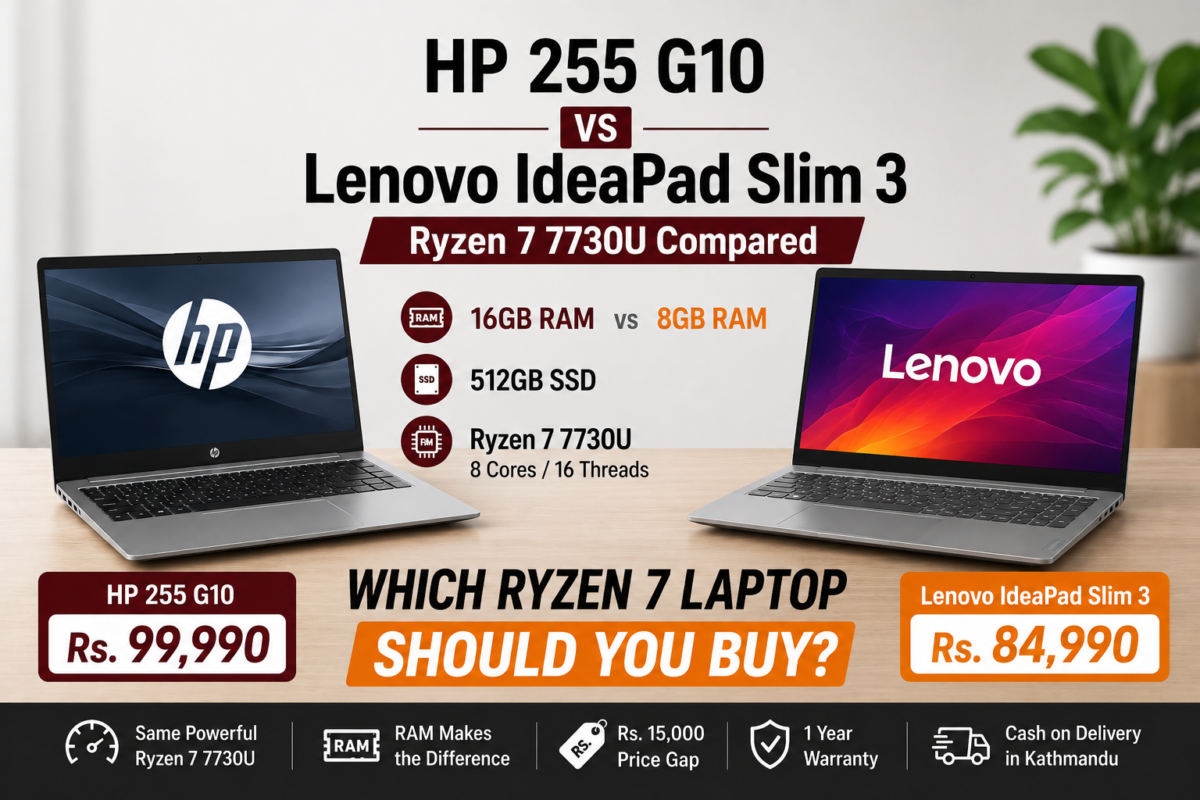
An 8-core processor gives real multitasking headroom beyond what NEC prep strictly needs, with a backlit keyboard for evening study sessions. Priced at Rs. 99,990. One honest note: RAM is onboard and not upgradeable, and at 1.59kg it’s not the lightest option if portability is your top priority.
If budget allows and portability matters most to you, this is the strongest match for the actual use case — a 75WHr battery, 1.28kg weight, and a genuinely excellent OLED display for long reading sessions. Priced at Rs. 179,990. To be direct about this: for NEC prep specifically, you are paying a premium mostly for portability and display quality, not for anything the exam prep itself requires — the Aspire Lite or HP Notebook 15 will study just as effectively for roughly half the price.
Common Mistakes When Buying a Laptop for NEC Prep
1. Buying a gaming laptop “to be safe”
NEC prep doesn’t need GPU power. A gaming laptop adds weight, reduces battery life, and costs more for headroom this specific use case won’t use.
2. Assuming your laptop matters for the exam itself
It doesn’t. The exam runs on the center’s own computers. Don’t factor exam-day performance into your buying decision.
3. Underestimating battery life needs
If you’re studying independently rather than in a classroom, you may be away from a reliable charger more often than during your degree — battery life matters more now, not less.
Frequently Asked Questions
Do I need my own laptop for the NEC license exam?
No. The NEC license exam is conducted at the exam center on their own computers. Your personal laptop is not used during the exam itself.
What laptop specs are best for NEC exam preparation?
Prioritize battery life, portability, and a comfortable display over raw processing power. 8-16GB RAM is sufficient for running study platforms, PDFs, and prep videos — a dedicated GPU is not necessary.
Is a gaming laptop necessary for NEC exam prep?
No. NEC exam preparation involves MCQ practice platforms, past papers, and video study material — none of which require GPU power. A lighter, longer-battery laptop is a better fit than a gaming laptop for this specific use case.
Is this different from what’s recommended for engineering students generally?
Yes. Laptop advice for current engineering students usually focuses on CAD, MATLAB, or simulation software, which needs real GPU power. NEC exam preparation, done after graduation, is lighter everyday computing — the spec priorities are genuinely different.
Final Verdict
The bottom line: your laptop won’t matter on NEC exam day, but it matters during the months of preparation leading up to it. Prioritize battery life and portability over processing power — this is genuinely different advice than what you’d follow for CAD or simulation-heavy coursework, and paying for gaming-laptop specs here is paying for headroom you won’t use.
Find a Laptop Built for Study, Not Simulation
Browse portable, long-battery laptops at Alam Tech, Newroad and Putalisadak.
Browse Laptops at Alam Tech →
Related Guides









 Apple MacBook

