
Best Budget Laptops for Students in Nepal – A Complete Guide by Alam Tech (2026)
Best Budget Laptops for Students in Nepal: Students today need laptops that are reliable, capable, and affordable. Whether you are in high school, college, or pursuing a professional degree, having the right laptop makes a huge difference in your productivity and learning experience. At Alam Tech, we understand the needs of students in Nepal — from online classes and research to assignments, coding, and multimedia. In this guide, we break down everything you need to know about choosing the best budget laptops for students and how Alam Tech helps you find the perfect one.
Why Students Need a Good Laptop
Gone are the days when students could get by with pen and paper alone. Modern education demands:
- Online classes and virtual lectures
- Research and assignments
- Presentations and reports
- Coding and software tools
- Multimedia projects
- Collaboration with classmates
These tasks require a laptop that’s responsive, dependable, and affordable. Alam Tech specializes in recommending laptops that meet these needs without overspending.
Best Budget Laptops for Students in Nepal
What “Budget Laptop” Means for Students
For students, a budget laptop is not just cheap — it’s value-for-money. This means:
- Good performance for academic use
- Reliable battery life
- Moderate storage and memory
- Lightweight and portable
- Reasonable price in Nepal
Alam Tech focuses on laptops that strike the right balance between price and performance, tailored to students’ daily needs.
Key Features Students Should Look For
Before diving into specific models, let’s understand the key features that make a laptop ideal for students:
1. Processor
The processor determines how smoothly your laptop runs apps. Intel Core i3 / i5 and equivalent AMD Ryzen 3 / Ryzen 5 are excellent for student use and affordable.
2. RAM
Minimum 8GB RAM is recommended for multitasking — running browser, office apps, and media without slowdown. Alam Tech often suggests 8GB or more for long-term usability.
3. Storage
SSD storage dramatically improves system responsiveness and boot times. A 256GB or 512GB SSD is ideal for students.
4. Display
A clear, comfortable display (13” to 15.6”) helps reduce eye strain during long study sessions. Higher resolution (Full HD) is preferred.
5. Battery Life
Laptops with good battery life are important for campus use and online classes. Alam Tech highlights laptops with all-day battery performance.
6. Build Quality
Students carry laptops often, so durable chassis and lightweight design matter. Alam Tech ensures every student laptop has a reliable build.
How Alam Tech Helps Students Choose Budget Laptops
At Alam Tech, we believe choosing a student laptop should be simple and informed. Here’s how we help:
- Expert Consultation: We assess usage needs and budget before recommending laptops.
- Transparent Pricing: No hidden costs — you get fair, competitive pricing.
- Genuine Products: Every laptop sold is authentic and warranty-backed.
- Post-Purchase Support: We guide you through setup and troubleshooting.
Top Budget Laptop Picks for Students (Alam Tech Selection)
Below is a detailed student-focused guide to some of the best budget laptops available at Alam Tech in Nepal.
1. Acer Aspire Series – Affordable All-Rounder
The Acer Aspire series offers excellent value for students. These laptops balance performance, portability, and price.
Why Students Love It:
- Reliable performance for everyday tasks
- Sleek and lightweight design
- Comfortable keyboard for typing assignments
Ideal For:
Students who need a dependable laptop for classes, browsing, productivity software, and media.
Alam Tech often recommends Acer Aspire models with:
- Intel Core i3 or Ryzen 3 processors
- 8GB or more RAM
- 256GB SSD
These configurations ensure smooth performance for students without overspending.
2. ASUS VivoBook – Student-Friendly Performance
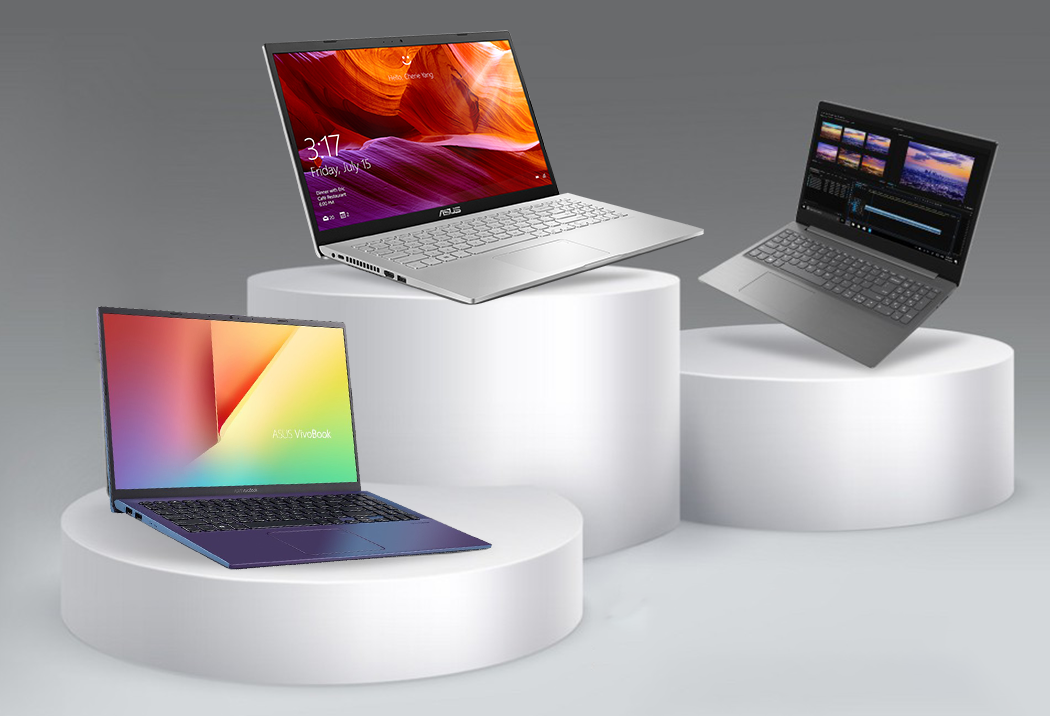
ASUS VivoBook is another strong choice for students due to its combination of performance features and stylish design.
Why It’s Great:
- Good processing power for multitasking
- Comfortable, ergonomic keyboard
- Solid battery life for long study sessions
Perfect For:
Students who juggle online classes, research, and media use.
Alam Tech ensures VivoBook options are optimized with:
- Full HD displays for crisp visuals
- Adequate RAM for productivity
- SSD storage for quick boot times
This makes VivoBook ideal for students who want a bit more power without a premium price.
3. Lenovo IdeaPad – Balanced and Reliable
Lenovo IdeaPad laptops are known for their durability and user-friendly experience.
Benefits for Students:
- Durable build quality
- Quiet operation
- Simple yet functional design
Best For:
Students needing a laptop that doesn’t compromise stability for cost.
At Alam Tech, we particularly recommend IdeaPad configurations with:
- Efficient processors like Intel Core i3/i5 or Ryzen 5
- SSD storage for smooth file access
- Adequate battery life
These laptops handle day-to-day academic workloads seamlessly.
4. HP 15 Series – Classic Choice for Students
HP’s 15-inch series provides a full working area and comfortable experience for students on a budget.
Student Advantages:
- Large screen for multitasking
- Good audio for virtual classes and media
- Reliable brand support
Ideal Situations:
Those who prioritize screen size for studying and presentations.
Alam Tech makes sure these laptops are configured with:
- Balanced performance specs
- SSD for faster responsiveness
- Comfortable keys for typing long assignments
5. Dell Inspiron – Good for Long-Term Use
Dell Inspiron laptops are known for their robust performance and long service life, often making them excellent for student use.
Why Dell Inspires Confidence:
- Trusted durability
- Solid built-in system support
- Good keyboard and trackpad
Best For:
Students who want a long-lasting laptop and good after-sales experience.
Alam Tech often matches Inspiron models with:
- Reliable processor performance
- Hybrid storage options when budget allows
- Long battery life for campus use
Specific Use Cases: Finding the Right Laptop at Alam Tech
Each student has unique needs. Alam Tech breaks down laptop choices by usage type.
For Online Classes and Research
Students who attend virtual classes and do research don’t need top-tier gaming specs, but they do need:
- Stable performance for video conferencing
- Decent battery life
- Comfortable viewing and typing experience
Recommended Specs:
- 8GB RAM or more
- SSD storage (256GB+)
- Mid-range CPU (Intel Core i3 / Ryzen 3)
These ensure smooth video calls, quick browser response, and reliable performance.
For Creative and Multimedia Students
Students studying media, graphics, or content creation need more power for:
- Photo editing
- Video rendering
- Multimedia production
Recommended Specs:
- Stronger CPU like Core i5 / Ryzen 5
- 16GB RAM
- SSD 512GB or more
Alam Tech’s team helps students select laptops that handle creative software without lag.
For Coding and Computer Science
Coding students benefit from:
- Faster compilation times
- Smooth multitasking across editors, terminals, and browsers
- Plenty of storage for projects
Recommended Specs:
- At least 8GB RAM (16GB preferred)
- SSD (minimum 256GB)
Alam Tech ensures coding laptops are optimized for responsiveness and multitasking.
For Gaming and Entertainment
Even budget students want laptops that can handle light gaming or multimedia entertainment.
Recommended Specs:
- Mid-range CPU
- Dedicated GPU (if budget allows)
- SSD for faster game load times
Alam Tech helps balance gaming needs with overall usability in student budgets.
Budget vs Performance: Finding the Right Balance
Students often ask whether to prioritize performance or price. Alam Tech’s approach is practical:
- Prioritize SSD for daily responsiveness
- Choose adequate RAM for multitasking
- Add stronger CPU within budget constraints
- Keep display and build quality in mind
This ensures that students get a laptop that lasts through their academic career without unnecessary overspending.
Why SSD Matters More than HDD for Students
Students often choose SSD over HDD for good reason:
Faster Boot and App Load
SSD laptops start in seconds, saving time for study and work.
Better Multitasking
Opening multiple tabs, apps, and files feels smoother on SSD.
Long-Term Satisfaction
Even years after purchase, SSD feels responsive compared to HDD systems.
Alam Tech strongly recommends SSD for all student laptop builds.
Battery Life: What Students Should Expect
Good battery life ensures that students don’t hunt for plugs during classes.
Alam Tech’s Recommended Minimum Battery
- 6–8 hours for typical student use
- More if frequently on campus or away from power outlets
Alam Tech tests and highlights laptops with reliable battery performance.
Portability: Why It Matters for Students
Laptops are carried everywhere — libraries, coffee shops, classes, or dorms.
Lightweight Models
- Easier to carry
- Better ergonomic experience
- Less weight in backpacks
Alam Tech focuses on recommending lightweight yet durable student laptops.
Display: Comfort for Long Study Sessions
Students spend hours reading text, watching lectures, or writing reports.
Preferred Display Features
- Full HD resolution
- Matte or anti-glare screens
- Comfortable color balance
Alam Tech evaluates displays not just for sharpness but for student comfort.
Keyboard and Trackpad: A Student’s Everyday Tools
Students type assignments, codes, and emails daily.
What Alam Tech Recommends
- Comfortable key travel
- Responsive trackpad
- Durable build
These features make everyday usage easier and more enjoyable.
Connectivity: Classrooms and Compatibility
Students connect laptops to projectors, printers, and networks.
Useful Ports
- USB-A and USB-C
- HDMI
- Headphone/mic jack
Alam Tech ensures recommended laptops have modern and useful connectivity.
Budget Planning: How Much Should Students Spend?
Alam Tech suggests:
Budget Group
- Cass for basic tasks
- Affordable price band
Mid-Range Group
- Best balance of performance vs price
- Handles heavier academic workloads
Premium Student Picks
- For multimedia, content creation, or coding
Alam Tech always recommends practical specs over unnecessary upgrades.
Real Student Stories from Alam Tech
The Busy College Student
Needed a laptop for writing essays, research, and online classes. Alam Tech recommended a mid-range SSD-powered laptop that handled everything smoothly.
The Media Student
Required strong performance for editing. Alam Tech paired them with a higher RAM, SSD drive, and color-accurate display.
The Coding Enthusiast
Wanted multitasking power. Alam Tech suggested a configuration with solid CPU and SSD — ideal for compiling projects.
These real stories reflect how Alam Tech tailors recommendations to real usage.
Warranty and After-Sales Support
Students rely on laptops daily. Alam Tech provides:
- Manufacturer warranty advice
- Setup assistance
- Support for issues
This ensures peace of mind beyond the purchase.
Buying Tips from Alam Tech
Alam Tech’s expert tips include:
- Choose SSD over HDD
- Don’t overspend on unused features
- Check battery life
- Pick comfortable displays
- Ensure warranty coverage
These guide students to smart buying decisions.
Future-Proofing: Planning for Years Ahead
Students may keep laptops for years. Alam Tech advises:
- Prioritizing SSD
- 8GB+ RAM
- Good processing power
- Solid build quality
This ensures laptops remain usable throughout school and beyond.
Conclusion: Best Budget Laptops for Students in Nepal (Alam Tech)
Students need laptops that are:
✔ Fast and responsive
✔ Affordable and long-lasting
✔ Comfortable for daily use
✔ Ready for academics, creativity, and entertainment
At Alam Tech, we help students find the right balance between performance, durability, and price. Whether you’re in high school, college, or university, choosing a well-matched budget laptop makes your academic journey easier and more productive.
Make your next laptop decision with confidence — with guidance from Alam Tech.
Contact us:
Best Budget Laptops for Students – FAQs by Alam Tech
Q1. What is considered a budget laptop for students in Nepal?
A budget laptop for students is one that offers reliable performance for study-related tasks at an affordable price. It focuses on value rather than premium features.
Q2. Why do students need laptops today?
Students need laptops for online classes, assignments, research, presentations, and collaboration. A good laptop improves productivity and learning efficiency.
Q3. Which laptop brand is best for students?
Several brands offer good student laptops, but the best choice depends on usage needs and budget. Alam Tech helps students select the most suitable option.
Q4. How much RAM is enough for a student laptop?
8GB RAM is ideal for students as it supports smooth multitasking. It allows running browsers, documents, and online tools together without slowdown.
Q5. Is 4GB RAM enough for students?
4GB RAM can handle basic tasks, but it may struggle with multitasking. Alam Tech recommends at least 8GB for better long-term performance.
Q6. Should students choose SSD or HDD?
SSD is highly recommended because it makes the laptop faster and more responsive. HDD should only be used for extra storage if needed.
Q7. What SSD size is good for students?
256GB SSD is sufficient for most students, while 512GB is better for those storing large files. Alam Tech usually recommends SSD over HDD.
Q8. Is Intel or AMD better for students?
Both Intel and AMD processors work well for student use. The best choice depends on budget and laptop configuration.
Q9. Which processor is best for student laptops?
Intel Core i3/i5 or AMD Ryzen 3/Ryzen 5 processors are excellent for students. They provide a good balance of performance and efficiency.
Q10. Are budget laptops good for online classes?
Yes, budget laptops are perfect for online classes if they have a decent processor, SSD, and enough RAM.
Q11. Is battery life important for students?
Yes, good battery life is crucial for classes and study sessions. Alam Tech suggests laptops that last at least 6–8 hours on normal use.
Q12. What screen size is best for students?
14-inch to 15.6-inch screens are ideal for students. They offer a good balance between portability and comfortable viewing.
Q13. Is Full HD display necessary for students?
Full HD displays provide sharper text and reduce eye strain. Alam Tech recommends Full HD whenever possible.
Q14. Are lightweight laptops better for students?
Yes, lightweight laptops are easier to carry between classes and study locations. They improve comfort and portability.
Q15. Can students use budget laptops for presentations?
Yes, most budget laptops can easily handle presentations and documents. HDMI and USB ports help with projectors and displays.
Q16. Are budget laptops good for typing assignments?
Yes, as long as the keyboard is comfortable and responsive. Alam Tech prioritizes laptops with good typing experience.
Q17. Is Windows 11 good for students?
Yes, Windows 11 is user-friendly and supports most student applications. It works well on modern budget laptops.
Q18. Can students use laptops for programming?
Yes, student laptops with decent processors and SSDs handle coding tasks smoothly. More RAM helps with heavier projects.
Q19. Are budget laptops good for college students?
Yes, they are designed to meet academic needs without high costs. Alam Tech specializes in college-friendly laptops.
Q20. Can students do light gaming on budget laptops?
Yes, light and casual games run well on budget laptops. Heavy gaming requires dedicated gaming laptops.
Q21. Do budget laptops last long?
With proper care, budget laptops can last several years. Choosing good specs helps improve longevity.
Q22. Is brand warranty important for students?
Yes, warranty ensures peace of mind and protection. Alam Tech always recommends laptops with official warranty.
Q23. Should students buy laptops online or from a store?
Buying from a trusted store ensures genuine products and support. Alam Tech provides expert guidance and after-sales help.
Q24. Is webcam quality important for students?
Yes, a decent webcam is important for online classes and meetings. Most student laptops include HD webcams.
Q25. Do students need dedicated graphics?
Most students don’t need dedicated graphics. Integrated graphics are enough for studies and multimedia.
Q26. Can budget laptops handle multitasking?
Yes, with 8GB RAM and SSD, multitasking is smooth. Alam Tech recommends balanced configurations.
Q27. Is touchscreen useful for students?
Touchscreen is optional. It’s useful for note-taking but not necessary for most students.
Q28. Are budget laptops good for note-taking?
Yes, they are excellent for typing notes and organizing study materials. SSD improves responsiveness.
Q29. Do students need backlit keyboards?
Backlit keyboards are helpful for studying at night but not mandatory. It’s a bonus feature.
Q30. Are budget laptops good for exams and projects?
Yes, they handle exam software, assignments, and projects efficiently.
Q31. Should students focus on storage or RAM?
RAM should be prioritized first for multitasking. Storage can be expanded later if needed.
Q32. Is 15-inch laptop too big for students?
Not necessarily. It offers more screen space, but portability should be considered.
Q33. Are Chromebooks good for students?
Chromebooks are suitable for basic tasks but limited for advanced software. Alam Tech usually recommends Windows laptops.
Q34. Can students edit photos on budget laptops?
Yes, basic photo editing is possible with decent processors and RAM. Heavy editing needs higher specs.
Q35. Is overheating an issue in budget laptops?
Good airflow design prevents overheating. Alam Tech selects laptops with stable thermal performance.
Q36. Do budget laptops support external monitors?
Yes, most support external displays via HDMI or USB-C.
Q37. Are refurbished laptops good for students?
They can be affordable but should be purchased from trusted sellers. Warranty is important.
Q38. Should students buy laptops for future use?
Yes, choosing slightly higher specs ensures long-term usability.
Q39. Is SSD upgrade possible later?
Yes, many laptops allow SSD upgrades. Alam Tech guides students on upgrade options.
Q40. Can students use budget laptops for freelancing?
Yes, freelancing tasks like writing, design, and research run well on budget laptops.
Q41. Is Wi-Fi performance important for students?
Yes, stable Wi-Fi is essential for online learning and research.
Q42. Are budget laptops good for Zoom and Google Meet?
Yes, they handle video calls smoothly with proper specs.
Q43. Can students use laptops for group projects?
Yes, laptops support collaboration tools and document sharing easily.
Q44. Is student laptop weight important?
Yes, lighter laptops reduce strain during daily travel.
Q45. Are student laptops easy to maintain?
Yes, regular cleaning and updates keep them running smoothly.
Q46. Is it safe for students to carry laptops daily?
Yes, with a proper bag and careful handling.
Q47. Can budget laptops run office software?
Yes, they easily run word processing, spreadsheets, and presentations.
Q48. Do students need antivirus software?
Yes, basic security is important. Windows includes built-in protection.
Q49. Is customer support important when buying a laptop?
Yes, good support ensures help when issues arise. Alam Tech values customer care.
Q50. Can students learn online skills on budget laptops?
Yes, online learning platforms run well on student laptops.
Q51. Are budget laptops suitable for high school students?
Yes, they are perfect for schoolwork and learning tools.
Q52. Can university students rely on budget laptops?
Yes, with the right specs, they handle university workloads efficiently.
Q53. Should students buy laptops with future upgrades in mind?
Yes, upgradable RAM or storage adds value.
Q54. Are student laptops good for watching movies?
Yes, Full HD displays provide enjoyable viewing experience.
Q55. Can students store notes and books digitally?
Yes, SSD storage allows quick access to study materials.
Q56. Is price the only factor for students?
No, performance and reliability are equally important.
Q57. Are budget laptops good for research work?
Yes, they handle browsing, writing, and data collection easily.
Q58. Do students need fingerprint sensors?
It’s optional and adds convenience but not required.
Q59. Is portability important for campus students?
Yes, portable laptops suit campus life better.
Q60. Are budget laptops good for internships?
Yes, they handle office and productivity tasks efficiently.
Q61. Can students learn graphic design on budget laptops?
Basic design work is possible. Advanced design requires stronger specs.
Q62. Are student laptops good for long study hours?
Yes, comfortable keyboards and displays support long usage.
Q63. Is SSD necessary for smooth student experience?
Yes, SSD makes daily tasks faster and smoother.
Q64. Can students use laptops for exams?
Yes, most exam platforms work smoothly on budget laptops.
Q65. Is buying from Alam Tech beneficial for students?
Yes, Alam Tech provides genuine products, guidance, and support.
Q66. Are budget laptops reliable for daily use?
Yes, when chosen correctly, they are reliable and efficient.
Q67. Do students need high refresh rate displays?
No, standard displays are sufficient for study purposes.
Q68. Can budget laptops handle multitasking browsers?
Yes, with enough RAM and SSD, browsing is smooth.
Q69. What is the biggest mistake students make when buying laptops?
Focusing only on price instead of balanced specs.
Q70. Final advice for students buying laptops?
Choose a balanced laptop with SSD, enough RAM, and good battery life. Alam Tech helps students make smart and future-ready choices.