
Best Graphics Card for Gaming – Complete Guide by Alam Tech (Nepal)
Introduction: Best Graphics Card for Gaming
Best Graphics Card for Gaming: Gaming performance depends on many things — processor, RAM, storage, cooling, and most importantly, the graphics card (GPU). For gamers, the GPU is the heart of the experience. Whether you’re playing competitive esports titles, AAA AAA blockbusters, VR games, or creative applications alongside gaming, the right graphics card can mean the difference between stuttering framerates and buttery-smooth performance.
At Alam Tech, we’ve helped thousands of gamers, creators, and PC builders across Nepal choose the best graphics cards for gaming. In this comprehensive guide, we explain everything you need to know — from how GPUs work to what to consider before buying, how the Nepal market differs, and which GPUs are ideal for different budgets and use cases in 2026.
Why the Graphics Card Matters More Than Anything Else in Gaming
A graphics card renders the images you see on your screen. Games rely heavily on the GPU to process textures, lighting, shadows, effects, and frame rates. A strong GPU can drastically improve gaming performance, enabling higher resolutions, faster refresh rates, and smoother gameplay.
Unlike CPUs or RAM, which affect overall system responsiveness, the GPU has the largest impact on visual performance — especially at 1080p, 1440p, and 4K resolutions. At Alam Tech, we always tell customers: if your goal is gaming, invest first in the best GPU you can reasonably afford.
How a GPU Works in a Gaming PC
To understand why graphics cards matter, it helps to know what they do:
- Rendering Frames: GPUs calculate and render the frames you see in games.
- Shaders & Textures: They process complex shading, textures, and effects.
- Parallel Processing: Unlike CPUs, GPUs work in parallel, handling thousands of tasks simultaneously — ideal for 3D gaming.
- Cooling & Clock Speeds: Performance also depends on thermal headroom and clock speed stability.
Alam Tech technicians often explain that the GPU works like the engine of a racing car — no matter how good the rest of your PC is, a weak GPU limits overall gaming performance.
Key Metrics That Define GPU Performance
When comparing graphics cards, certain specifications matter most:
1. GPU Chip (Core)
Different models of GPUs — based on architecture — have different raw performance capabilities. Higher-end cores deliver better gaming performance.
2. VRAM (Video Memory)
The memory a GPU uses to store textures and frame data. More VRAM helps at higher resolutions and with larger texture packs in modern games.
3. Memory Bandwidth
This determines how quickly the GPU can access its memory. Higher bandwidth improves performance, especially in data-heavy scenarios.
4. CUDA / Stream Processors
These cores perform the heavy lifting. More cores usually mean more power.
5. Clock Speeds
Higher base and boost clocks enable better performance, but also depend on cooling and power delivery.
At Alam Tech, we break these down simply so customers know what matters for gaming, not just what sounds impressive on paper.
Best Graphics Card for Gaming
Graphics Card Tiers for Gamers in Nepal
Not all gamers have the same needs. Alam Tech categorizes GPUs into tiers to help buyers choose based on budget and performance expectations.
Entry-Level GPUs — Great for 1080p & eSports Games
These cards are ideal for:
- CS:GO
- Dota 2
- Fortnite
- Valorant
- Rocket League
Entry-level GPUs target 1080p with medium to high settings and smooth framerates.
Examples of this tier often include:
- NVIDIA GTX series (lower end)
- AMD Radeon RX entry models
At Alam Tech, we help budget gamers find the best value entry card without overspending.
Mainstream GPUs — Best for 1080p High & 1440p Gaming
Mainstream GPUs deliver better performance for AAA titles at high settings.
This tier is perfect for:
- God of War
- Assassin’s Creed
- Call of Duty
- Horizon Zero Dawn
At Alam Tech, this is one of the most popular categories because it strikes a strong balance between performance and price.
High-End GPUs — Best for 1440p Ultra & 4K Gaming
High-end GPUs let you enjoy next-level visuals and performance.
This tier is ideal if you want:
- 144Hz+ gaming
- 4K resolution
- VR gaming
- Future-ready performance
Alam Tech often recommends these for gamers who prioritize visuals and longevity.
Enthusiast & Workstation GPUs — Top Performance and Creativity
These cards are the top of the line, best for:
- 4K high refresh rate gaming
- VR and immersive experiences
- Game development work
- 3D rendering and content creation
While expensive, they represent the best gaming and multimedia performance. Alam Tech’s expert team helps customers justify this investment based on long-term usage.
NVIDIA vs AMD — Which GPU Brand Should You Choose?
Two major GPU competitors dominate the market: NVIDIA and AMD. Both make excellent cards, but they approach performance and features differently.
NVIDIA GPUs — Performance & Features
NVIDIA cards are known for:
- Strong ray-tracing performance
- Advanced features like DLSS
- Great driver support
- Excellent performance consistency
At Alam Tech, many gamers prefer NVIDIA for its long-term driver support and strong performance in popular titles.
AMD GPUs — Efficiency & Value
AMD GPUs often offer:
- Great performance per dollar
- Strong raw performance in rasterized games
- Good feature set with FSR
- Competitive power consumption
Alam Tech recommends AMD GPUs to value-oriented builders and gamers who want excellent bang for the buck.
What Games and Resolutions Should You Target?
Your graphics card choice should align with your gaming goals:
- 1080p Gaming: Most mainstream and entry GPUs excel here.
- 1440p Gaming: Requires mid-range to high-end GPUs.
- 4K Gaming: Best with high-end or enthusiast GPUs.
- High Refresh Rate (120–240Hz): Requires strong GPU performance.
Alam Tech always asks buyers what resolution and refresh rates they want — this dramatically narrows down the best choices.
How Much VRAM Do You Really Need?
VRAM is critical as game textures get larger and more complex:
| Resolution | Recommended VRAM |
|---|---|
| 1080p | 4–6GB |
| 1440p | 8GB+ |
| 4K | 10GB+ |
Alam Tech never suggests a GPU with inadequate VRAM for your planned resolution — it’s one of the most common reasons users regret their choice later.
Power, Cooling, and Compatibility — What You Must Know
A strong GPU also demands proper power and cooling:
- Power Supply (PSU): Make sure your PSU can support your GPU.
- Case Airflow: Proper cooling ensures stable performance under load.
- Physical Size: Some GPUs are large — check compatibility with your case.
At Alam Tech, we help customers assess their entire system before recommending a graphics card.
How GPU Warranty and After-Sales Support Works at Alam Tech (Nepal)
Buying a GPU in Nepal can be confusing due to import variants and availability. At Alam Tech:
- All GPUs are genuine and warranty-verified
- We explain warranty terms clearly
- We help troubleshoot installation issues
- We assist with driver updates and support
This level of service gives customers confidence their investment is protected.
Budget Pick – Best Graphics Cards Under a Fixed Budget
Not everyone needs a flagship card. Alam Tech regularly helps gamers choose the best GPU for specific budgets:
Under Budget (Value for Money)
- Great for esports and 1080p gaming
- Excellent performance at affordable prices
Mid-Range Balanced
- Handles AAA titles at 1080p High / 1440p Medium
- Popular choice for most gamers building a balanced rig
Alam Tech offers clear value comparisons so you know exactly what you’re getting for your budget.
Best GPU for Competitive Gamers
Competitive gamers want:
- High framerates
- Low latency
- Solid performance even at medium settings
Alam Tech suggests GPUs that deliver consistent 144Hz+ gameplay in esports titles.
Best GPU for AAA & Future-Proof Gaming
AAA titles push hardware harder. For games like Cyberpunk, God of War, Forza, and others, Alam Tech recommends GPUs with:
- Strong raw horsepower
- 8GB+ VRAM
- Good cooling and power delivery
This ensures you aren’t struggling with low frame rates or detail settings.
Ray Tracing & AI Features — What You Need in 2026
Ray tracing adds realistic lighting and reflections. Some GPUs also support AI-driven upscaling features like DLSS and FSR.
At Alam Tech, we explain the real impact of these technologies and help you decide if they’re worth paying for based on your games and resolution.
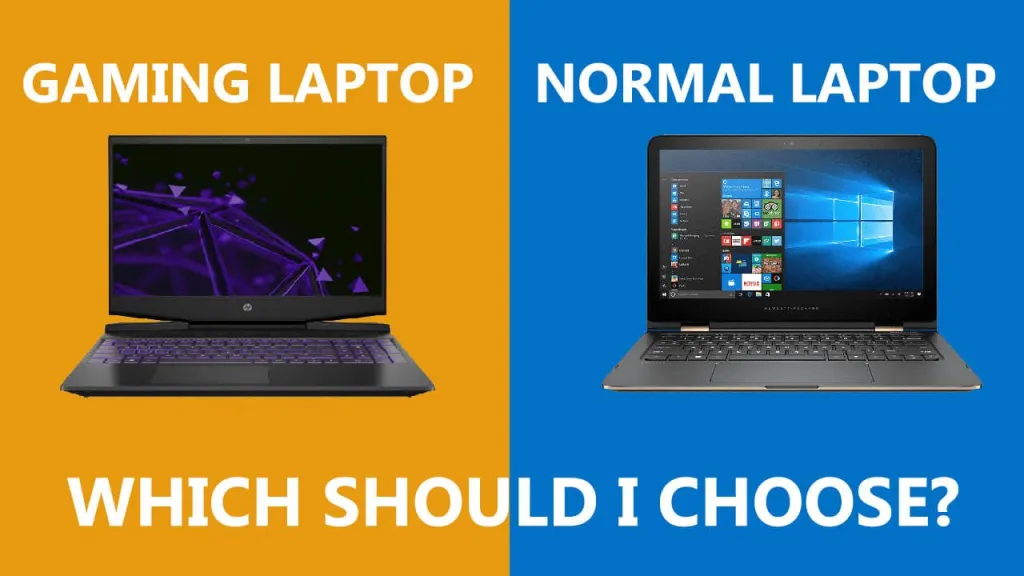
Laptop GPUs vs Desktop GPUs — What’s the Difference?
Gaming laptops often use mobile GPUs (like NVIDIA RTX mobile series) which are tuned for power and thermals. While they’re slightly less powerful than desktop variants, they still deliver excellent gaming performance.
Alam Tech helps customers choose the right gaming laptop GPU based on portability and performance needs.
How to Install a Graphics Card — Alam Tech’s Advice
Installing a GPU correctly ensures:
- Good cooling
- Stable power delivery
- Proper driver support
At Alam Tech, we guide customers step by step on hardware installation and software setup to avoid common pitfalls.
Frequently Asked Setup Questions from Gamers in Nepal
Alam Tech addresses common gamer concerns:
- “Will this GPU fit my case?”
- “Do I need a new PSU?”
- “What resolution should I target?”
- “Do I need extra cooling?”
We help with full system layout, ensuring GPUs work without bottlenecks or incompatibilities.
Graphics Card Pricing in Nepal and Why It Varies
Graphics card prices in Nepal are influenced by:
- Import costs
- Demand fluctuations
- New generation launches
- Stock availability
At Alam Tech, prices are updated frequently to reflect fair value and we explain price trends honestly so gamers know what to expect.
How to Choose the Best Graphics Card — Alam Tech Checklist
To simplify buying, Alam Tech follows this checklist:
- Gaming Resolution & Refresh Rate
- Target Games and Graphics Settings
- Budget
- System Compatibility
- VRAM Requirements
- Cooling & Power
- Future Upgrade Path
- Warranty & Support
This structured approach ensures you get the right GPU, not just the most expensive one.
Common Mistakes Gamers Make When Choosing GPUs
We see mistakes like:
- Choosing based on brand alone
- Ignoring system bottlenecks
- Buying inadequate VRAM
- Overpaying for unnecessary features
Alam Tech guides customers to avoid these mistakes and pick hardware that truly matches their needs.
Top Graphics Cards Recommended by Alam Tech (2026)
Rather than generic lists, Alam Tech recommends GPUs based on real Nepalese user needs:
💥 Top Pick for 1080p Gaming
Balanced performance with great framerate headroom.
⚡ Best Mid-Range Performance
Excellent choice for AAA at high settings.
🔥 High-End 1440p / 4K GPUs
For immersive gaming with high graphics bars.
🧠 Value-Focused Cards
Good performance when cost matters most.
For each category, Alam Tech explains trade-offs and expected performance so buyers can confidently choose.
Gaming Experience Optimization Tips from Alam Tech
Alam Tech not only recommends hardware, we also help optimize:
- Driver installations
- Game settings for performance
- Cooling and airflow
- Power profiles
This means better performance with the hardware you have, without guesswork.
Why Choose Alam Tech for Your Gaming Graphics Card in Nepal
Alam Tech combines:
- Genuine products
- Expert guidance
- Transparent pricing
- After-sales support
- Installation help
- Performance tuning
Gamers in Kathmandu and across Nepal choose Alam Tech because we don’t just sell hardware — we ensure you get lasting performance and real satisfaction.
Final Thoughts — Investing in the Right GPU
The graphics card you choose defines your gaming experience. Whether you want high framerates, detailed settings, or future-proof performance, Alam Tech helps you find the exact GPU that meets your goals and budget in Nepal.
With honest advice, up-to-date pricing, and personalized recommendations, Alam Tech remains the trusted source for gaming graphics cards in Nepal.
Contact us:
Best Graphics Card for Gaming – FAQs by Alam Tech
1. What is a graphics card and why is it important for gaming?
A graphics card is the component responsible for rendering images, videos, and animations on your screen. For gaming, it directly affects frame rates, visual quality, and how smoothly games run.
2. Which component affects gaming performance the most?
The graphics card has the biggest impact on gaming performance compared to other components. Even with a strong processor, a weak GPU will limit your gaming experience.
3. Is a dedicated graphics card necessary for gaming?
Yes, a dedicated graphics card is essential for modern games. Integrated graphics are suitable only for very light or older games.
4. What is VRAM and why does it matter?
VRAM is the memory used by the graphics card to store textures and frame data. More VRAM allows games to run smoothly at higher resolutions and settings.
5. How much VRAM is enough for gaming?
For 1080p gaming, 6GB is generally sufficient, while 8GB or more is recommended for 1440p. For 4K gaming, 10GB or higher VRAM is ideal.
6. Which graphics card is best for 1080p gaming?
Mid-range graphics cards offer excellent 1080p performance with high settings. Alam Tech recommends GPUs that maintain high frame rates without overheating.
7. What graphics card is suitable for 1440p gaming?
For 1440p gaming, a mid-to-high-end GPU is recommended. These cards handle modern AAA games smoothly at high or ultra settings.
8. Is 4K gaming possible with current graphics cards?
Yes, modern high-end GPUs are capable of smooth 4K gaming. However, they require powerful hardware and proper cooling.
9. NVIDIA or AMD – which is better for gaming?
Both NVIDIA and AMD offer excellent gaming GPUs. NVIDIA is known for advanced features, while AMD often provides better value for money.
10. Are AMD graphics cards good for gaming?
Yes, AMD graphics cards deliver strong gaming performance and competitive pricing. They are especially popular among budget-focused gamers.
11. Do graphics cards affect FPS?
Yes, the graphics card directly controls frames per second (FPS). A more powerful GPU delivers higher and more stable FPS.
12. What is ray tracing in graphics cards?
Ray tracing is a technology that simulates realistic lighting and reflections in games. It enhances visuals but requires a powerful GPU.
13. Is ray tracing necessary for gaming?
Ray tracing is not mandatory but improves visual realism. Many gamers prefer higher FPS over ray-traced effects.
14. What is DLSS or FSR?
These are upscaling technologies that boost performance by rendering games at lower resolutions and scaling them up. They help improve FPS without major quality loss.
15. Can a graphics card improve overall PC performance?
A graphics card mainly improves visual and gaming performance. It does not significantly affect everyday tasks like browsing or office work.
16. How long does a graphics card last?
A good graphics card can last 4–6 years for gaming. Its lifespan depends on usage, cooling, and future game requirements.
17. Is upgrading a graphics card worth it?
Upgrading is worth it if your current GPU struggles with modern games. Alam Tech often recommends upgrades for better performance and future-proofing.
18. Do I need to upgrade my power supply for a new GPU?
Many high-performance GPUs require stronger power supplies. Always check power requirements before upgrading.
19. How do I know if a GPU fits my PC case?
Check the physical length and thickness of the graphics card. Alam Tech helps customers verify compatibility before purchase.
20. Does GPU brand matter for gaming?
The GPU chip matters more than the brand, but cooling and build quality vary. Trusted brands offer better thermals and durability.
21. What is overclocking in graphics cards?
Overclocking increases GPU performance by boosting clock speeds. It can improve FPS but may increase heat and power usage.
22. Is factory-overclocked GPU better?
Factory-overclocked GPUs offer slightly better performance out of the box. They are tuned for safe and stable operation.
23. Can graphics cards overheat?
Yes, GPUs can overheat without proper airflow or cooling. Proper case ventilation is essential for stable performance.
24. How important is cooling for a graphics card?
Cooling is extremely important for performance and longevity. Better cooling prevents thermal throttling and hardware damage.
25. What resolution should I choose for gaming?
Choose based on your GPU power and monitor. 1080p is most common, while 1440p and 4K require stronger GPUs.
26. Do gaming monitors affect GPU choice?
Yes, higher refresh rate monitors require stronger GPUs. Alam Tech matches GPUs with suitable monitors for best results.
27. What GPU is best for competitive gaming?
Competitive gaming benefits from GPUs that deliver high FPS consistently. Mid-range cards often provide excellent esports performance.
28. Are gaming laptops GPUs as powerful as desktop GPUs?
Laptop GPUs are slightly less powerful due to power limits. However, modern gaming laptops still offer excellent performance.
29. Can graphics cards be used for editing and rendering?
Yes, GPUs are widely used for video editing, 3D rendering, and creative tasks. Strong GPUs improve productivity significantly.
30. Does a better GPU improve streaming performance?
Yes, modern GPUs include hardware encoders that help stream games smoothly without affecting FPS.
31. Are used graphics cards safe to buy?
Used GPUs can be risky if heavily mined or damaged. Alam Tech recommends verified and warranty-covered products.
32. How often do new graphics cards launch?
New GPU generations usually launch every few years. Prices and performance improve with each generation.
33. Why are graphics card prices higher in Nepal?
Prices are affected by import costs, taxes, and supply availability. Alam Tech works to offer fair and updated pricing.
34. What GPU is best for budget gaming?
Budget GPUs are perfect for 1080p gaming and esports. Alam Tech helps customers choose the best value option.
35. Should I prioritize VRAM or GPU power?
Both are important, but GPU power matters more for FPS. VRAM becomes critical at higher resolutions.
36. What is bottlenecking in gaming PCs?
Bottlenecking occurs when one component limits performance. A weak CPU can reduce GPU performance.
37. How can I avoid GPU bottlenecks?
Pair your GPU with a capable processor and sufficient RAM. Alam Tech ensures balanced system builds.
38. Do drivers affect GPU performance?
Yes, updated drivers improve performance, stability, and game compatibility.
39. How often should GPU drivers be updated?
Updating drivers every few months or for new games is recommended. Alam Tech assists with driver support.
40. Can a GPU be upgraded easily?
Yes, GPUs are one of the easiest PC components to upgrade. Just ensure compatibility with power and case size.
41. What is the best GPU for future-proof gaming?
GPUs with strong performance and higher VRAM offer better future-proofing. Alam Tech recommends long-term value options.
42. Is multi-GPU setup good for gaming?
Multi-GPU setups are no longer common or efficient for gaming. Single powerful GPUs perform better.
43. Does GPU brand affect warranty?
Yes, warranty terms vary by brand. Alam Tech provides clear warranty support for all GPUs.
44. Can GPU performance degrade over time?
Performance remains stable if properly cooled and maintained. Dust and heat are the main enemies.
45. What is the best GPU for AAA games?
AAA games require mid-to-high-end GPUs for smooth performance. Alam Tech recommends GPUs based on game requirements.
46. Is RGB important in a graphics card?
RGB does not affect performance. It is purely aesthetic and optional.
47. How much power does a gaming GPU consume?
Power consumption varies by model and performance level. Higher-end GPUs consume more power.
48. Can a weak PSU damage a GPU?
Yes, an inadequate power supply can cause instability or damage. Always use a reliable PSU.
49. What GPU is best for VR gaming?
VR gaming requires powerful GPUs with high and stable frame rates. Alam Tech recommends high-performance cards for VR.
50. Does GPU memory type matter?
Yes, newer memory types offer better bandwidth and efficiency. Faster memory improves gaming performance.
51. Are graphics cards noisy?
Noise depends on cooling design. Better cooling systems operate quieter under load.
52. How can I reduce GPU temperature?
Improve airflow, clean dust, and ensure proper fan curves. Alam Tech helps optimize cooling setups.
53. What is GPU thermal throttling?
Thermal throttling happens when a GPU slows down due to high temperatures. Good cooling prevents this.
54. Can a GPU run without drivers?
Yes, but performance will be limited. Proper drivers are required for full performance.
55. Do games benefit from more GPU cores?
Yes, more cores allow faster rendering and smoother gameplay. Modern games utilize GPU cores efficiently.
56. What GPU is best for students who game?
Mid-range GPUs are ideal for students balancing performance and budget. Alam Tech offers student-friendly options.
57. Are graphics cards energy efficient?
Modern GPUs are more energy efficient than older generations. Efficiency varies by architecture.
58. How do I know if my GPU is underperforming?
Low FPS, stuttering, and overheating can indicate underperformance. Alam Tech can help diagnose issues.
59. Is buying a high-end GPU always necessary?
No, most gamers do not need high-end GPUs. Choosing based on usage saves money.
60. Can I game smoothly with a mid-range GPU?
Yes, mid-range GPUs handle most modern games very well at 1080p and 1440p.
61. Does GPU affect loading times?
GPU affects in-game performance, not loading times. SSDs mainly control load speeds.
62. Can graphics cards be repaired?
Minor issues can be repaired, but major damage often requires replacement. Alam Tech assists with diagnostics.
63. Is warranty important when buying a GPU?
Yes, warranty ensures protection against manufacturing defects. Always buy from trusted sellers like Alam Tech.
64. How do I choose the right GPU at Alam Tech?
Share your budget, games, and resolution preferences. Alam Tech provides personalized recommendations.
65. Are new GPUs better than older flagship GPUs?
Often yes, newer GPUs offer better efficiency and features. Performance comparisons matter more than generation names.
66. Can I upgrade GPU without reinstalling Windows?
Yes, Windows automatically detects new GPUs. Only drivers need to be updated.
67. Do graphics cards improve game visuals?
Yes, stronger GPUs allow higher textures, shadows, and effects for better visuals.
68. Is buying a GPU an investment?
For gamers and creators, a GPU is a valuable long-term investment. It enhances performance and experience.
69. Why buy a graphics card from Alam Tech?
Alam Tech offers genuine products, expert guidance, and after-sales support in Nepal.
70. What is the best graphics card for gaming overall?
The best GPU depends on your budget, resolution, and games. Alam Tech helps you choose the perfect match for your needs.