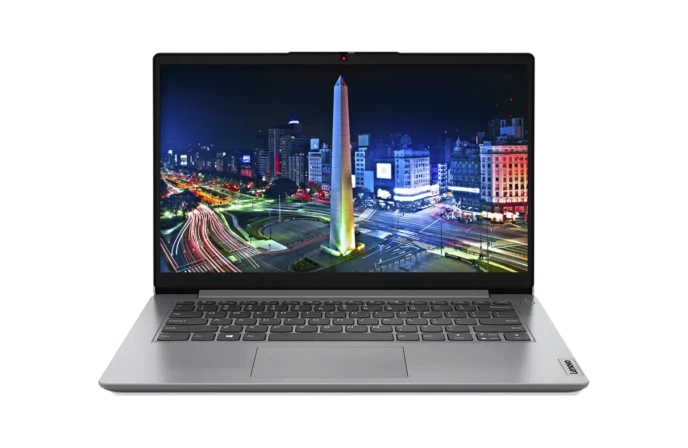

Budget Gaming Laptop in Nepal Under Rs 80000 – Complete Guide by Alam Tech
Finding the best budget gaming laptop in Nepal under Rs 80000 can feel overwhelming, especially with so many models, new releases, and varying specs in the market. Whether you are a casual gamer, a student who also loves eSports, or someone who wants a laptop that can handle both gaming and content creation, this price segment offers great value. At Alam Tech, one of Nepal’s trusted tech retailers located in Newroad, Kathmandu, we help customers pick the right combination of performance, durability, and affordability.
This in-depth guide explains everything you need to know before buying a gaming laptop in Nepal under Rs 80,000. You’ll learn what specs matter, which brands offer maximum value, which models fit your needs, and how to avoid common mistakes buyers make. By the end, you will be able to confidently select the best budget gaming laptop for your gaming style and daily workload.
Why an 80,000 Budget is the Sweet Spot for Gamers in Nepal
The Rs 80,000 budget range is ideal for gamers who want:
- Smooth gameplay on popular titles
- Reliable performance for years
- A stylish design without spending premium money
- A laptop usable for both gaming and studies or office work
Prices above Rs 1,00,000 usually fall into mid-range gaming, while below Rs 60,000 is mostly entry-level. The Rs 75,000–80,000 segment is where performance, affordability, and long-lasting quality meet.
This price point is perfect for gamers who enjoy playing games like:
- Valorant
- CS2
- Dota 2
- GTA V
- Fortnite
- FIFA
- PUBG PC Lite
- COD: Warzone (low to medium settings)
The laptops in this price category can deliver 60–120 FPS on most eSports titles and handle modern AAA games on optimized settings.
What to Expect from a Gaming Laptop Under 80000 in Nepal
Even though this is considered a budget range, the features are quite impressive. Here are the specifications you can realistically expect:
1. Processor
You’ll usually get:
- Intel Core i5 (10th to 12th Gen)
- AMD Ryzen 5 (3500U, 4500U, 5500U)
Ryzen processors typically offer better multi-core performance at this price, making them an excellent choice for gaming plus multitasking.
2. Graphics
Dedicated graphics under 80,000 include:
- NVIDIA MX450
- NVIDIA GTX 1650 (rare with offers)
- AMD Radeon Vega Integrated Graphics (for optimized games)
GTX 1650 laptops sometimes appear under Rs 80,000 during discounts or festival offers at stores like Alam Tech.
3. RAM
Most laptops include:
- 8GB DDR4 RAM (expandable to 16GB or 32GB)
Upgrading to 16GB significantly boosts gaming performance, especially in open-world and competitive titles.
4. Storage
You can expect:
- 256GB or 512GB SSD
- Option for dual-storage or upgrade
SSDs drastically improve boot time, loading speed, and overall responsiveness.
5. Display
Most budget gaming laptops come with:
- 15.6-inch Full HD panel
- 60Hz or 120Hz refresh rate
Higher refresh rate screens offer smoother motion for competitive gaming.
6. Build Quality
Under 80,000, you get:
- Durable plastic build
- Slim and lightweight design options
- Decent cooling system
Gaming laptops are slightly heavier, but thin-and-light AMD models are available too.
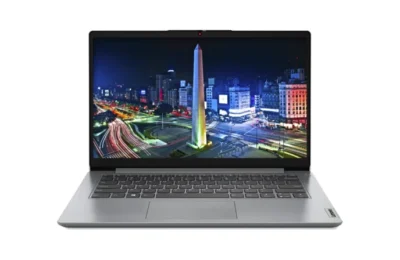
Budget Gaming Laptop in Nepal Under Rs 80000
Best Brands Offering Gaming Laptops Under Rs 80000 in Nepal
At Alam Tech, the following brands are the most reliable in this price category:
1. Acer
Acer is known for affordability and high value. Their Aspire and Nitro series often provide strong performance at low price points.
2. Lenovo
Lenovo laptops in this range focus on build quality and balanced hardware. The IdeaPad series is popular among students and gamers.
3. HP
HP offers sleek designs, reliable build, and excellent thermals in some laptop models.
4. ASUS
ASUS laptops are known for durability and superior graphics optimization. The VivoBook series is especially popular.
5. Dell
Dell provides robust build quality, making them ideal for users who prioritize longevity.
Top Features to Look for When Buying a Budget Gaming Laptop in Nepal
Choosing the best gaming laptop under Rs 80,000 requires understanding which features matter the most. Here is a breakdown of what you should prioritize:
1. GPU Over CPU
Gaming depends more on the graphics card. Even if a laptop has a powerful CPU, integrated graphics cannot match dedicated GPUs.
2. SSD Over HDD
An SSD makes everything faster—gaming, browsing, editing, and booting. Always prefer a laptop with SSD storage.
3. RAM Upgradability
A laptop that supports dual-channel RAM improves FPS by up to 20%.
4. Cooling System
Gaming generates heat. A laptop with:
- multiple heat pipes
- dual-fan setup
- improved ventilation
…performs better and lasts longer.
5. Keyboard Quality
Look for:
- Backlit keys
- Comfortable key travel
- Strong key feedback
This is essential for gaming precision.
6. Battery Life
Gaming drains battery quickly, but a good laptop gives:
- 4–6 hours for normal use
- 2–3 hours for gaming
Who Should Buy a Gaming Laptop Under Rs 80,000?
This price category is perfect for:
1. Students
Gamers who also need a laptop for:
- Online classes
- Assignments
- Programming
- Projects
2. Casual and eSports Gamers
If you play:
- Dota 2
- Valorant
- CSGO/CS2
- League of Legends
- Fortnite
…a budget laptop can give high FPS performance.
3. Beginners in Content Creation
These laptops can handle:
- Video editing (1080p)
- Graphics design
- 3D light simulation
4. Budget-Conscious Buyers
You get excellent performance without paying premium prices.
Popular Games You Can Play Smoothly Under Rs 80,000 Laptops
Here are some examples:
| Game | Expected FPS |
|---|---|
| Valorant | 90–150 FPS |
| CS2 | 80–120 FPS |
| Dota 2 | 60–100 FPS |
| GTA V | 40–60 FPS |
| Fortnite | 50–80 FPS |
| FIFA | 60–100 FPS |
| Apex Legends | 40–60 FPS |
| PUBG Lite | 80–120 FPS |
These FPS values vary based on settings and hardware configuration.
Why Buy Your Budget Gaming Laptop from Alam Tech?
Alam Tech in Newroad, Kathmandu is known for:
✔ Genuine Nepal-Authorized Products
All laptops are brand-new, sealed, and come with full warranty.
✔ Competitive Pricing
We offer some of the best pricing in Nepal, including seasonal and festival discounts.
✔ Custom Upgrades
SSD or RAM upgrades can be performed on customer request.
✔ Expert Guidance
Our team helps match the perfect laptop to your needs and budget.
✔ Reliable After-Sales Service
Customers appreciate our support long after the purchase.
✔ Availability of All Major Brands
You can compare different models in one place.
Things to Consider Before Finalizing Your Purchase
Before buying your laptop, ensure you check the following:
1. Warranty Details
Most laptops come with:
- 1-year manufacturer warranty
- 1-year extended warranty (optional)
2. Build Quality
Check:
- hinge quality
- keyboard firmness
- cooling vents
3. Upgradability
Ensure it supports:
- dual-channel RAM
- at least one extra SSD slot
4. Display Brightness
Minimum 250 nits is recommended for comfortable viewing.
5. Battery Backup
Check real-life usage, not just official claims.
Tips to Boost Gaming Performance on Budget Laptops
Even a budget laptop can deliver excellent performance if optimized correctly.
1. Use Dual-Channel RAM
Upgrading from 8GB to 16GB gives:
- smoother gameplay
- reduced stutters
- faster multitasking
2. Keep Drivers Updated
Updated GPU drivers improve FPS in newer game patches.
3. Cooling Pad
Using a cooling pad can lower temperature by 5–10°C.
4. Close Background Apps
Disable unnecessary startup apps to free RAM.
5. Optimize Game Graphics
Use medium settings for consistent performance.
Future-Proofing Your Budget Gaming Laptop
If you want your laptop to last 3–5 years, look for:
- At least 6-core CPU
- A dedicated GPU
- Upgradable RAM slots
- 120Hz display (if available)
- Strong cooling system
These features ensure your laptop performs well even with future game updates.
Why Budget Gaming Laptops Are Becoming More Popular in Nepal
The gaming market in Nepal has grown rapidly in recent years. More students and young professionals play games, attend online classes, and even work remotely. Budget gaming laptops under Rs 80,000 attract buyers because they:
- Offer powerful performance at affordable prices
- Are suitable for both gaming and daily tasks
- Provide long-lasting value
- Are portable and stylish
- Support content creation and productivity
With brands continuously improving their hardware, customers now get better features than ever before at low pricing.
Buying Guide: Step-by-Step Process to Choose Your Laptop
Here is a simple guide to help you pick the right model:
Step 1: Determine Your Primary Use
- Only gaming?
- Gaming + studies?
- Gaming + editing?
Step 2: Select the Right Processor
Choose between Intel and AMD based on your usage.
Step 3: Decide the GPU
If you play competitive games, prioritize GPU over CPU.
Step 4: Choose Storage
512GB SSD recommended.
Step 5: Check RAM Upgradability
Dual-channel is essential for gaming.
Step 6: Confirm Screen Quality
Full HD IPS is ideal.
Step 7: Compare Prices
Alam Tech provides competitive pricing.
Conclusion: Budget Gaming Laptop in Nepal Under Rs 80000
Buying a budget gaming laptop in Nepal under Rs 80,000 is now easier than ever with powerful options from top brands. Whether you are a student, gamer, or working professional, this price category offers strong performance, durability, and excellent value for money. At Alam Tech, Newroad Kathmandu, our goal is to help you find the perfect laptop based on your needs, gaming preferences, and budget.
You’ll find a range of laptops that balance performance and price—making them ideal for gaming, studies, multimedia, and light editing work.
If you’re planning to purchase a gaming laptop under Rs 80,000, Alam Tech offers expert guidance, genuine products, and the best customer experience in Kathmandu.
Contact us:
FAQs – Budget Gaming Laptop in Nepal Under Rs 80000 (Alam Tech)
1. What is the best budget gaming laptop under Rs 80000 in Nepal?
The best laptop depends on your needs, but models with Ryzen 5 processors and GTX 1650 or MX450 graphics offer the best value under this price. Alam Tech regularly stocks these options.
2. Can I get a laptop with a dedicated GPU under Rs 80,000?
Yes, you can find models with NVIDIA MX450 and sometimes GTX 1650 during offers. These GPUs provide smooth performance in most eSports titles.
3. Is an integrated GPU enough for gaming?
Integrated GPUs like Radeon Vega handle light-to-medium games well, but dedicated GPUs are recommended for smoother FPS in demanding titles.
4. Which processor is best for gaming under 80,000—Intel or AMD?
AMD Ryzen 5 (4500U/5500U) offers better multi-core performance, while Intel i5 10th/11th Gen gives superior single-core performance. Both work well for gaming.
5. Can I play Valorant on a budget gaming laptop?
Yes, even integrated graphics like Vega 8 or MX450 can deliver 80–120 FPS on Valorant at 1080p.
6. Can these laptops run GTA V smoothly?
Yes. GTX 1650 models run GTA V at around 40–60 FPS on medium settings.
7. What RAM size is recommended for gaming?
8GB is the minimum, but 16GB dual-channel RAM significantly improves gaming smoothness and reduces lag.
8. Do laptops under 80,000 support RAM upgrades?
Most models support RAM upgrades up to 16GB or 32GB. Alam Tech offers upgrade services.
9. Should I choose SSD or HDD?
Always choose SSD. Games load faster, the laptop runs smoother, and overall performance improves significantly.
10. What storage size is ideal for gamers?
512GB SSD is ideal. If not available, 256GB SSD with an upgrade option works fine.
11. Can I upgrade storage in budget gaming laptops?
Yes. Most laptops have additional NVMe or SATA slots for upgrading storage.
12. Is 120Hz display available under Rs 80,000?
Some models include a 120Hz Full HD panel, providing smoother motion for competitive gaming.
13. Are Acer laptops good for gaming under 80k?
Yes. Acer Aspire and some Nitro models offer strong value with reliable performance.
14. Are Lenovo laptops reliable for gaming?
Lenovo IdeaPad series provides excellent build quality and smooth gaming performance at this price.
15. How long does a budget gaming laptop last?
With proper care, these laptops last 3–5 years for gaming and regular use.
16. Can I run video editing software like Premiere Pro?
Yes. Ryzen 5 or Core i5 processors paired with 8GB or 16GB RAM handle light to medium editing well.
17. Are these laptops good for students?
Yes. They are perfect for gaming, online classes, assignments, and productivity tasks.
18. What games can run smoothly on a laptop under 80,000?
Dota 2, Valorant, CS2, Fortnite, GTA V, FIFA, and PUBG Lite run very well.
19. Do budget gaming laptops overheat?
They can get warm during long gaming sessions, but using a cooling pad and proper ventilation helps control temperature.
20. What battery backup can I expect?
4–6 hours for normal use and 2–3 hours for gaming.
21. Is backlit keyboard available under this price?
Yes. Many laptops include a white or RGB backlit keyboard.
22. Does refresh rate matter for gaming?
Yes. A 120Hz display provides smoother gameplay and improved motion clarity.
23. Can these laptops run open-world games like Red Dead Redemption 2?
They can run such games on low settings, but performance varies depending on GPU.
24. How much FPS can I expect in Valorant?
80–150 FPS depending on GPU and RAM configuration.
25. How important is cooling in budget gaming laptops?
Very important. Proper cooling boosts performance and extends laptop lifespan.
26. Can I connect an external monitor for gaming?
Yes. Most laptops support HDMI and USB-C display output for dual-screen setup.
27. Do these laptops support Wi-Fi 6?
Some newer models do. It depends on the specific configuration.
28. Which is better for gaming: Ryzen 5 5500U or Intel i5 1135G7?
Ryzen 5 5500U performs better in multitasking and gaming with integrated Vega graphics.
29. Are MSI laptops available under 80,000?
Rarely, but during offers some MSI models fall close to this price range.
30. Can upgrading RAM void warranty?
No, as long as the upgrade does not damage internal components.
31. Do these laptops support dual-channel RAM?
Yes. Most models have two RAM slots for dual-channel setup.
32. Should I prioritize GPU or CPU?
For gaming, GPU is more important. Choose laptops with dedicated graphics when possible.
33. Is 4GB RAM enough for gaming?
No. Modern games require at least 8GB RAM for good performance.
34. Are gaming laptops heavier?
Yes. Gaming laptops usually weigh 2.0–2.3 kg due to larger cooling systems.
35. Which brand offers the best value?
Acer, Lenovo, ASUS, and HP offer excellent value under Rs 80,000.
36. Do laptops under this price come with Type-C ports?
Yes, many models include USB Type-C for fast data transfer and display output.
37. What display brightness should I look for?
At least 250 nits for indoor use. More is better for outdoor visibility.
38. Can this laptop handle programming?
Absolutely. These laptops are great for coding, web development, and software engineering tasks.
39. Is antivirus required for gaming laptops?
Windows Defender is enough for most users, but you can install lightweight antivirus for extra protection.
40. How often should I clean my laptop?
Every 6–12 months depending on dust and usage.
41. Can I stream games using these laptops?
Yes. With 16GB RAM and a good GPU, you can stream at 720p or 1080p.
42. Do these laptops support Bluetooth 5.0?
Yes. Most modern models include Bluetooth 5.0 or newer versions.
43. What is the display size for budget gaming laptops?
Most have a 15.6-inch Full HD display.
44. Can I run AutoCAD or SolidWorks?
Yes, but performance depends on GPU. MX450 or GTX GPUs work best for design software.
45. Will Rs 80,000 laptops still be good in 3 years?
Yes, especially if you upgrade the RAM and use SSD storage.
46. Are the keyboards good for gaming?
Most laptops in this range have responsive keys with comfortable travel distance.
47. Should I buy from Newroad Kathmandu?
Yes. Alam Tech in Newroad offers genuine products, competitive pricing, and reliable after-sales service.
48. Do laptops under this price come with fingerprint readers?
Some models do, especially Ryzen-based thin-and-light laptops.
49. What is the warranty period?
Most laptops come with 1-year official warranty. Extended warranty options are available.
50. Why should I buy from Alam Tech?
Alam Tech provides expert guidance, genuine brand-authorized products, best pricing, upgrades, and excellent customer support—all under one roof.
Contact us:
{
“@context”: “https://schema.org”,
“@graph”: [
{
“@type”: “Organization”,
“@id”: “https://alamtech.com.np/#organization”,
“name”: “Alamtech Suppliers”,
“legalName”: “Alamtech Suppliers”,
“url”: “https://alamtech.com.np/”,
“logo”: “https://alamtech.com.np/logo.png”,
“email”: “alamtechnp@gmail.com”,
“telephone”: [“01-4246548”, “9851193787”, “9818413835”],
“vatID”: “601613908”,
“address”: {
“@type”: “PostalAddress”,
“streetAddress”: “Kathmandu-22, Tebahal”,
“addressLocality”: “Newroad”,
“addressRegion”: “Bagmati”,
“postalCode”: “44600”,
“addressCountry”: “NP”
},
“sameAs”: []
},
{
“@type”: “LocalBusiness”,
“@id”: “https://alamtech.com.np/#localbusiness”,
“name”: “Alam Tech”,
“image”: “https://alamtech.com.np/logo.png”,
“address”: {
“@type”: “PostalAddress”,
“streetAddress”: “Kathmandu-22, Tebahal”,
“addressLocality”: “Newroad, Kathmandu”,
“addressRegion”: “Bagmati”,
“postalCode”: “44600”,
“addressCountry”: “NP”
},
“telephone”: [“01-4246548”, “9851193787”, “9818413835”],
“email”: “alamtechnp@gmail.com”,
“priceRange”: “Rs 40,000 – Rs 300,000”,
“openingHours”: “Mo-Su 09:00-20:00”,
“url”: “https://alamtech.com.np/”,
“geo”: {
“@type”: “GeoCoordinates”,
“latitude”: “27.702”,
“longitude”: “85.314”
}
},
{
“@type”: “WebSite”,
“@id”: “https://alamtech.com.np/#website”,
“url”: “https://alamtech.com.np/”,
“name”: “Alam Tech”,
“publisher”: {
“@id”: “https://alamtech.com.np/#organization”
},
“inLanguage”: “en”
},
{
“@type”: “BreadcrumbList”,
“@id”: “https://alamtech.com.np/#breadcrumb”,
“itemListElement”: [
{
“@type”: “ListItem”,
“position”: 1,
“name”: “Home”,
“item”: “https://alamtech.com.np/”
},
{
“@type”: “ListItem”,
“position”: 2,
“name”: “Budget Gaming Laptop Under 80,000”
}
]
},
{
“@type”: “Article”,
“@id”: “https://alamtech.com.np/#article”,
“headline”: “Budget Gaming Laptop in Nepal Under Rs 80,000 – Alam Tech”,
“description”: “Complete guide on buying a budget gaming laptop in Nepal under Rs 80,000 with expert advice from Alam Tech, Newroad Kathmandu.”,
“author”: {
“@type”: “Organization”,
“name”: “Alam Tech”
},
“publisher”: {
“@id”: “https://alamtech.com.np/#organization”
},
“mainEntityOfPage”: {
“@type”: “WebPage”,
“@id”: “https://alamtech.com.np/”
},
“image”: “https://alamtech.com.np/logo.png”,
“datePublished”: “2025-01-01”,
“dateModified”: “2025-01-01”,
“inLanguage”: “en”
},
{
“@type”: “Service”,
“@id”: “https://alamtech.com.np/#service”,
“serviceType”: “Budget Gaming Laptop Sales”,
“provider”: {
“@id”: “https://alamtech.com.np/#localbusiness”
},
“areaServed”: “Nepal”,
“description”: “Sale of budget gaming laptops under Rs 80,000 in Nepal with expert guidance, warranty, and upgrade options.”,
“offers”: {
“@type”: “Offer”,
“priceCurrency”: “NPR”,
“availability”: “https://schema.org/InStock”,
“price”: “80000”,
“url”: “https://alamtech.com.np/”
}
},
{
“@type”: “FAQPage”,
“@id”: “https://alamtech.com.np/#faq”,
“mainEntity”: [
{
“@type”: “Question”,
“name”: “What is the best budget gaming laptop under Rs 80,000 in Nepal?”,
“acceptedAnswer”: {
“@type”: “Answer”,
“text”: “Models with Ryzen 5 processors and GTX 1650 or MX450 graphics offer some of the best value under Rs 80,000 in Nepal.”
}
},
{
“@type”: “Question”,
“name”: “Can I get a laptop with a dedicated GPU under Rs 80,000?”,
“acceptedAnswer”: {
“@type”: “Answer”,
“text”: “Yes, some laptops with NVIDIA MX450 and occasional GTX 1650 deals are available in this price range.”
}
},
{
“@type”: “Question”,
“name”: “Is integrated GPU enough for gaming?”,
“acceptedAnswer”: {
“@type”: “Answer”,
“text”: “Integrated GPUs like Radeon Vega can handle light gaming, but dedicated GPUs provide smoother performance for demanding titles.”
}
},
{
“@type”: “Question”,
“name”: “Which processor is better for gaming under 80,000?”,
“acceptedAnswer”: {
“@type”: “Answer”,
“text”: “Ryzen 5 5500U and Intel Core i5 11th Gen both deliver strong performance, with Ryzen performing better in multi-core tasks.”
}
},
{
“@type”: “Question”,
“name”: “Can I play Valorant on a budget gaming laptop?”,
“acceptedAnswer”: {
“@type”: “Answer”,
“text”: “Yes. Most laptops under Rs 80,000 can run Valorant with 80–150 FPS at 1080p settings.”
}
},
{
“@type”: “Question”,
“name”: “Can these laptops run GTA V smoothly?”,
“acceptedAnswer”: {
“@type”: “Answer”,
“text”: “Yes, GTX 1650 laptops can run GTA V at 40–60 FPS on medium settings.”
}
},
{
“@type”: “Question”,
“name”: “Is 8GB RAM enough for gaming?”,
“acceptedAnswer”: {
“@type”: “Answer”,
“text”: “8GB is the minimum required, but upgrading to 16GB dual-channel improves performance significantly.”
}
},
{
“@type”: “Question”,
“name”: “Do laptops under 80,000 support RAM upgrades?”,
“acceptedAnswer”: {
“@type”: “Answer”,
“text”: “Yes. Most gaming laptops in this range support RAM expansion up to 16GB or even 32GB.”
}
},
{
“@type”: “Question”,
“name”: “Should I choose SSD over HDD?”,
“acceptedAnswer”: {
“@type”: “Answer”,
“text”: “Yes, SSD provides faster loading, quicker boot time, and better overall gaming performance.”
}
},
{
“@type”: “Question”,
“name”: “Can I upgrade the storage in a budget laptop?”,
“acceptedAnswer”: {
“@type”: “Answer”,
“text”: “Yes. Most laptops support NVMe and SATA upgrades depending on the model.”
}
}
]
}
]
}