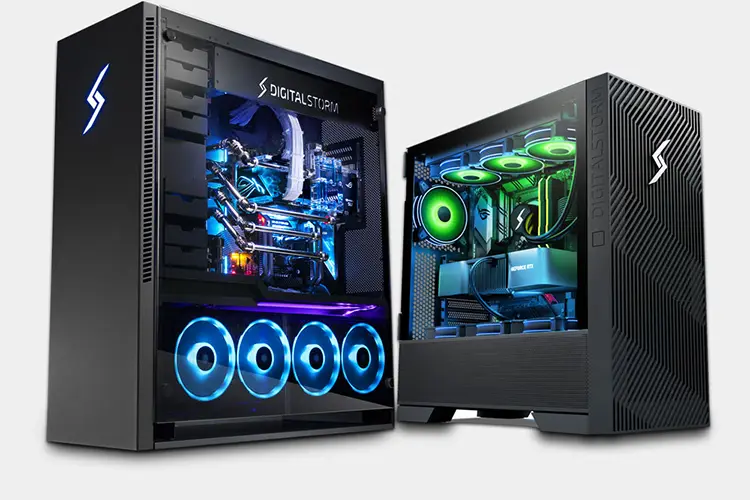

Buy Custom PC in Newroad Kathmandu – Alam Tech
Buy Custom PC in Newroad Kathmandu: If you are planning to buy a custom PC in Newroad, Kathmandu, you’re already on the right track. Newroad has long been recognised as Nepal’s most trusted and competitive tech marketplace, known for genuine parts, best pricing, and expert computer builders. But among the many stores and suppliers in the area, Alam Tech stands out as a reliable destination for custom PCs, gaming builds, office computers, graphic workstations, editing rigs, and corporate solutions.
This comprehensive guide will walk you through everything you need to know before buying a custom PC in Newroad Kathmandu—from component selection and pricing to why Alam Tech is becoming one of Nepal’s preferred custom PC builders.
Whether you’re a first-time buyer or a tech enthusiast looking for a future-proof build, this article gives you all the clarity you need.
1. Why Buy a Custom PC Instead of a Pre-Built One?
Pre-built desktops are convenient, but they often compromise on either performance, component quality, or upgradability. A custom PC solves these problems perfectly.
Here’s why more Nepalese buyers choose custom PCs:
1.1 Get Exactly What You Need
Whether you want a gaming PC that can run AAA titles at ultra settings or a workstation for DaVinci Resolve, Blender, AutoCAD, or Adobe Suite, a custom PC allows you to tailor every component to your workload.
1.2 Better Value for Money
With a custom PC, every rupee you spend goes to the performance you actually need. There’s no paying extra for unnecessary RGB lights or downgrading to generic components hidden behind a branded case.
1.3 Upgradability & Future-Proofing
Custom-built PCs from Alam Tech are designed to be easily upgradable—swap a GPU, add more RAM, or upgrade your storage without changing the entire system.
1.4 High-Quality Genuine Parts
All components—CPU, RAM, motherboard, power supply, SSD, cooler—are genuine, sealed, and come with full manufacturer warranty.
1.5 Personalized Aesthetics
Choose your case design, RGB style, cooling setup, and overall theme. Your PC becomes something unique.
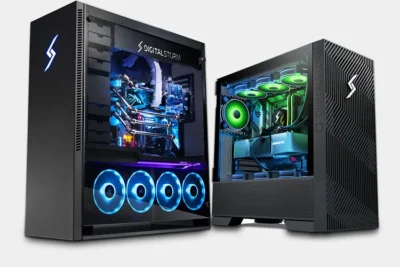
Buy Custom PC in Newroad Kathmandu
2. Why Buy Your Custom PC in Newroad Kathmandu?
Newroad is Nepal’s oldest technology hub and still remains the center of computer hardware market.
Here’s why Newroad is the first choice:
2.1 Competitive Pricing
Because the market has many suppliers close to each other, the pricing becomes naturally competitive. You get the best possible rates compared to malls or online-only sellers.
2.2 Availability of All Brands
Popular computer hardware brands such as Intel, AMD, ASUS, MSI, Gigabyte, Corsair, Kingston, Samsung, Cooler Master, Zotac, and many others are easily available.
2.3 Immediate Parts Swaps & Support
If a component doesn’t match your requirements, you can instantly swap it—not wait days for online returns.
2.4 Reliable Warranty Handling
Newroad businesses are well-established, experienced, and handle warranty professionally.
2.5 Professional PC Builders
Shops like Alam Tech have experienced technicians who build hundreds of PCs every year. You get experts, not random assemblers.
3. Why Choose Alam Tech for Your Custom PC in Newroad Kathmandu?
Alam Tech, located at Kathmandu-22, Tebahal, has built a strong reputation for customer satisfaction, reliable pricing, and genuine products.
Here’s what makes Alam Tech special:
3.1 Expert Consultation Based on Real Needs
Instead of selling expensive components blindly, Alam Tech helps you select exactly what you need—balancing performance, budget, and future upgradability.
3.2 Genuine Parts With Manufacturer Warranty
Every part is sealed and original. You receive proper bills, VAT documentation, and after-sales support.
3.3 Custom Builds for All Purposes
Alam Tech provides:
- Gaming PCs (entry to high-end)
- Video editing and 3D rendering workstations
- Office and business desktops
- Programming & developer builds
- Streaming and content creation PCs
- Budget-friendly student PCs
3.4 Build Transparency
You can physically see:
- the parts being opened,
- the assembly process,
- cable management,
- thermal testing,
- performance optimization.
No hidden or generic components ever replaced.
3.5 Affordable Pricing
Since Alam Tech is a direct laptop & PC component supplier, customers benefit from fair and transparent pricing without unnecessary margins.
3.6 After-Sales Support & Upgrades
Your relationship does not end at the sale—technical support, troubleshooting, and future upgrades are all taken care of.
4. Components to Choose When Building a Custom PC
Before you buy a custom PC in Newroad Kathmandu, you must understand the major components. This helps you make smart decisions.
4.1 Processor (CPU)
The CPU is the brain of your system. Popular options include:
Intel:
i3 (budget), i5 (mid-range), i7 (high-performance), i9 (enthusiast)
AMD:
Ryzen 3, 5, 7, 9 (best for multitasking & content creation)
4.2 Graphics Card (GPU)
Most important for gaming, editing, 3D rendering.
Popular series include:
- NVIDIA RTX 3050, 3060, 4060, 4070, 4070 Ti, 4080
- AMD Radeon 6600, 6700 XT, 6800, 7800 XT
4.3 Motherboard
Should match your CPU (Intel or AMD).
Options include:
- Entry: H610, A520, B450
- Mid: B550, B660, B760
- High-end: X570, Z690, Z790
4.4 RAM (Memory)
More RAM = smoother multitasking.
- 8GB (basic)
- 16GB (gaming + editing)
- 32GB+ (heavy workloads)
4.5 Storage
SSD speeds up everything.
- NVMe SSD (fastest)
- SATA SSD (budget)
- HDD (mass storage)
4.6 Power Supply (PSU)
Always choose branded power supplies.
Recommended:
- 450W (budget builds)
- 550W–650W (mid-range)
- 750W–850W (gaming & workstation)
4.7 Case & Cooling
Choose a case with good airflow. RGB optional.
Cooling includes:
- Stock air coolers
- Aftermarket coolers
- Liquid / AIO coolers
4.8 Monitor, Keyboard, and Peripherals
Optional but can be bundled for better pricing.
5. Types of Custom PCs You Can Buy at Alam Tech – Newroad Kathmandu
Alam Tech builds PCs for every type of user.
5.1 Budget PC for Students & Home Use
Suitable for:
- Online classes
- MS Office
- Browsing
- Basic programming
Typical specs:
- Intel i3 / Ryzen 3
- 8GB RAM
- 256GB SSD
5.2 Mid-Range Gaming PC
Perfect for:
- Esports games (Valorant, CS2, Dota 2, Fortnite)
- Moderate AAA gaming
- Streaming
Specs:
- Intel i5 / Ryzen 5
- 16GB RAM
- RTX 3050 / 3060
- 500GB NVMe SSD
5.3 High-End Gaming Beast
For enthusiasts who want 1440p or 4K gaming.
Specs:
- Intel i7 / Ryzen 7
- 32GB RAM
- RTX 4070 / 4070 Ti / 4080
5.4 Video Editing & Graphic Design Workstation
Optimized for:
- Premiere Pro
- After Effects
- Final Cut alternatives
- Blender
- DaVinci Resolve
Specs:
- Ryzen 7 / Ryzen 9
- 32GB–64GB RAM
- RTX 3060–4080
- Large NVMe + HDD combo
5.5 Office & Corporate Desktop
Suitable for:
- Accounting
- Data entry
- POS & management
- Regular work environments
Specs:
- Intel i3/i5
- 8–16GB RAM
- 256GB–512GB storage
5.6 Streaming & Content Creator PC
Built to handle gaming + streaming + recording.
Specs:
- Ryzen 5 / Ryzen 7
- 32GB RAM
- RTX 3060/3070
- Fast PCIe 4.0 SSD
6. How Alam Tech Helps You Choose the Perfect Build
Buying a custom PC can feel confusing if you’re not familiar with hardware. At Alam Tech, the experts use a simple 4-step consultation approach:
Step 1 – Understanding Your Use Case
They ask about your purpose—gaming, programming, office work, editing, etc.
Step 2 – Budget Estimation
You get recommended builds within your price range.
Step 3 – Matching Compatible Components
All parts are cross-checked for:
- compatibility
- thermal performance
- future upgradability
Step 4 – Final Assembly & Testing
After assembling your custom PC, they run:
- stress tests
- temperature checks
- game benchmarks (if requested)
You receive the PC fully optimized and ready to use.
7. What Makes a Good Custom PC Builder? (Alam Tech Standards)
A good builder should offer:
- Clean cable management
- Proper airflow optimization
- Correct thermal paste application
- BIOS updates & XMP/DOCP settings
- Loudness & fan curve optimization
- Genuine parts with serial numbers
- After-sales support
Alam Tech follows all these standards to ensure long-lasting performance.
8. Tips Before Buying a Custom PC in Kathmandu
8.1 Know Your Exact Requirements
Avoid overspending on a GPU if your work doesn’t need it.
8.2 Set a Realistic Budget
Gamers, editors, and businesses each have different price points.
8.3 Prioritize Genuine Parts
Always ask for:
- sealed box
- warranty
- VAT bill (if needed)
8.4 Don’t Cheap Out on Power Supply
This is the heart of your PC—never compromise.
8.5 Think About Future Upgrades
Choose a motherboard and PSU that support future components.
9. Common Customer Questions When Buying a Custom PC
Here are the most frequently asked questions:
1. Can I choose every component myself?
Yes, you can select every part—including case, CPU, GPU, fans, and even cables.
2. Do I get warranty on each part?
Absolutely. Each component comes with manufacturer warranty.
3. How long does it take to assemble a PC?
Normally 1–3 hours depending on complexity.
4. Can I upgrade later?
Yes, custom PCs from Alam Tech are fully upgradable.
5. Do you offer thermal testing?
Yes, thermal and performance tests are done before handover.
10. Why Alam Tech Is the Trusted Name in Newroad Kathmandu
Customers choose Alam Tech because of:
- Honest pricing
- Genuine parts
- Professional builds
- Clear consultation
- Excellent after-sales support
- Years of experience
Located at Tebahal near Newroad, it is easily accessible for students, gamers, office workers, and corporate clients.
11. Final Thoughts – Your Trusted Partner for Custom PCs in Newroad Kathmandu
Choosing the right custom PC shop in Newroad can be the difference between a powerful machine and a disappointing one. With the growing demand for gaming, editing, programming, and professional workloads in Nepal, a custom-built PC gives you both performance and value for money.
Alam Tech has proven itself as a reliable and customer-focused PC builder—offering everything from budget-friendly desktops to high-end gaming rigs and professional workstations.
Whether you’re:
- a gamer
- a student
- a designer
- a freelancer
- a business owner
Alam Tech ensures you get a system that fits your exact needs, budget, and long-term goals.
If you’re planning to buy a custom PC in Newroad Kathmandu, Alam Tech is one of the best places to get genuine components, expert guidance, and powerful builds you can rely on for years.
Contact us:
FAQs on Buying Custom PC in Newroad Kathmandu – Alam Tech
1. What makes Newroad Kathmandu the best place to buy a custom PC?
Newroad is Nepal’s largest and oldest technology hub, with multiple computer stores, genuine hardware suppliers, and competitive pricing. Buyers get a wide selection of components, immediate support, and professional PC builders. It’s the ideal place to compare components and build a PC on the spot.
2. Why should I choose Alam Tech for building my custom PC?
Alam Tech is known for genuine components, transparent pricing, expert builders, and customer-friendly consultation. You get personalized build recommendations, professional cable management, warranty assurance, and after-sales support.
3. Can Alam Tech help me choose the right parts for my custom PC?
Yes. Alam Tech’s team evaluates your needs (gaming, editing, office work, programming) and suggests compatible parts that match both your workflow and budget. You get balanced and future-proof build recommendations.
4. Do custom PCs cost more than pre-built desktops?
Not necessarily. Custom PCs can be cheaper because you only pay for components you truly need. There are no hidden generic parts, unnecessary branding fees, or outdated components like in many pre-built systems.
5. How long does it take to build a custom PC at Alam Tech?
Most builds take 1–3 hours, depending on the complexity, number of components, cooling system, and cable management requirements.
6. Does Alam Tech offer warranty on custom-built PCs?
Yes. Every component comes with full manufacturer warranty, and Alam Tech provides after-sales support for build-related assistance, troubleshooting, and upgrades.
7. Can I bring my own parts and ask Alam Tech to assemble the PC?
Absolutely. Even if you already have some components, Alam Tech can assemble them, check compatibility, and recommend necessary upgrades or changes.
8. What documents do I receive after buying a custom PC?
You receive:
- Proper invoice
- VAT bill (if requested)
- Warranty cards or serial-number-based warranty
- Component list with model numbers
9. Which brands does Alam Tech provide for custom PC parts?
Popular brands include:
Intel, AMD, NVIDIA, ASUS, MSI, Gigabyte, Corsair, Cooler Master, Kingston, Lexar, Samsung, Zotac, Deepcool, Lian Li, Antec, and more.
10. Can Alam Tech build high-end gaming PCs?
Yes. Alam Tech builds everything from entry-level esports systems to ultra high-end 4K gaming rigs using GPUs like RTX 4070, 4070 Ti, 4080, or AMD equivalents.
11. Does Alam Tech assemble professional workstations?
Definitely. They specialize in editing, graphics, 3D rendering, AutoCAD, engineering, programming, streaming, and production-level workstations optimized for speed and stability.
12. Do I need a graphics card for programming or office use?
Most programming and office tasks can run smoothly on integrated graphics (Intel UHD or AMD Vega). A dedicated GPU is needed mainly for gaming, 3D rendering, and high-end editing.
13. How much RAM should I choose for my custom PC?
- 8GB – basic use
- 16GB – gaming + moderate editing
- 32GB – heavy editing, virtualization
- 64GB+ – advanced workstations
Alam Tech helps you pick the right memory based on your tasks.
14. Which is better for gaming: Intel or AMD?
Both Intel and AMD offer strong gaming performance. Intel has slightly higher single-core speed, while AMD delivers better multitasking and productivity. Alam Tech recommends the best choice for your budget.
15. How important is the power supply (PSU)?
Very important. A good PSU ensures stability and protects against voltage fluctuations. Alam Tech always recommends branded 80+ certified PSUs for long-term reliability.
16. Can Alam Tech upgrade my PC in the future?
Yes. You can return anytime for upgrades—GPU, RAM, storage, cooling, or even full rebuilds. They maintain compatibility records of previous builds.
17. What type of storage should I use for best performance?
NVMe SSDs offer the fastest speeds and dramatically reduce boot and load times. A combination of NVMe SSD + HDD is ideal for performance and storage.
18. Will my custom PC handle future games or applications?
If you choose a balanced build with a strong CPU, sufficient RAM, and a modern GPU, your system will be future-proof for years. Alam Tech always prioritizes long-term usability.
19. Do you test the PC after building it?
Yes. Every PC undergoes:
- Temperature tests
- Stress tests
- Fan optimization
- Cable management review
- BIOS & driver updates
20. Can I customize the PC’s design and RGB lighting?
Absolutely. You can pick your preferred case style, RGB setup, cooling theme, and even color-matched cables.
21. Can I get a quotation before buying?
Yes. Alam Tech provides detailed quotations based on your budget and performance expectations.
22. Do you offer liquid cooling options?
Yes. Both AIO liquid coolers and custom air cooling solutions are available for high-performance CPUs.
23. Are custom PCs good for online classes and everyday use?
Yes. Even budget custom PCs perform better than most pre-built desktops or old laptops used for online classes.
24. What budget do I need for a starter gaming PC?
Starter gaming PCs usually begin at a reasonable cost with capable GPUs like GTX 1650 or RTX 3050 and 16GB RAM.
25. Does Alam Tech offer cable management?
Yes. Clean, efficient cable management is included in every build to ensure airflow, aesthetics, and ease of maintenance.
26. Can I use my custom PC for streaming?
Yes. If you choose a strong CPU like Ryzen 5/7 or Intel i5/i7 and a good GPU, your PC will handle gaming + streaming smoothly.
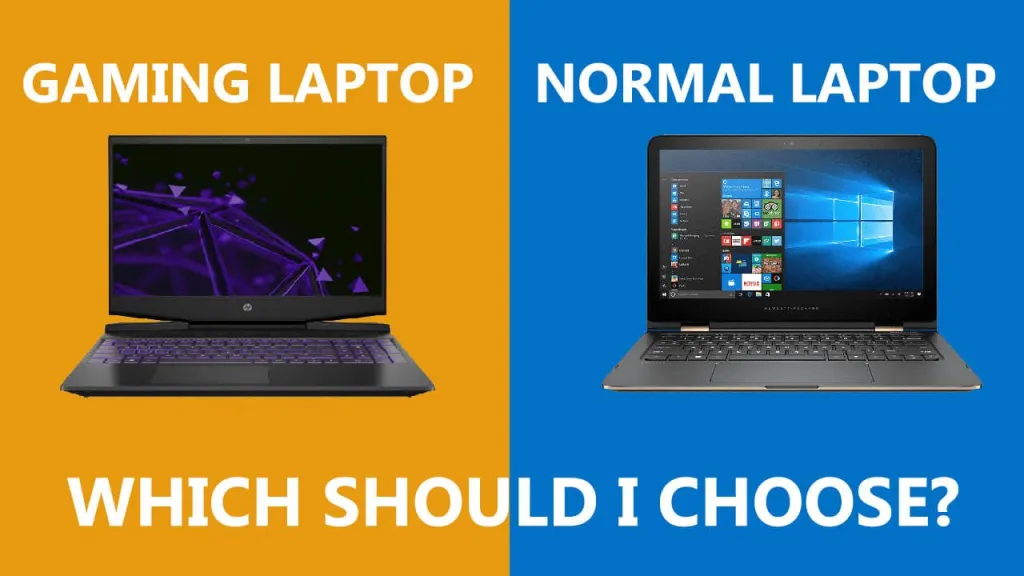
27. Do custom PCs perform better than gaming laptops?
In most cases, yes. Custom PCs offer better cooling, higher power limits, stronger GPUs, and greater longevity compared to laptops.
28. Is it safe to overclock my PC?
It depends. Mild overclocking is generally safe with proper cooling. Alam Tech can help configure safe settings if needed.
29. Can I reuse old components in a new build?
Yes, if compatible. Common reusable parts include storage drives, cases, and sometimes RAM or GPUs.
30. Do you offer motherboard BIOS updates?
Yes. BIOS updates are included during assembly to ensure maximum compatibility and performance.
31. Can Alam Tech build silent or low-noise PCs?
Yes. With proper fan selection, airflow design, and noise-optimized cases, silent PCs can be built easily.
32. Will I get help if my PC doesn’t turn on?
Yes. Alam Tech provides troubleshooting support both in-store and via phone guidance.
33. What if a component fails during warranty?
Alam Tech assists in the entire warranty claim process and helps you get replacements from official distributors.
34. Can I request a specific brand or model for each part?
Yes. You can choose the exact component models you prefer—GPU variant, SSD brand, RAM speed, etc.
35. What is the advantage of building a PC instead of buying online?
You can physically inspect parts, verify seals, get instant support, avoid shipping delays, and ensure compatibility. Plus, you get professional assembly.
36. Do you offer free assembly?
Yes. Assembly is usually provided at no additional cost when you buy parts from Alam Tech.
37. Can Alam Tech optimize my PC for gaming or editing?
Yes. They configure settings, drivers, and performance modes specifically for gaming, editing, or multitasking.
38. How important is airflow in a PC case?
Very important. Good airflow keeps temperatures low, improves performance, and extends hardware lifespan. Alam Tech recommends cases with strong ventilation.
39. Do you build compact or mini-PCs?
Yes. Mini-ITX and micro-ATX builds are available for buyers who prefer compact and stylish systems.
40. What gaming resolution should I build my PC for?
Choose based on your monitor:
- 1080p: mid-range GPUs
- 1440p: RTX 3060/3070/4070
- 4K: RTX 4080+
41. Does Alam Tech provide custom PC cleaning or maintenance?
Yes. Cleaning, thermal paste replacement, and performance checks are available to keep your PC running efficiently.
42. How long will a custom PC last?
A well-built custom PC typically lasts 5–7+ years, with minor upgrades extending its lifespan even further.
43. Can I finance or pay in installments?
Policies may vary, but many customers prefer to inquire directly regarding installment options.
44. Is building a PC safe for beginners?
If you’re new to hardware, it’s better to let Alam Tech handle the building. Their experience ensures safe installation and compatibility.
45. Will my PC come with Windows installed?
Yes, upon request, the team can install Windows and essential drivers.
46. Do you provide software optimization for editing and design?
Yes. Applications like Adobe Creative Cloud, Premiere Pro, Blender, etc., can be optimized for better performance.
47. How do I decide between Intel and AMD for editing?
AMD often excels in multitasking and rendering due to higher core counts, while Intel is strong in single-core performance. Alam Tech suggests the best option based on your workflow.
48. Can I get a build that is both for gaming and office work?
Yes. A mid-range build can easily handle office tasks while delivering smooth gaming performance.
49. Do I need a UPS for my custom PC?
A UPS is recommended to protect your hardware from sudden power cuts, especially in Kathmandu where voltage fluctuations are common.
50. How can I get after-sales support from Alam Tech?
You can visit the store, call, or message anytime for help regarding upgrades, repairs, or troubleshooting. Alam Tech is known for strong after-sales service and long-term customer relationships.
Contact us:
{
“@context”: “https://schema.org”,
“@graph”: [
{
“@type”: “Organization”,
“@id”: “https://alamtech.com.np/#organization”,
“name”: “Alamtech Suppliers”,
“url”: “https://alamtech.com.np/”,
“email”: “alamtechnp@gmail.com”,
“vatID”: “601613908”,
“telephone”: [“01-4246548”, “9851193787”, “9818413835”],
“logo”: “https://alamtech.com.np/logo.png”,
“address”: {
“@type”: “PostalAddress”,
“streetAddress”: “Kathmandu-22, Tebahal”,
“addressLocality”: “Kathmandu”,
“addressCountry”: “NP”
}
},
{
“@type”: “LocalBusiness”,
“@id”: “https://alamtech.com.np/#localbusiness”,
“name”: “Alamtech Suppliers”,
“image”: “https://alamtech.com.np/store-image.jpg”,
“url”: “https://alamtech.com.np/”,
“email”: “alamtechnp@gmail.com”,
“vatID”: “601613908”,
“telephone”: [“01-4246548”, “9851193787”, “9818413835”],
“priceRange”: “₨₨”,
“address”: {
“@type”: “PostalAddress”,
“streetAddress”: “Kathmandu-22, Tebahal”,
“addressLocality”: “Kathmandu”,
“addressCountry”: “NP”
},
“geo”: {
“@type”: “GeoCoordinates”,
“latitude”: “27.703”,
“longitude”: “85.315”
},
“openingHours”: “Mo-Su 10:00-19:00”
},
{
“@type”: “WebSite”,
“@id”: “https://alamtech.com.np/#website”,
“url”: “https://alamtech.com.np/”,
“name”: “Alam Tech Nepal”,
“publisher”: {
“@id”: “https://alamtech.com.np/#organization”
}
},
{
“@type”: “WebPage”,
“@id”: “https://alamtech.com.np/custom-pc-kathmandu/#webpage”,
“url”: “https://alamtech.com.np/custom-pc-kathmandu/”,
“name”: “Buy Custom PC in Newroad Kathmandu – Alam Tech”,
“description”: “Buy custom PC in Newroad Kathmandu with Alam Tech. Get genuine components, expert assembly, gaming PCs, editing workstations, and professional builds with warranty.”,
“isPartOf”: {
“@id”: “https://alamtech.com.np/#website”
},
“breadcrumb”: {
“@id”: “https://alamtech.com.np/custom-pc-kathmandu/#breadcrumb”
}
},
{
“@type”: “BreadcrumbList”,
“@id”: “https://alamtech.com.np/custom-pc-kathmandu/#breadcrumb”,
“itemListElement”: [
{
“@type”: “ListItem”,
“position”: 1,
“name”: “Home”,
“item”: “https://alamtech.com.np/”
},
{
“@type”: “ListItem”,
“position”: 2,
“name”: “Custom PC”,
“item”: “https://alamtech.com.np/custom-pc-kathmandu/”
}
]
},
{
“@type”: “Article”,
“@id”: “https://alamtech.com.np/custom-pc-kathmandu/#article”,
“headline”: “Buy Custom PC in Newroad Kathmandu – Alam Tech”,
“description”: “Complete guide to buying a custom PC in Newroad Kathmandu from Alam Tech. Includes gaming PCs, editing workstations, office setups, and expert PC assembly.”,
“image”: “https://alamtech.com.np/custompc-banner.jpg”,
“author”: {
“@id”: “https://alamtech.com.np/#organization”
},
“publisher”: {
“@id”: “https://alamtech.com.np/#organization”
},
“mainEntityOfPage”: {
“@id”: “https://alamtech.com.np/custom-pc-kathmandu/#webpage”
}
},
{
“@type”: “FAQPage”,
“@id”: “https://alamtech.com.np/custom-pc-kathmandu/#faq”,
“mainEntity”: [
{
“@type”: “Question”,
“name”: “What makes Newroad Kathmandu the best place to buy a custom PC?”,
“acceptedAnswer”: {
“@type”: “Answer”,
“text”: “Newroad is Nepal’s largest tech hub with multiple suppliers, competitive prices, genuine hardware, and expert PC builders.”
}
},
{
“@type”: “Question”,
“name”: “Why choose Alam Tech for a custom PC build?”,
“acceptedAnswer”: {
“@type”: “Answer”,
“text”: “Alam Tech provides genuine components, expert recommendations, fair pricing, transparent assembly, and strong after-sales support.”
}
},
{
“@type”: “Question”,
“name”: “Can Alam Tech help me choose the right PC parts?”,
“acceptedAnswer”: {
“@type”: “Answer”,
“text”: “Yes, they recommend compatible components based on your budget and workload.”
}
},
{
“@type”: “Question”,
“name”: “Does a custom PC cost more than a pre-built one?”,
“acceptedAnswer”: {
“@type”: “Answer”,
“text”: “No, custom PCs often cost less and provide better value since you choose only what you need.”
}
},
{
“@type”: “Question”,
“name”: “How long does a custom PC take to assemble?”,
“acceptedAnswer”: {
“@type”: “Answer”,
“text”: “Most builds take 1–3 hours depending on complexity.”
}
},
{
“@type”: “Question”,
“name”: “Do custom PCs from Alam Tech come with warranty?”,
“acceptedAnswer”: { “@type”: “Answer”, “text”: “Yes, each component comes with full manufacturer warranty and store support.” }
},
{
“@type”: “Question”,
“name”: “Can I bring my own parts for assembly?”,
“acceptedAnswer”: { “@type”: “Answer”, “text”: “Yes, Alam Tech assembles PCs even with customer-provided parts.” }
},
{
“@type”: “Question”,
“name”: “What brands does Alam Tech offer?”,
“acceptedAnswer”: { “@type”: “Answer”, “text”: “Intel, AMD, NVIDIA, MSI, ASUS, Gigabyte, Corsair, Kingston, Samsung, Deepcool, Lian Li, and more.” }
},
{
“@type”: “Question”,
“name”: “Does Alam Tech build gaming PCs?”,
“acceptedAnswer”: { “@type”: “Answer”, “text”: “Yes, from entry-level to high-end RTX gaming rigs.” }
},
{
“@type”: “Question”,
“name”: “Do you build editing and graphics workstations?”,
“acceptedAnswer”: { “@type”: “Answer”, “text”: “Yes, optimized for Adobe, Blender, AutoCAD, DaVinci Resolve, and more.” }
},
{
“@type”: “Question”,
“name”: “Do I need a GPU for programming?”,
“acceptedAnswer”: { “@type”: “Answer”, “text”: “Not for basic programming; integrated graphics is enough.” }
},
{
“@type”: “Question”,
“name”: “How much RAM do I need?”,
“acceptedAnswer”: { “@type”: “Answer”, “text”: “8GB for basic use, 16GB for gaming, 32GB+ for heavy editing.” }
},
{
“@type”: “Question”,
“name”: “Is Intel or AMD better?”,
“acceptedAnswer”: { “@type”: “Answer”, “text”: “Intel excels in single-core tasks, AMD in multitasking. Both are strong choices.” }
},
{
“@type”: “Question”,
“name”: “How important is a good PSU?”,
“acceptedAnswer”: { “@type”: “Answer”, “text”: “Very. A good PSU ensures safety, stability, and long hardware life.” }
},
{
“@type”: “Question”,
“name”: “Can I upgrade later?”,
“acceptedAnswer”: { “@type”: “Answer”, “text”: “Yes, custom PCs are fully upgradable.” }
},
{
“@type”: “Question”,
“name”: “Do you test PCs after building?”,
“acceptedAnswer”: { “@type”: “Answer”, “text”: “Yes, thermal, stress, and performance tests are done.” }
},
{
“@type”: “Question”,
“name”: “Can I customize RGB design?”,
“acceptedAnswer”: { “@type”: “Answer”, “text”: “Yes, you can customize case, RGB lights, fans, and aesthetics.” }
},
{
“@type”: “Question”,
“name”: “Do I get a quotation?”,
“acceptedAnswer”: { “@type”: “Answer”, “text”: “Yes, free quotations based on your requirements.” }
},
{
“@type”: “Question”,
“name”: “Does Alam Tech offer liquid cooling?”,
“acceptedAnswer”: { “@type”: “Answer”, “text”: “Yes, both AIO liquid cooling and high-end air cooling.” }
},
{
“@type”: “Question”,
“name”: “Is a custom PC good for online classes?”,
“acceptedAnswer”: { “@type”: “Answer”, “text”: “Yes, even budget builds work perfectly for online classes.” }
},
{
“@type”: “Question”,
“name”: “Can Alam Tech build streaming PCs?”,
“acceptedAnswer”: { “@type”: “Answer”, “text”: “Yes, optimized for gaming + streaming.” }
},
{
“@type”: “Question”,
“name”: “Are custom PCs better than laptops?”,
“acceptedAnswer”: { “@type”: “Answer”, “text”: “Yes, desktops offer better cooling, power, and longevity.” }
},
{
“@type”: “Question”,
“name”: “Can I reuse old components?”,
“acceptedAnswer”: { “@type”: “Answer”, “text”: “If compatible, yes. Staff will check before using.” }
},
{
“@type”: “Question”,
“name”: “Do you update BIOS?”,
“acceptedAnswer”: { “@type”: “Answer”, “text”: “Yes, BIOS updates are included during build.” }
},
{
“@type”: “Question”,
“name”: “Do you build compact PCs?”,
“acceptedAnswer”: { “@type”: “Answer”, “text”: “Yes, Mini-ITX and mATX builds are available.” }
},
{
“@type”: “Question”,
“name”: “How long does a PC last?”,
“acceptedAnswer”: { “@type”: “Answer”, “text”: “5–7+ years depending on use and upgrades.” }
},
{
“@type”: “Question”,
“name”: “Do you install Windows?”,
“acceptedAnswer”: { “@type”: “Answer”, “text”: “Yes, Windows and drivers can be installed on request.” }
},
{
“@type”: “Question”,
“name”: “Do you optimize for editing apps?”,
“acceptedAnswer”: { “@type”: “Answer”, “text”: “Yes, for Adobe, Blender, DaVinci, and others.” }
},
{
“@type”: “Question”,
“name”: “Do I need a UPS?”,
“acceptedAnswer”: { “@type”: “Answer”, “text”: “A UPS is recommended to prevent damage from power cuts.” }
},
{
“@type”: “Question”,
“name”: “How do I get support?”,
“acceptedAnswer”: { “@type”: “Answer”, “text”: “Visit the store or call the listed numbers anytime.” }
}
]
}
]
}