
Blog
Custom PC Build in Nepal (2026 Guide): Prices, Parts, and Best Builds for Every Budget

Building a custom PC in Nepal gives you a massive advantage in thermal cooling, raw performance-per-rupee, and long-term upgrade paths compared to a standard laptop. However, maximizing a desktop setup hinges on precise component matching. Misallocating your funds—like overpaying for high-end integrated graphics when you already have a separate video card, or expecting a mid-tier card to handle heavy 4K rendering without crashing—creates expensive performance bottlenecks. Sourcing verified parts backed by local support ensures your hardware runs reliably under full production loads.
Quick Answer
Custom PC configurations in Nepal scale directly based on your primary computing intent and hardware constraints:
- Office & Study Layouts (NPR 70,000 – NPR 90,000): Built for fluid web browsing, school assignments, and office productivity using high-efficiency processors with dependable built-in graphics.
- Mid-Range Gaming & Creation (NPR 100,000 – NPR 150,000): Balanced systems designed for high-frame-rate 1080p performance, multi-app streaming, and smooth video editing.
- High-End Workstations (NPR 150,000+): Heavy-duty machines built for deep production workloads, though true 4K gaming and local AI model execution require premium graphics tiers that move the realistic budget past NPR 250,000.
Why Build a Custom PC Instead of Buying a Laptop?
A dedicated desktop setup provides clear operational advantages over portable systems:
- Thermal Management: Large desktop enclosures prevent heat buildup, allowing your processor to maintain peak speeds indefinitely without thermal throttling.
- Granular Upgradability: Standardized slots mean you can swap out a single component, like adding more memory or a faster storage drive, preventing full-system obsolescence.
- Simple Repair Paths: If an internal component fails, replacing that specific module takes minutes, bypassing the expensive motherboard replacements common with damaged laptops.
Laptops remain the correct choice only if mobile portability is an absolute requirement for your daily routine.
What Else Do You Need? The Custom Build Component Checklist
Sourcing a standalone outer chassis—such as the high-airflow Darkflash DK-352 Black or premium dual-chamber glass showpieces like the Darkflash DS900 White and Darkflash DY470 White—gives your computer its physical skeleton and cooling fans. However, to turn that empty shell into a functional machine, you must source the missing internal organs:
- Processor (CPU): The primary computational engine. This dictates how fast your system processes data and executes instructions.
- Motherboard: The central circuit spine. It routes power and data communication between all components. The socket type must match your chosen CPU exactly.
- Desktop Memory (RAM): High-speed temporary workspace. Sourcing a 16GB or 32GB DDR5 kit ensures your processor can handle heavy multi-application workflows without stuttering.
- Storage (SSD): Your permanent data vault. A fast M.2 NVMe solid-state drive is required as your primary boot partition to ensure near-instant software loading.
- Power Supply (PSU): The energy hub. You need a verified, certified power block (typically 550W to 750W+ depending on your parts) to feed stable voltage to your hardware.
- Graphics Card (GPU): The dedicated pixel workhorse. Essential for intensive gaming, video rendering, and local AI workflows, unless you purposefully opt for a processor with strong built-in graphics.
If you purchase a pre-assembled baseline kit instead, like our High-End Gaming PC Geonix X30 Edition or the pre-configured Gaming & Editing PC Ryzen 7 8700G, these core internal parts are already curated, physically mounted, and cable-managed for you out of the box.
Real-World Custom PC Configurations for Every Budget
Budget Custom Build (NPR 70,000 – NPR 90,000)
Best For: Everyday office applications, web browsing, online courses, and light 1080p esports gaming like Valorant or Dota 2.
The Baseline Setup: The High-End Gaming PC Geonix X30 Edition (NPR 72,950) provides an excellent, highly cost-effective foundation for this tier. It balances an 8-core AMD Ryzen 7 5700G processor with built-in Radeon graphics, 16GB of desktop memory, and a snappy 512GB NVMe solid-state drive.
Performance Reality: This layout relies entirely on the processor’s built-in graphics chip to keep your initial costs low. It is not engineered to run heavy modern AAA games at ultra visual settings or process local machine learning data sets.
Mid-Range Performance Build (NPR 100,000 – NPR 150,000)
Best For: High-frame-rate 1080p gaming, fluid multi-track video editing, and smooth content creation workflows.
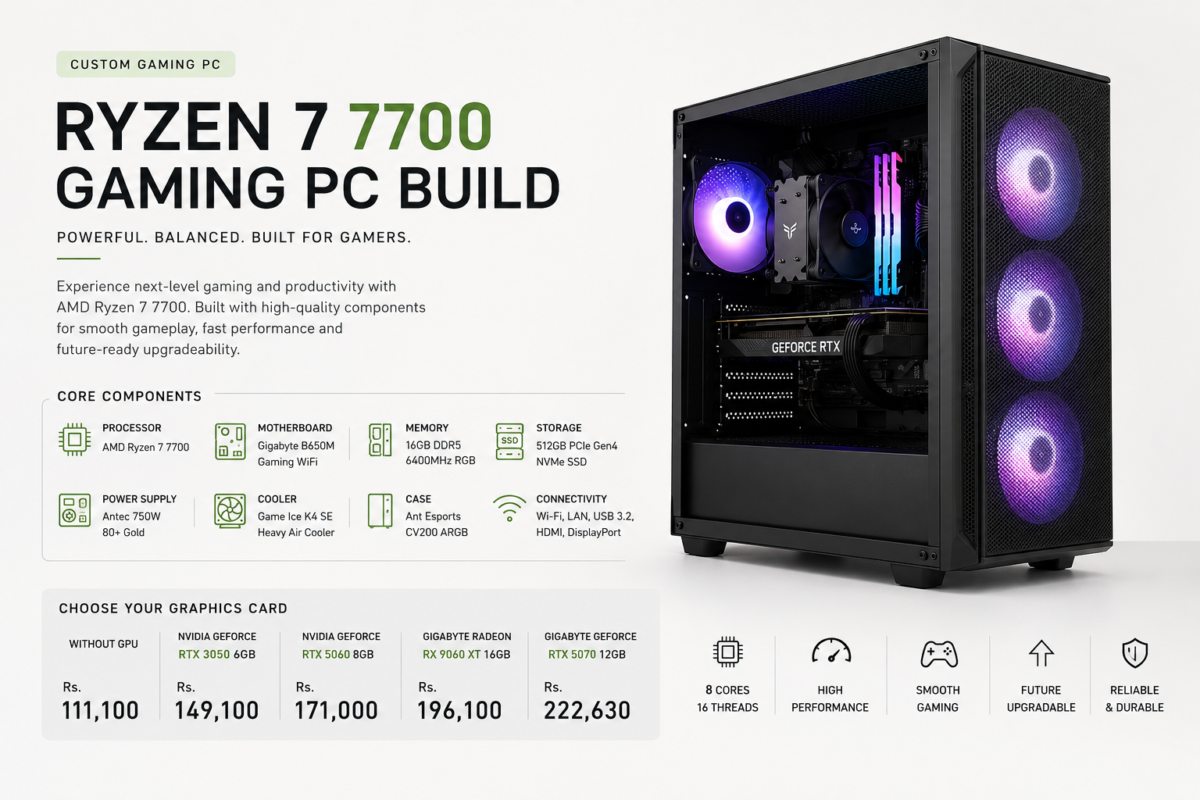
The Baseline Setup: The pre-assembled Gaming & Editing PC Ryzen 7 8700G (NPR 108,000) comes balanced out of the box inside a high-airflow Darkflash DK-352 Black case equipped with 4 customizable ARGB cooling fans. This configuration gives you cutting-edge processing speeds and a modern DDR5 memory platform.
The Component Correction: The 8700G is an exceptional chip if you want elite performance now and plan to buy a separate video card later. However, if your budget allows you to add a dedicated graphics card like an RTX 4060 immediately on day one, you should swap the 8700G processor for a standard CPU like the Ryzen 5 7600. Because the 8700G carries a price premium specifically for its powerful built-in graphics, adding a separate video card immediately turns that built-in silicon off. Moving to a traditional chip saves you money and provides a larger cache pool for better overall gaming performance.
High-End Workstation & Showpiece Build (NPR 150,000+)
Best For: 4K video editing pipelines, complex 3D rendering pipelines, and training local AI models.
Performance Reality: True high-end production workloads require scaling past mid-tier hardware. While a card like the RTX 4060 handles standard gaming smoothly, high-resolution rendering and local AI environments will face immediate memory errors unless backed by the massive video memory (VRAM) pools found in cards like the RTX 4070 Super or RTX 4080.
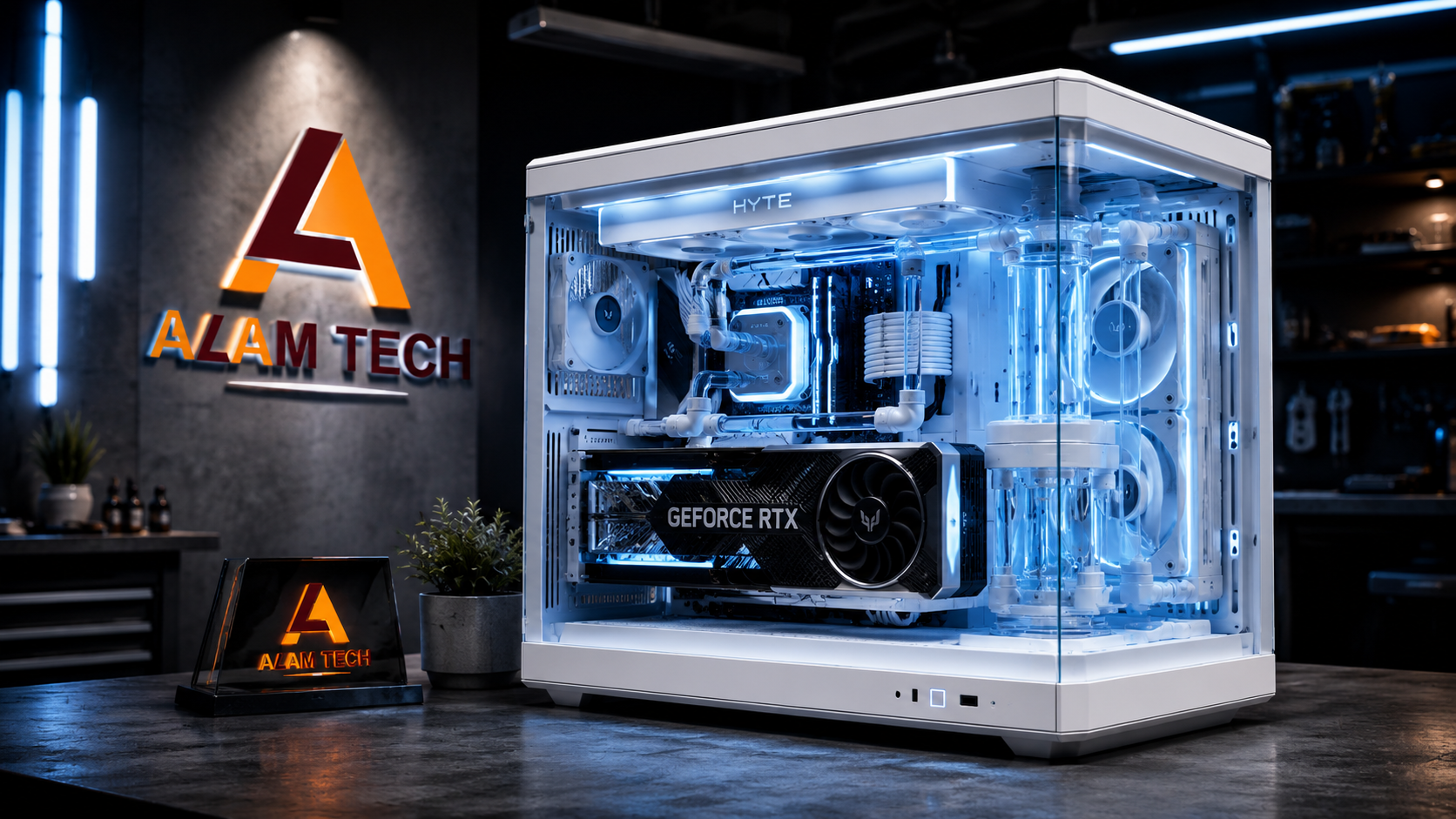
Premium Visuals: For an elite build, frame your hardware inside premium, dual-chamber glass showpieces. You can opt for the panoramic Darkflash DS900 White chassis (NPR 13,000) running 4 high-performance DM12 Pro ARGB fans, or the striking wrap-around pillars of the Darkflash DY470 White case (NPR 18,500) equipped with premium DM20 ARGB cooling lines. These enclosures ensure your system looks pristine while maintaining optimal internal airflow under full load.
Common PC Building Mistakes in Nepal
- Skimping on the Power Supply (PSU): Buying cheap, uncertified power bricks to save money leads to system instability, sudden reboots, and catastrophic component damage during sudden local voltage drops.
- Mismatched Hardware Generations: Forcing incompatible parts together—such as purchasing an older DDR4 memory kit for a modern DDR5 motherboard socket—creates immediate assembly delays and can physically damage the slots.
- Prioritizing Aesthetics Over Silicon: Many first-time builders spend a large portion of their budget on elaborate custom lighting and visual add-ons, leaving them with insufficient funds for the actual CPU and GPU. Always lock down your core processing performance before spending money on visual extras.
Should You Build It Yourself or Use Professional Assembly?
Assembling a computer at home is a rewarding project, but handling bare electronics exposes you to real-world deployment risks. Sourcing components independently from various local shops often leaves you with fragmented, mismatched product warranties that are frustrating to navigate if a part arrives dead-on-arrival.
Utilizing a professional workshop team removes these vulnerabilities entirely. Bringing your component checklist to an experienced technician ensures clean internal cable routing, proper static pressure fan placement, and exhaustive hardware stress testing before the machine ever leaves the bench. If a manufacturing defect occurs down the line, a unified local shop warranty means you can get the part replaced at a single counter without dealing with international shipping hurdles or custom delays.
Frequently Asked Questions
What is the entry-level cost for a reliable custom computer in Nepal?
A dependable desktop setup for standard office administration, student coursework, and everyday web browsing starts between NPR 70,000 and NPR 75,000, utilizing highly efficient integrated processor graphics to keep your initial setup costs contained.
Can I upgrade my computer’s display case in the future?
Yes. You can start your build inside a highly functional, value-focused mesh chassis like the black Darkflash DK-352 (NPR 6,500) and easily migrate your motherboard, power block, and internal components into premium panoramic glass enclosures like the Darkflash DS900 White or Darkflash DY470 White whenever your budget allows.
Why should I prioritize an NVMe SSD over a traditional hard drive?
Mechanical hard drives create severe processing bottlenecks that cause your system to stutter. Modern solid-state NVMe drives read and write data electronically at multiple gigabytes per second, ensuring your operating system boots instantly and files load without delay.
How many years will a balanced custom computer remain productive?
A desktop system built using modern multi-core processors and a minimum of 16GB of desktop memory will comfortably handle standard production workloads, software updates, and mainstream gaming platforms for 5 to 8 years before requiring structural component upgrades.
Build Your Custom PC in Nepal
Whether you want to pick up a ready-to-run system or need a custom hardware quote tailored to your specific workflow, our workshop team handles the physical clearances, power requirements, and component compatibility for you.
Explore our verified configurations and premium component stocks to launch your build:
- Browse Geonix X30 Pre-Configured Systems
- Browse Ryzen 7 8700G High-Flow Configurations
- Browse Darkflash DK-352 High-Airflow Cases
- Browse Premium Enclosures (Darkflash DS900 & DY470 Panoramic)
To finalize your internal hardware specifications or coordinate a full custom white-out aesthetic build, message our technicians on WhatsApp or visit our physical store location at the 1st Floor, Newroad, Kathmandu (located on the left side of Sankata Mandir) or our newly opened barnch located in-front of the Nepal Mega Investment Bank for a complete bench configuration.
Categories
- Acer Nitro Laptops
- Acer Predator
- Apple MacBook
- backlit keyboard
- cctv
- CPUs
- custom pc
- Gaming Laptop Cooling Tips
- Gaming Laptops
- Gaming motherboard
- gaming pc
- graphics cards
- HDD
- laptop accessories
- Laptop Buying Guide
- laptop display
- Laptop Price in Nepal
- laptops
- MacBook
- Motherboard
- prebuilt pc
- printer
- Processors
- Projector
- RAM
- SSD
- Storage
- Student Laptops
- Teacher Laptop
- Ultrabooks
- Uncategorized
- Windows
- Windows performance



 Apple MacBook

