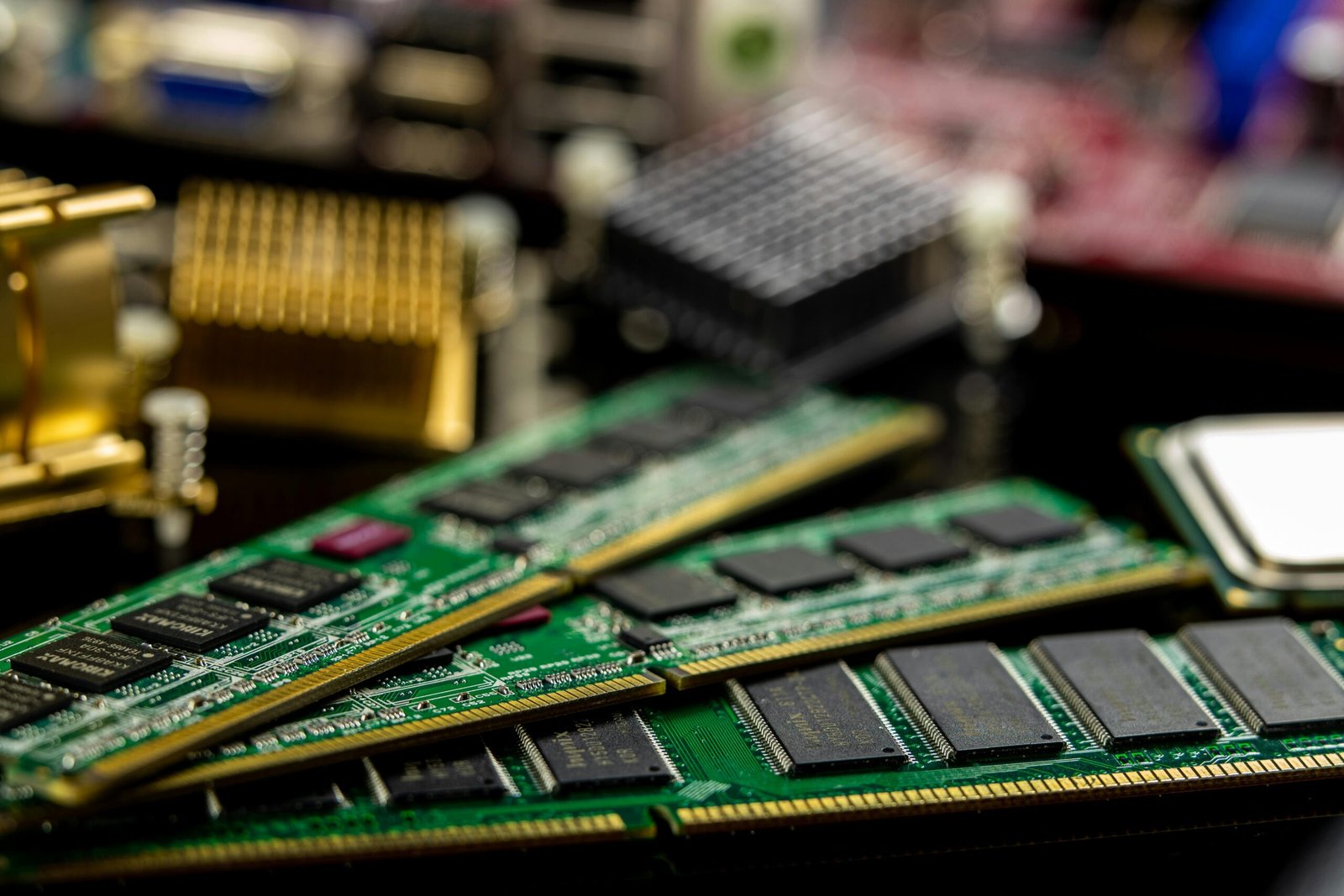

How to Upgrade Laptop RAM in Nepal – Complete Guide by Alam Tech
Introduction: Why Laptop RAM Upgrade is Important in Nepal
How to Upgrade Laptop RAM in Nepal: In today’s digital Nepal, laptops are no longer a luxury. They are essential tools for students, office workers, gamers, content creators, and even small business owners. But many people face the same frustrating problem after a year or two: their laptop becomes slow.
Apps take longer to open. The browser hangs when too many tabs are open. Zoom meetings lag. Games start stuttering. This is where a RAM upgrade makes a huge difference.
Upgrading laptop RAM in Nepal has become one of the most affordable and effective ways to boost performance without buying a new laptop. Whether you’re using your laptop for class, office work, or gaming, adding more RAM can give your machine a fresh breath of life.
This detailed guide from Alam Tech will help you fully understand how to upgrade laptop RAM in Nepal safely, correctly, and smartly.
What is RAM and Why It Matters in Laptops?
RAM (Random Access Memory) is the short-term memory of your laptop. It temporarily stores data that your laptop needs for running applications and managing tasks.
When you open multiple programs at once, RAM stores their data so the processor can quickly access it. If your laptop has limited RAM, it struggles to manage heavy loads, which results in slow speed and lag.
In Nepal, many budget and mid-range laptops still come with 4GB or 8GB RAM. While that was enough a few years ago, modern software now demands more.
For example:
- Windows 11 runs smoothly with 16GB RAM
- Browsers like Chrome use a lot of memory
- Design software like Photoshop or Premiere Pro need high RAM
- Games now recommend at least 16GB RAM
So upgrading RAM is one of the smartest decisions for better laptop performance.
Signs Your Laptop Needs a RAM Upgrade
You might be wondering: how do I know if my laptop really needs a RAM upgrade?
Here are common signs most Nepali users face:
1. Slow Startup and Shutdown
Your laptop takes too long to turn on or off even after SSD installation.
2. Frequent Freezing or Hanging
Laptop becomes unresponsive when switching between apps.
3. Lag During Multitasking
Opening multiple tabs or apps causes system slowdown.
4. Software Crashes
Heavy software closes unexpectedly or shows “Not Responding”.
5. High RAM Usage
Task Manager shows RAM usage above 80% even in basic tasks.
If you face these problems regularly, it’s probably time for a RAM upgrade.

How to Upgrade Laptop RAM in Nepal
Benefits of Upgrading Laptop RAM in Nepal
Upgrading laptop RAM gives several major benefits:
Faster Performance
Your laptop becomes noticeably faster in booting, loading programs, and switching tasks.
Better Multitasking
You can open many apps and browser tabs without slowing down.
Improved Gaming Experience
Games run smoother with better FPS and fewer stutters.
Smooth Video Editing & Designing
Graphic designers and video editors will see smoother timelines and faster rendering.
More Future Proofing
With higher RAM, your laptop stays relevant and usable for upcoming software updates.
Considering the rising prices of new laptops in Nepal, a RAM upgrade is a very cost-effective solution.
How to Check Your Current Laptop RAM
Before upgrading, you must know how much RAM your laptop already has and what type it uses.
On Windows:
- Press Ctrl + Shift + Esc to open Task Manager
- Go to the Performance tab
- Click on Memory
- Check RAM size, speed, and slots used
On Mac:
- Click the Apple logo
- Go to About This Mac
- View memory information
This helps determine if you need DDR3, DDR4, or DDR5 RAM and how much capacity you can add.
Types of Laptop RAM Available in Nepal
In Nepalese laptop markets, you’ll generally find these types:
DDR3
Older generation laptops (before 2018 usually)
Slower but cheaper
DDR4
Most common RAM type
Fast, affordable, widely used
DDR5
Latest and fastest type
Used in new high-end laptops
More expensive but superior performance
Alam Tech provides all these RAM types depending on your laptop compatibility.
How Much RAM Should You Upgrade To?
It depends on your usage:
1. For Students and Normal Users
Recommended: 8GB to 16GB
2. For Office and Multitasking
Recommended: 16GB
3. For Gaming
Recommended: 16GB to 32GB
4. For Video Editing & Graphic Design
Recommended: 32GB or more
For most users in Nepal, upgrading from 4GB to 8GB or 16GB gives a massive improvement.
Can All Laptops Be Upgraded?
Not all laptops allow RAM upgrades.
Upgradable Laptops
- Most older and mid-range laptops
- Gaming laptops
- Business series laptops
Non-Upgradable Laptops
- Ultra-thin laptops
- Some modern MacBooks
- Certain premium ultrabooks
These use soldered RAM, which means you cannot change or increase it.
Before purchasing RAM, confirm upgrade compatibility.
Step-by-Step Guide: How to Upgrade Laptop RAM
If you want to do it yourself, follow these steps carefully.
⚠ Always power off your laptop and disconnect charger before starting.
Step 1: Check Compatibility
Make sure you buy the correct RAM type and supported capacity.
Step 2: Remove Battery (If Removable)
Step 3: Open Laptop Back Panel
Use a small screwdriver to open the back.
Step 4: Locate RAM Slot
Look for rectangular memory slots.
Step 5: Remove Old RAM (If replacing)
Push side clips gently outward and lift the RAM.
Step 6: Insert New RAM
Align correctly and press down gently until clips lock.
Step 7: Close Laptop and Boot
Reassemble and turn on laptop.
Step 8: Verify Upgrade
Check system information to confirm installed memory.
If unsure, it’s always safer to visit Alam Tech and get professional help.
Common Mistakes to Avoid While Upgrading RAM
Many people damage their laptops due to small mistakes.
Avoid these errors:
- Forcing wrong RAM type
- Touching internal parts without anti-static safety
- Installing incompatible RAM
- Opening sealed laptops without experience
- Mixing different speeds of RAM
Always consult professionals if you’re not confident.
Laptop RAM Upgrade Cost in Nepal
Prices vary based on type and capacity:
- 4GB DDR4: affordable
- 8GB DDR4: most popular
- 16GB DDR4: premium
- DDR5: higher price range
But compared to buying a new laptop, upgrading RAM is much cheaper and smarter.
Alam Tech helps customers find the best RAM according to budget and usage.
Why Choose Alam Tech for RAM Upgrade in Nepal?
When it comes to hardware upgrades, trust and quality matters.
Alam Tech gives you:
- Genuine RAM products
- Professional installation
- Compatibility checking
- Reasonable pricing
- Technical advice
- After-service support
Located in the heart of Kathmandu, Alam Tech has helped thousands of customers upgrade and improve their laptops smoothly.
RAM Upgrade for Different Laptop Brands
Dell Laptops
Mostly RAM upgradable
Supports DDR4 and DDR5 in new models
HP Laptops
Business and gaming series support upgrades
Lenovo Laptops
ThinkPad and IdeaPad support RAM upgrades
Acer Laptops
Aspire and Nitro series support easy upgrades
Asus Laptops
TUF and ROG laptops have upgradeable slots
Each brand model differs, so expert guidance is useful.
How RAM Upgrade Improves Laptop Life
Many Nepali users complain that their laptop feels outdated after 2–3 years.
In reality, hardware upgrades can extend laptop life by 3–5 more years.
Upgrading RAM improves:
- Responsiveness
- Software compatibility
- Productivity
- Overall lifespan
It makes your old laptop feel almost new again.
Is Upgrading RAM Better Than Buying a New Laptop?
In many cases, yes.
If your laptop processor is still strong and only lacks memory, upgrading RAM is far more economical.
Instead of spending hundreds of thousands on a new laptop, you can spend a small amount and boost performance significantly.
Especially for students and small business owners in Nepal, RAM upgrade is the most practical and budget-friendly solution.
Laptop RAM Upgrade for Gaming in Nepal
With the growing gaming community in Nepal, more gamers are upgrading RAM.
Games like:
- Valorant
- CS2
- GTA V
- PUBG PC
- Warzone
All require higher memory for smooth performance.
Upgrading from 8GB to 16GB RAM improves gaming performance drastically.
Final Thoughts: Upgrade Smart, Not Hard
Upgrading laptop RAM in Nepal is one of the easiest and most affordable ways to improve your laptop performance.
Instead of struggling with a slow device, make a smart upgrade.
With proper guidance and expert service from Alam Tech, your laptop can become faster, smoother, and more powerful again.
Don’t let a small memory limit stop your productivity, creativity, or gaming fun.
Contact us:
FAQs on Laptop RAM Upgrade in Nepal
1. What is laptop RAM and why is it important?
Laptop RAM is the temporary memory your laptop uses to run programs and processes. More RAM allows smoother multitasking, faster performance, and better responsiveness in daily use, gaming, and professional work.
2. How do I know if my laptop needs a RAM upgrade?
If your laptop is slow, hangs during multitasking, shows high memory usage, or struggles with modern software, it’s a clear sign that you need more RAM.
3. Is upgrading RAM better than buying a new laptop?
Yes, if your laptop processor is still good, upgrading RAM is a much cheaper and smarter solution than buying a whole new laptop.
4. Can all laptops be upgraded in Nepal?
No. Some modern laptops have soldered RAM which cannot be upgraded. However, many gaming and business laptops still support RAM upgrades.
5. How can I check if my laptop RAM is upgradeable?
You can check your laptop’s specifications in system info or consult a professional technician at Alam Tech for proper diagnosis.
6. How much RAM do students need in Nepal?
Students using laptops for studying and online classes should have at least 8GB RAM, while technical students may need 16GB RAM.
7. How much RAM is good for office work?
For smooth multitasking, MS Office, browsing, and Zoom meetings, 16GB RAM is recommended for office users.
8. How much RAM do gamers need?
Most modern games require at least 16GB RAM for smooth performance. For heavy titles, 32GB is better.
9. Does more RAM improve laptop speed?
Yes, upgrading RAM significantly improves laptop speed, especially in multitasking and heavy applications.
10. What types of RAM are used in laptops?
The main types are DDR3, DDR4, and DDR5. DDR4 is most common, while DDR5 is newer and faster.
11. Which RAM type is common in Nepal?
Most laptops in Nepal use DDR4 RAM currently. DDR5 is available in newer laptops.
12. Can I mix different RAM brands?
Yes, but it’s recommended to use the same brand and speed for better stability and performance.
13. Can I mix different RAM speeds?
It’s possible, but your laptop will run at the speed of the slower RAM, which is not ideal.
14. How much RAM is enough for video editing?
For smooth video editing, you should have at least 16GB RAM, but 32GB is ideal for professional work.
15. Is 8GB enough for Windows 11?
Yes, but for smooth multitasking, 16GB is recommended.
16. How long does RAM upgrade take?
A professional RAM upgrade usually takes 15–30 minutes.
17. Is RAM upgrade risky for laptops?
If done properly, it’s completely safe. But improper handling can cause damage.
18. Can upgrading RAM damage my laptop?
Not if done by experienced technicians. That’s why people trust Alam Tech for safe upgrades.
19. Does RAM upgrade affect battery life?
Slightly, but the impact is very minimal and usually not noticeable.
20. How long does upgraded RAM last?
Good quality RAM lasts many years and usually continues working until the laptop itself becomes outdated.
21. What happens if I install incompatible RAM?
Your laptop may not boot, or it may show errors. Always confirm compatibility before purchase.
22. Can old laptops support 16GB RAM?
Many old laptops support up to 16GB, but some support only 8GB. This depends on the motherboard and processor.
23. Is 32GB RAM overkill for normal users?
Yes, for basic browsing and office work, 16GB is more than enough.
24. Will upgrading RAM improve FPS in games?
Yes, especially if your current RAM is a bottleneck (like 4GB or 8GB).
25. How do I check my current RAM type?
You can check it from Task Manager or system information on Windows.
26. Can I upgrade laptop RAM myself?
Yes, if your laptop allows and you’re confident. Otherwise, visiting a professional is safer.
27. Do ultrabooks support RAM upgrades?
Most ultrabooks have soldered RAM and cannot be upgraded.
28. Is upgrading RAM cheaper in Nepal?
Yes, compared to replacing your whole laptop, RAM upgrade is very affordable.
29. Does Alam Tech provide RAM installation?
Yes, Alam Tech provides both RAM and professional installation service.
30. What is dual-channel RAM?
It means using two RAM sticks together for better performance, increasing speed and efficiency.
31. Does dual-channel RAM make a big difference?
Yes, especially in gaming and graphic tasks.
32. How do I know how many RAM slots my laptop has?
You can check using system tools or open the back panel with professional help.
33. Is upgrading from 4GB to 8GB worth it?
Yes, you will see a big performance improvement.
34. Is upgrading from 8GB to 16GB worth it?
Absolutely, especially for multitasking, gaming, and heavy software.
35. How often should I upgrade laptop RAM?
Usually once every 3–5 years depending on your usage needs.
36. Can I upgrade RAM in a laptop with warranty?
Yes, but some brands may void warranty if the laptop is opened. It’s better to ask before doing it.
37. Does RAM upgrade reduce laptop heating?
Indirectly, yes. Because your laptop works more efficiently and doesn’t overuse resources.
38. Which laptops are easiest to upgrade?
Gaming, business laptops, and thicker models are usually easier to upgrade.
39. What tools are needed to upgrade RAM?
Mostly a small screwdriver and anti-static precautions.
40. Should I shut down laptop before upgrading RAM?
Yes, always shut down and disconnect power source before opening your laptop.
41. Can RAM upgrade fix lagging problems completely?
It improves performance, but if the processor or storage is weak, those might also need upgrade.
42. Does RAM upgrade help in online classes?
Yes, it makes video calls smoother and prevents lag.
43. Can a slow SSD affect RAM performance?
They are separate, but upgrading both SSD and RAM together gives the best results.
44. Is RAM upgrade useful for programmers?
Yes, especially when running IDEs, virtual machines, and multiple browsers.
45. Does more RAM make windows faster?
Yes, windows operations become smoother with higher RAM.
46. How do I choose the best RAM for my laptop?
You need to check compatibility, type, speed, and maximum supported capacity.
47. What is RAM frequency or speed?
It is measured in MHz and determines how fast data transfers happen.
48. Does higher MHz RAM give better performance?
Yes, but only if your laptop supports that speed.
49. How do I confirm RAM upgrade after installation?
Check system information or Task Manager for updated memory values.
50. Can I downgrade RAM later?
Yes, you can always change or remove it if needed.
51. Is RAM upgrade permanent?
Yes, until you remove or replace it again.
52. Can RAM upgrade improve Zoom and video calls?
Yes, it makes them smoother with fewer crashes or lag.
53. Does RAM upgrade help in Photoshop and editing?
Very much. These programs use a lot of memory.
54. Can RAM upgrade help in laptop longevity?
Yes, it extends your laptop’s usable life.
55. Is branded RAM important?
Yes, branded RAM ensures stability and long-term performance.
56. Why should I upgrade RAM from Alam Tech?
Because you get genuine products, technical support, and professional installation.
57. What is the ideal RAM for Nepali IT students?
16GB RAM is ideal for coding, development, and design.
58. Can RAM upgrade reduce laptop freezing problems?
Yes, it significantly reduces freezing caused by memory shortages.
59. How long does RAM upgrade service take at Alam Tech?
Usually 20–40 minutes depending on laptop model.
60. Is laptop RAM upgrade worth the investment?
Yes, it’s one of the best and most cost-effective upgrades you can do for your laptop in Nepal.
Contact us:
{
“@context”: “https://schema.org”,
“@graph”: [
{
“@type”: “Organization”,
“@id”: “https://alamtech.com.np/#organization”,
“name”: “Alamtech Suppliers”,
“url”: “https://alamtech.com.np/”,
“email”: “alamtechnp@gmail.com”,
“vatID”: “601613908”,
“logo”: “https://alamtech.com.np/logo.png”,
“contactPoint”: [
{
“@type”: “ContactPoint”,
“telephone”: “+977-1-4246548”,
“contactType”: “customer service”,
“areaServed”: “NP”,
“availableLanguage”: [“English”, “Nepali”]
},
{
“@type”: “ContactPoint”,
“telephone”: “+977-9851193787”,
“contactType”: “sales”,
“areaServed”: “NP”,
“availableLanguage”: [“English”, “Nepali”]
},
{
“@type”: “ContactPoint”,
“telephone”: “+977-9818413835”,
“contactType”: “technical support”,
“areaServed”: “NP”,
“availableLanguage”: [“English”, “Nepali”]
}
],
“address”: {
“@type”: “PostalAddress”,
“streetAddress”: “Kathmandu-22, Tebahal”,
“addressLocality”: “Kathmandu”,
“addressRegion”: “Bagmati”,
“addressCountry”: “NP”
}
},
{
“@type”: “LocalBusiness”,
“@id”: “https://alamtech.com.np/#localbusiness”,
“name”: “Alamtech Suppliers”,
“telephone”: “+977-1-4246548”,
“priceRange”: “Rs.”,
“url”: “https://alamtech.com.np/”,
“address”: {
“@type”: “PostalAddress”,
“streetAddress”: “Kathmandu-22, Tebahal”,
“addressLocality”: “Kathmandu”,
“addressRegion”: “Bagmati”,
“addressCountry”: “NP”
}
},
{
“@type”: “Article”,
“@id”: “https://alamtech.com.np/#article-ram-upgrade”,
“headline”: “How to Upgrade Laptop RAM in Nepal”,
“description”: “Complete step-by-step guide on upgrading laptop RAM in Nepal for students, gamers and professionals by Alamtech Suppliers.”,
“datePublished”: “2025-11-23”,
“dateModified”: “2025-11-23”,
“author”: {
“@type”: “Organization”,
“name”: “Alamtech Suppliers”
},
“publisher”: {
“@id”: “https://alamtech.com.np/#organization”
},
“mainEntityOfPage”: {
“@type”: “WebPage”,
“@id”: “https://alamtech.com.np/”
},
“keywords”: [
“Laptop RAM upgrade Nepal”,
“Upgrade laptop RAM Kathmandu”,
“Laptop RAM price Nepal”,
“Alam Tech Nepal”
]
},
{
“@type”: “BreadcrumbList”,
“@id”: “https://alamtech.com.np/#breadcrumb”,
“itemListElement”: [
{
“@type”: “ListItem”,
“position”: 1,
“name”: “Home”,
“item”: “https://alamtech.com.np/”
},
{
“@type”: “ListItem”,
“position”: 2,
“name”: “Laptop Guides”,
“item”: “https://alamtech.com.np/”
},
{
“@type”: “ListItem”,
“position”: 3,
“name”: “How to Upgrade Laptop RAM in Nepal”
}
]
},
{
“@type”: “FAQPage”,
“@id”: “https://alamtech.com.np/#faq-ram-upgrade”,
“mainEntity”: [
{“@type”:”Question”,”name”:”What is laptop RAM and why is it important?”,”acceptedAnswer”:{“@type”:”Answer”,”text”:”Laptop RAM is your system’s working memory that helps your laptop run multiple tasks smoothly without slowing down.”}},
{“@type”:”Question”,”name”:”How do I know if my laptop needs a RAM upgrade?”,”acceptedAnswer”:{“@type”:”Answer”,”text”:”If your laptop feels slow, lags while multitasking, or shows high RAM usage, a RAM upgrade is recommended.”}},
{“@type”:”Question”,”name”:”Is upgrading RAM better than buying a new laptop?”,”acceptedAnswer”:{“@type”:”Answer”,”text”:”Yes, upgrading RAM is much more cost effective and improves performance instantly.”}},
{“@type”:”Question”,”name”:”Can all laptops be upgraded?”,”acceptedAnswer”:{“@type”:”Answer”,”text”:”No, some modern laptops have soldered RAM which cannot be upgraded.”}},
{“@type”:”Question”,”name”:”How much RAM is best for students?”,”acceptedAnswer”:{“@type”:”Answer”,”text”:”8GB is minimum and 16GB is ideal for smooth performance.”}},
{“@type”:”Question”,”name”:”How much RAM is needed for gaming?”,”acceptedAnswer”:{“@type”:”Answer”,”text”:”At least 16GB RAM is recommended for gaming.”}},
{“@type”:”Question”,”name”:”Can I mix RAM brands?”,”acceptedAnswer”:{“@type”:”Answer”,”text”:”Yes, but same brand and speed gives better stability.”}},
{“@type”:”Question”,”name”:”Is 16GB RAM enough for all tasks?”,”acceptedAnswer”:{“@type”:”Answer”,”text”:”Yes, 16GB is enough for most users including multitasking, gaming, and office work.”}},
{“@type”:”Question”,”name”:”Is upgrading laptop RAM safe?”,”acceptedAnswer”:{“@type”:”Answer”,”text”:”Yes, if done correctly or by a professional technician.”}},
{“@type”:”Question”,”name”:”How long does RAM installation take?”,”acceptedAnswer”:{“@type”:”Answer”,”text”:”Usually 20 to 40 minutes at Alamtech Suppliers.”}},
{“@type”:”Question”,”name”:”Does RAM upgrade improve FPS in games?”,”acceptedAnswer”:{“@type”:”Answer”,”text”:”Yes, it helps especially if RAM was previously insufficient.”}},
{“@type”:”Question”,”name”:”What RAM type is common in Nepal?”,”acceptedAnswer”:{“@type”:”Answer”,”text”:”Most laptops in Nepal currently use DDR4 RAM.”}},
{“@type”:”Question”,”name”:”How can I check RAM compatibility?”,”acceptedAnswer”:{“@type”:”Answer”,”text”:”You can check laptop specs or consult Alamtech technicians.”}},
{“@type”:”Question”,”name”:”Is dual-channel RAM important?”,”acceptedAnswer”:{“@type”:”Answer”,”text”:”Yes, dual-channel gives better performance especially for gaming and graphics work.”}},
{“@type”:”Question”,”name”:”Is RAM upgrade permanent?”,”acceptedAnswer”:{“@type”:”Answer”,”text”:”Yes, until you replace or remove it again.”}},
{“@type”:”Question”,”name”:”Does RAM upgrade reduce laptop freezing?”,”acceptedAnswer”:{“@type”:”Answer”,”text”:”Yes, significantly if freezing is caused by low memory.”}},
{“@type”:”Question”,”name”:”Does Alamtech provide installation?”,”acceptedAnswer”:{“@type”:”Answer”,”text”:”Yes, Alamtech provides professional RAM installation services.”}},
{“@type”:”Question”,”name”:”How long does upgraded RAM last?”,”acceptedAnswer”:{“@type”:”Answer”,”text”:”High quality RAM lasts for many years without issues.”}},
{“@type”:”Question”,”name”:”Can upgraded RAM improve video editing?”,”acceptedAnswer”:{“@type”:”Answer”,”text”:”Yes, it makes rendering and playback smoother.”}},
{“@type”:”Question”,”name”:”Is 32GB RAM overkill?”,”acceptedAnswer”:{“@type”:”Answer”,”text”:”For normal use yes, but ideal for heavy editing and professional tasks.”}},
{“@type”:”Question”,”name”:”Can old laptops support 16GB RAM?”,”acceptedAnswer”:{“@type”:”Answer”,”text”:”Many laptops support it depending on motherboard and processor.”}},
{“@type”:”Question”,”name”:”Does RAM upgrade affect battery life?”,”acceptedAnswer”:{“@type”:”Answer”,”text”:”Very slightly, usually not noticeable in daily use.”}},
{“@type”:”Question”,”name”:”How much does RAM upgrade cost in Nepal?”,”acceptedAnswer”:{“@type”:”Answer”,”text”:”It depends on type and capacity, but affordable compared to a new laptop.”}},
{“@type”:”Question”,”name”:”Can I upgrade RAM myself?”,”acceptedAnswer”:{“@type”:”Answer”,”text”:”Yes if you have knowledge, but professional service is safer.”}},
{“@type”:”Question”,”name”:”Do all gaming laptops support upgrades?”,”acceptedAnswer”:{“@type”:”Answer”,”text”:”Most gaming laptops have upgradeable RAM slots.”}},
{“@type”:”Question”,”name”:”How do I verify my RAM after upgrade?”,”acceptedAnswer”:{“@type”:”Answer”,”text”:”Check system information or task manager memory section.”}},
{“@type”:”Question”,”name”:”What is RAM frequency?”,”acceptedAnswer”:{“@type”:”Answer”,”text”:”It is the speed at which RAM transfers data, measured in MHz.”}},
{“@type”:”Question”,”name”:”Does higher frequency RAM help?”,”acceptedAnswer”:{“@type”:”Answer”,”text”:”Only if your laptop supports that frequency.”}},
{“@type”:”Question”,”name”:”Can RAM upgrade fix slow boot?”,”acceptedAnswer”:{“@type”:”Answer”,”text”:”It helps, but upgrading to SSD also improves boot speed further.”}},
{“@type”:”Question”,”name”:”Can Alamtech help choose correct RAM?”,”acceptedAnswer”:{“@type”:”Answer”,”text”:”Yes, they analyze your laptop and recommend compatible RAM.”}},
{“@type”:”Question”,”name”:”Is branded RAM better?”,”acceptedAnswer”:{“@type”:”Answer”,”text”:”Yes, branded RAM offers more stability and durability.”}},
{“@type”:”Question”,”name”:”How many times can I upgrade RAM?”,”acceptedAnswer”:{“@type”:”Answer”,”text”:”As long as your laptop supports more memory, you can upgrade multiple times.”}},
{“@type”:”Question”,”name”:”Does RAM upgrade help in programming?”,”acceptedAnswer”:{“@type”:”Answer”,”text”:”Yes, especially for heavy IDEs and virtual machines.”}},
{“@type”:”Question”,”name”:”Can RAM upgrade run Windows 11 better?”,”acceptedAnswer”:{“@type”:”Answer”,”text”:”Yes, Windows 11 works smoother with 8GB or more.”}},
{“@type”:”Question”,”name”:”Does Alamtech provide after-service?”,”acceptedAnswer”:{“@type”:”Answer”,”text”:”Yes, technical support and guidance after upgrade is provided.”}},
{“@type”:”Question”,”name”:”How long does the service take?”,”acceptedAnswer”:{“@type”:”Answer”,”text”:”Usually within 30 minutes depending on model.”}},
{“@type”:”Question”,”name”:”Is RAM upgrade good for online classes?”,”acceptedAnswer”:{“@type”:”Answer”,”text”:”Yes, improves video conferencing quality.”}},
{“@type”:”Question”,”name”:”Can upgrading RAM increase laptop lifespan?”,”acceptedAnswer”:{“@type”:”Answer”,”text”:”Yes, it extends the performance life of laptops.”}},
{“@type”:”Question”,”name”:”Does RAM upgrade help multitasking?”,”acceptedAnswer”:{“@type”:”Answer”,”text”:”Yes, greatly improves multitasking performance.”}},
{“@type”:”Question”,”name”:”Where is Alamtech Suppliers located?”,”acceptedAnswer”:{“@type”:”Answer”,”text”:”Kathmandu-22, Tebahal, Nepal.”}},
{“@type”:”Question”,”name”:”What is Alamtech contact number?”,”acceptedAnswer”:{“@type”:”Answer”,”text”:”+977-1-4246548, +977-9851193787, +977-9818413835″}}
]
}
]
}