
Lenovo IdeaPad Slim 3 Price in Nepal – Honest Review & Buying Guide by Alam Tech
Introduction: Lenovo IdeaPad Slim 3 Price in Nepal
Lenovo IdeaPad Slim 3 Price in Nepal: Choosing the right laptop in Nepal can be overwhelming for many buyers—especially students, office professionals, and everyday users who want solid performance without overspending. Among the many options that flood the market, the Lenovo IdeaPad Slim 3 has emerged as one of the most practical and value-focused laptops available today. But the most common question we hear at Alam Tech is: “Is the Lenovo IdeaPad Slim 3 worth its price in Nepal?” This comprehensive guide answers exactly that, and more.
From unboxing to everyday performance, real-world usage, pricing trends in Nepal, and the unique advantages you get when you choose a laptop from Alam Tech, this article gives you a complete and honest look at the Lenovo IdeaPad Slim 3.
1. Overview: What Is the Lenovo IdeaPad Slim 3?
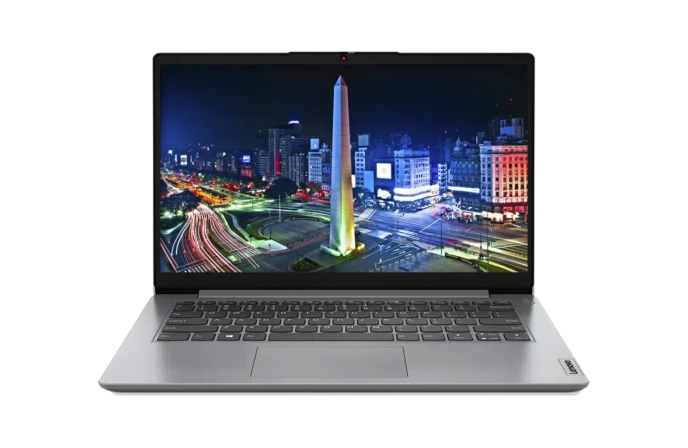
The Lenovo IdeaPad Slim 3 is a lightweight and versatile laptop that caters to a broad group of users. It is not positioned as a premium ultrabook, nor as a fully-fledged gaming machine. Instead, it sits comfortably in the sweet spot of everyday performance, reliability, portability, and price—making it one of the most recommended choices for users in Nepal.
Whether you are a student working on assignments, a professional handling spreadsheets and reports, or a home user streaming videos and browsing the internet, the IdeaPad Slim 3 is built to manage all of this with ease.
At Alam Tech, we see a lot of buyers gravitate toward this model because it balances useful performance and thoughtful features at a price point that makes sense in the Nepalese market.
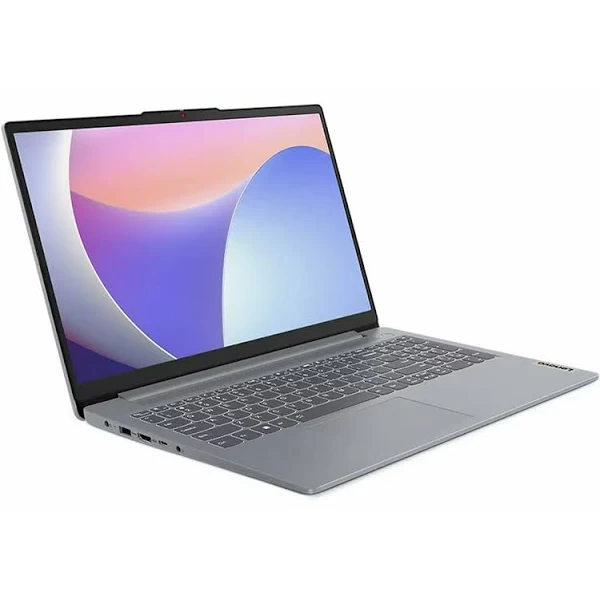
Lenovo IdeaPad Slim 3 Price in Nepal
2. Why the IdeaPad Slim 3 Stands Out in Nepal
Nepalese buyers often prioritize laptops that are:
- Reliable and long-lasting
- Affordable but capable
- Easy to carry around
- Good for classrooms and offices
- Low maintenance with strong support
The Lenovo IdeaPad Slim 3 meets these expectations in ways few other laptops in its class do.
Here’s how it stands out:
- Balanced performance for everyday tasks
- All-day productivity with comfortable battery life
- Lightweight and slim design for portability
- Trusted Lenovo brand with Nepalese service support
- Energetic performance for price compared to many rivals
At Alam Tech, we have seen firsthand how these benefits translate into long-term satisfaction for buyers.
3. Understanding the IdeaPad Slim 3 Price in Nepal
Before we dive into the specs and usage, let’s talk pricing — the first thing most buyers ask about.
The price of the Lenovo IdeaPad Slim 3 in Nepal varies depending on several factors:
- Processor configuration (Intel or AMD)
- Amount of RAM
- Storage type and capacity (SSD is preferred)
- Display type and finish
- Availability and stock levels
- Import costs and taxes
As Nepal is an import-driven market, laptop prices are influenced by currency fluctuations, local taxes, and retailer policies. At Alam Tech, we constantly update our pricing to reflect the best value for Nepali customers — offering competitive prices without sacrificing support or warranty.
Most configurations of the IdeaPad Slim 3 in Nepal fall in the budget-to-midrange category, making it a popular choice for:
- Students
- Office professionals
- Teachers
- Everyday users
- Home entertainment seekers
4. Design & Build Quality – Sleek Yet Strong
One reason the IdeaPad Slim 3 is preferred by many Alam Tech customers is its sleek and practical design.
Slim and Lightweight
The laptop is thin and light enough to carry to:
- College classes
- Office meetings
- Cafés
- Home study areas
This is especially helpful for students and professionals who are on the move throughout the day.
Professional yet Minimalist Look
The design is clean and understated, suitable for:
- Classrooms
- Workplaces
- Formal presentations
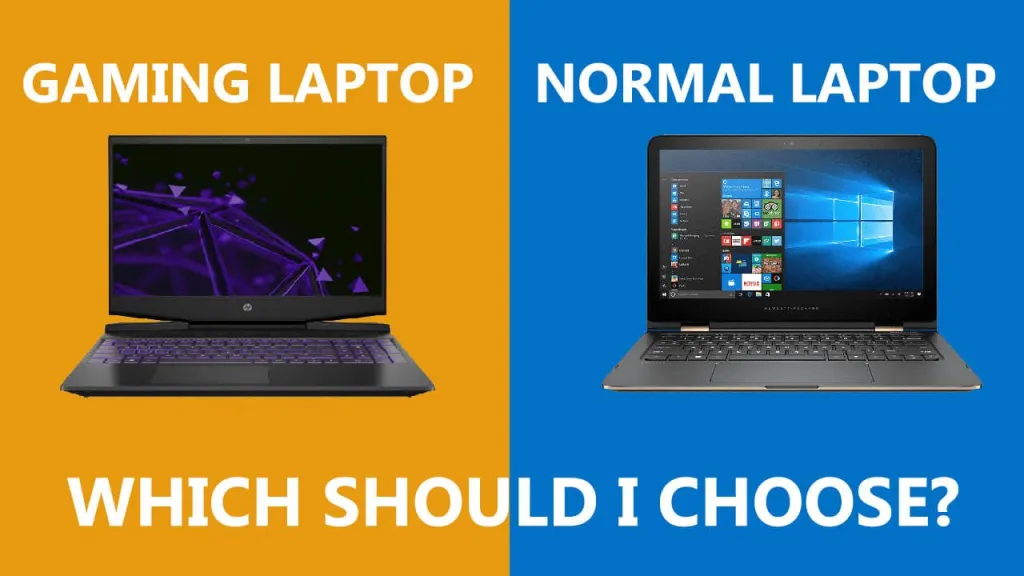
Unlike flashy gaming laptops or overly decorative models, the Slim 3’s aesthetic is professional and versatile, which resonates well with Nepalese buyers who want a device that fits every environment.
Build Durability
Lenovo’s build quality is consistent across its IdeaPad lineup. The Slim 3 feels solid in hand, with a keyboard deck and chassis that instill confidence during everyday use. At Alam Tech, we emphasize laptops that are not just stylish but durable — and the Slim 3 delivers on both fronts.
5. Performance – Everyday Tasks with Efficiency
When we talk about performance, the Lenovo IdeaPad Slim 3 doesn’t try to be the fastest laptop on the block — instead, it focuses on smooth, reliable, everyday performance.
a. Processor Options
Depending on the configuration in Nepal, the Slim 3 may come with:
- Intel Core i3 / i5 / i7 processors
- AMD Ryzen 3 / Ryzen 5 / Ryzen 7 processors
Both Intel and AMD versions are capable of:
- Running office software
- Multitasking between apps
- Browsing with multiple tabs open
- Online video meetings
- Streaming and media tasks
- Light creative work
At Alam Tech, we recommend configurations that match your daily needs — for instance:
- Intel Core i3 or Ryzen 3 for basic tasks
- Intel Core i5 or Ryzen 5 for balanced performance
- Higher processors for heavier multitasking
b. Fast Storage – SSD Makes a Difference
The Slim 3 models available in Nepal often feature SSD storage, which dramatically improves:
- Boot times
- App loading
- File transfer
- Overall responsiveness
SSD is one of the most significant upgrades you can get in a laptop, and at Alam Tech we always recommend SSD configurations for student and professional use.
c. RAM for Smooth Multitasking
- 8 GB RAM is considered the minimum for smooth performance, and
- 16 GB RAM is ideal if you expect to run many apps at once or keep many browser tabs open.
More RAM means fewer hiccups when switching between tasks — a benefit any frequent user will appreciate.
6. Display – Comfortable for Long Use
A comfortable display is essential for:
- Studying
- Watching tutorials
- Office work
- Presentations
- Visual content viewing
The Lenovo IdeaPad Slim 3 usually comes with a 15.6-inch Full HD display, which provides:
- Sharp clarity
- Good brightness
- Comfortable viewing angles
- Less eye fatigue
Students studying long hours or professionals handling spreadsheets and documents will find this screen comfortable and clear. Even though it isn’t a high-end competition display, it gets the job done brilliantly for everyday users.
At Alam Tech, many customers report that the display quality matches well with real-world productivity and multimedia tasks.
7. Keyboard and Typing Experience – Built for Productivity
A laptop keyboard is more than just keys — it’s where you physically spend a big part of your computing time.
The Lenovo IdeaPad Slim 3 features:
- Comfortable key travel
- Good spacing
- Precise feedback
- Quiet typing experience
This makes it great for:
- Typing assignments
- Writing reports
- Coding sessions
- Emails and documentation
Students especially benefit from a keyboard that doesn’t cause fatigue during long writing or coding sessions.
At Alam Tech, we always stress the importance of keyboard comfort — and in this category, the Slim 3 scores well.
8. Battery Life – All Day Use without Stress
Lenovo IdeaPad Slim 3’s battery life is one of its strong suits for everyday use. It’s designed to support productivity throughout the day on:
- College campuses
- Office meetings
- Home study sessions
- Short outdoor work scenarios
While battery life varies with usage, a typical experience includes:
- Several hours of browsing
- Online classes or meetings
- Document work
- Media playback
This is especially useful in Nepal, where power inconsistencies or long days away from a charger are common.
At Alam Tech, we emphasize laptops with stable battery life, because nothing is more frustrating than a laptop that drains too quickly while you’re on the go.
9. Audio and Multimedia – Good Enough for Daily Use
The Lenovo IdeaPad Slim 3 delivers:
- Clear audio output
- Balanced sound
- Adequate volume
While it’s not designed for audiophile-level listening, it is more than sufficient for:
- Video lectures
- Movies and series
- Online meetings
- Casual entertainment
For users who want louder or richer sound, external speakers or headphones are an easy addition — making the Slim 3 a flexible choice for daily multimedia.
10. Port Selection and Connectivity
A laptop’s ports matter — especially for students and professionals who use:
- External drives
- Presentations
- Projectors
- USB peripherals
- Wi-Fi and Bluetooth devices
The Lenovo IdeaPad Slim 3 includes all essential ports:
- USB-A
- USB-C (on some variants)
- HDMI
- Headphone jack
- Wi-Fi and Bluetooth connectivity
Alam Tech customers appreciate these connectivity options because they support productivity without the need for additional hubs or adapters.
11. Ideal User Profiles – Who Should Buy It?
The IdeaPad Slim 3 is perfect for several types of users in Nepal:
a. College Students
- Assignment writing
- Research and browsing
- Online classes
- Presentations
b. Office Professionals
- Reports and spreadsheets
- Emails and communication
- Meetings and presentations
c. Home Users
- Movies and media
- Light creative work
- Casual browsing and social apps
d. Freelancers
- Work from home
- Remote collaboration
- Content productivity apps
Across these profiles, the IdeaPad Slim 3 offers reliable performance that makes everyday tasks smooth and frustration-free.
12. Who Should Not Buy the IdeaPad Slim 3?
Even though the IdeaPad Slim 3 is versatile, it is not the best choice for:
- Hardcore gamers
- Heavy video editors
- 3D animation or rendering workloads
- Specialized professional applications that demand high GPU power
For such users, we at Alam Tech recommend laptops with dedicated graphics or higher-tier performance models.
13. Real-World Usage: What Users Find Helpful
At Alam Tech, we get feedback from customers daily. Some of the most common remarks about the IdeaPad Slim 3 include:
✔ Smooth everyday performance
✔ Comfortable keyboard
✔ Reliable display
✔ Good battery backup
✔ Great value for price in Nepal
This real-world experience matters more than benchmarks or marketing terms — and it’s often the deciding factor when Nepali customers make their choice.
14. Comparing IdeaPad Slim 3 to Other Laptops in Nepal
When comparing the Slim 3 with other laptops in Nepal, the differences typically show up in:
| Feature | IdeaPad Slim 3 | Basic Budget Laptop | Premium Ultrabook |
|---|---|---|---|
| Performance | Good | Weak | Excellent |
| Portability | Good | Varies | Excellent |
| Battery Life | Good | Low | Excellent |
| Build Quality | Reliable | Weak–Medium | Premium |
| Price | Mid-range | Low | High |
| Everyday Productivity | High | Medium | Very High |
| Creative Tasks | Moderate | Low | Very High |
The Slim 3 frequently stands out because it avoids the extremes — not too cheap to be underpowered, and not too expensive to be impractical.
15. Acer Aspire 7 or Lenovo IdeaPad Slim 3 — Which to Choose?
Both laptops are excellent, but they serve slightly different needs:
- IdeaPad Slim 3: Everyday productivity, college work, office use, balanced performance
- Aspire 7: Slightly higher performance, better for multimedia, light gaming, and creative tasks
At Alam Tech, we guide buyers based on their actual daily usage — not just specifications on paper.
16. Tips for Buying Acer IdeaPad Slim 3 at Alam Tech
To get the best value in Nepal:
✔ Choose a configuration with SSD
✔ Aim for at least 8 GB RAM
✔ Match processor power to usage needs
✔ Ask our experts about warranty and service support
Alam Tech team helps you select the right configuration for your budget and academic/professional needs.
17. Warranty & Support in Nepal
When you buy from Alam Tech:
- You get local warranty support
- Expert setup help
- Ongoing troubleshooting advice
This support network is often as important as the laptop itself — especially in Nepal where good service makes a long-term difference.
18. Common Questions Asked by Nepalese Buyers
At Alam Tech, customers often ask:
- “Is it worth spending on Slim 3 instead of basic laptops?”
- “Will the laptop last 4–5 years?”
- “Can it handle college workloads?”
- “Is it better than older models?”
And the honest answer is almost always: Yes, if you choose the right configuration, the IdeaPad Slim 3 is highly dependable.
19. Acer IdeaPad Slim 3 Price Trends in Nepal
Prices can fluctuate due to:
- Import duties
- Seasonal demand
- Stock availability
- Currency exchange variations
At Alam Tech, we recommend checking the latest price before buying, because a small variation can make an older price point obsolete.
But even with price changes, the value proposition remains strong for most users.
20. Final Verdict – Is Lenovo IdeaPad Slim 3 Worth It in Nepal?
Yes. The Lenovo IdeaPad Slim 3 is one of the best choices for:
- Students
- Everyday professionals
- Home users
- Remote workers
- Anyone needing balanced performance
It delivers:
✔ Reliable performance
✔ Comfortable design
✔ Good battery life
✔ Practical display and keyboard
✔ Excellent value for money
For buyers who want a dependable laptop without overspending, the IdeaPad Slim 3 is consistently one of the most recommended options at Alam Tech.
Conclusion
The Lenovo IdeaPad Slim 3 price in Nepal reflects its position as a balanced, dependable, and value-oriented laptop. It doesn’t chase flashy specs or unnecessary features; instead, it delivers what matters most for real users: real performance for real work.
From everyday computing to student projects, office tasks, and multimedia use, the IdeaPad Slim 3 proves itself a practical and long-lasting choice. When you buy from Alam Tech, you also get trusted guidance, after-sales support, and warranty assistance — making your purchase experience smooth and confident.
If you’re in Nepal and looking for a laptop that will serve you reliably through college, work, and daily life — this is one of the best options to consider.
Contact us:
Lenovo IdeaPad Slim 3 – Detailed FAQs (Alam Tech Nepal)
1. Why is Lenovo IdeaPad Slim 3 popular in Nepal?
It balances price, performance, and durability, making it suitable for students, office workers, and families in Nepal.
2. Is Lenovo IdeaPad Slim 3 a value-for-money laptop?
Yes, it offers reliable everyday performance at an affordable price point, especially when purchased from Alam Tech.
3. What type of users should buy Lenovo IdeaPad Slim 3?
Students, teachers, office staff, freelancers, and home users who need a dependable daily-use laptop.
4. Is Lenovo IdeaPad Slim 3 better than entry-level HP or Acer laptops?
In many cases, yes—especially in keyboard comfort, build quality, and long-term reliability.
5. Does Lenovo IdeaPad Slim 3 support multitasking for students?
Yes, it easily handles notes, research, browsers, and office apps simultaneously.
6. Can Lenovo IdeaPad Slim 3 handle online exams and portals?
Yes, it runs exam software, browsers, and proctoring tools smoothly.
7. Is Lenovo IdeaPad Slim 3 suitable for SEE or +2 students?
Yes, it is ideal for school and college-level academic work.
8. Can Lenovo IdeaPad Slim 3 be used for presentations in class?
Yes, it connects easily to projectors and external displays.
9. Does Lenovo IdeaPad Slim 3 support MS Excel heavy usage?
Yes, especially with higher RAM configurations.
10. Is Lenovo IdeaPad Slim 3 good for Nepali government exam preparation?
Yes, it is excellent for study materials, PDFs, mock tests, and online forms.
11. Is Lenovo IdeaPad Slim 3 good for remote jobs?
Yes, it supports emails, cloud tools, and video calls without issues.
12. Can Lenovo IdeaPad Slim 3 handle Google Workspace and Microsoft 365?
Yes, it works smoothly with all productivity platforms.
13. Is Lenovo IdeaPad Slim 3 suitable for basic coding students?
Yes, it supports beginner to intermediate programming tasks.
14. Can Lenovo IdeaPad Slim 3 run accounting software used in Nepal?
Yes, it runs common accounting and billing software reliably.
15. Is Lenovo IdeaPad Slim 3 suitable for tuition teachers?
Yes, it is perfect for lesson planning, online teaching, and record keeping.
16. Does Lenovo IdeaPad Slim 3 support long typing hours?
Yes, the keyboard is designed for comfort and accuracy.
17. Is Lenovo IdeaPad Slim 3 good for content writers?
Yes, it is excellent for writing, research, and editing tasks.
18. Does Lenovo IdeaPad Slim 3 lag during normal use?
No, when properly configured, it remains smooth for daily tasks.
19. Is Lenovo IdeaPad Slim 3 easy to learn for beginners?
Yes, it is user-friendly even for first-time laptop users.
20. Can Lenovo IdeaPad Slim 3 handle PDF books and notes?
Yes, it handles large PDFs effortlessly.
21. Is Lenovo IdeaPad Slim 3 good for family use?
Yes, it is safe, reliable, and versatile for shared use.
22. Can Lenovo IdeaPad Slim 3 be used for social media work?
Yes, it handles browsing, posting, and scheduling tools well.
23. Is Lenovo IdeaPad Slim 3 suitable for daily commuting?
Yes, its slim design makes it easy to carry.
24. Does Lenovo IdeaPad Slim 3 work well in dusty environments?
Yes, with basic care, it performs well in typical Nepali conditions.
25. Is Lenovo IdeaPad Slim 3 a good laptop for parents?
Yes, it is simple, reliable, and easy to maintain.
26. Can Lenovo IdeaPad Slim 3 handle online banking safely?
Yes, it supports secure browsing and banking applications.
27. Does Lenovo IdeaPad Slim 3 support USB accessories?
Yes, it supports mouse, keyboard, pendrive, and printers.
28. Is Lenovo IdeaPad Slim 3 good for Nepali freelancers?
Yes, it is widely used by freelancers for online work.
29. Can Lenovo IdeaPad Slim 3 handle multitasking for office users?
Yes, especially with SSD and adequate RAM.
30. Is Lenovo IdeaPad Slim 3 reliable for long-term use?
Yes, Lenovo laptops are known for long-term stability.
31. Does Lenovo IdeaPad Slim 3 require frequent maintenance?
No, basic care is enough to keep it running smoothly.
32. Is Lenovo IdeaPad Slim 3 suitable for online forms and portals?
Yes, it works well with government and educational portals.
33. Can Lenovo IdeaPad Slim 3 be upgraded later?
Some configurations allow RAM or storage upgrades.
34. Is Lenovo IdeaPad Slim 3 good for research students?
Yes, it handles browsing, documentation, and data work efficiently.
35. Does Lenovo IdeaPad Slim 3 support external keyboards?
Yes, it supports both wired and wireless keyboards.
36. Is Lenovo IdeaPad Slim 3 good for YouTube creators?
It is suitable for basic content work, not heavy video editing.
37. Can Lenovo IdeaPad Slim 3 be used for online freelancing platforms?
Yes, it runs freelancing tools and dashboards smoothly.
38. Is Lenovo IdeaPad Slim 3 suitable for NGOs and offices?
Yes, it fits documentation and communication needs well.
39. Does Lenovo IdeaPad Slim 3 have good speaker quality?
Speakers are clear enough for meetings and media.
40. Is Lenovo IdeaPad Slim 3 good for Nepali language typing?
Yes, it fully supports Nepali Unicode typing.
41. Can Lenovo IdeaPad Slim 3 handle multiple browser tabs?
Yes, with sufficient RAM, it handles many tabs smoothly.
42. Is Lenovo IdeaPad Slim 3 better than refurbished laptops?
Yes, buying new from Alam Tech ensures reliability and warranty.
43. Is Lenovo IdeaPad Slim 3 suitable for NGOs and schools?
Yes, many institutions prefer it for affordability and reliability.
44. Does Lenovo IdeaPad Slim 3 support video calls clearly?
Yes, it supports clear audio and video for meetings.
45. Is Lenovo IdeaPad Slim 3 good for digital marketing work?
Yes, it handles analytics, social platforms, and tools well.
46. Can Lenovo IdeaPad Slim 3 handle online shopping work?
Yes, it works well for inventory and order management tasks.
47. Is Lenovo IdeaPad Slim 3 recommended for SEE graduates?
Yes, it is an excellent first laptop.
48. Does Lenovo IdeaPad Slim 3 support printers and scanners?
Yes, it supports common peripherals used in Nepal.
49. Is Lenovo IdeaPad Slim 3 a good alternative to gaming laptops?
Yes, if performance needs are general, not gaming-focused.
50. Can Lenovo IdeaPad Slim 3 handle office emails efficiently?
Yes, email and communication tools run smoothly.
51. Is Lenovo IdeaPad Slim 3 good for call centers?
Yes, it supports communication and CRM tools.
52. Can Lenovo IdeaPad Slim 3 be used for training centers?
Yes, it is ideal for training and learning environments.
53. Is Lenovo IdeaPad Slim 3 suitable for daily reporting tasks?
Yes, it handles reports and documentation easily.
54. Does Lenovo IdeaPad Slim 3 support Wi-Fi stability?
Yes, it maintains stable internet connections.
55. Is Lenovo IdeaPad Slim 3 good for home tuition teachers?
Yes, it supports online and offline teaching needs.
56. Can Lenovo IdeaPad Slim 3 handle cloud-based software?
Yes, cloud apps run efficiently.
57. Is Lenovo IdeaPad Slim 3 suitable for startups?
Yes, it is cost-effective and reliable.
58. Does Lenovo IdeaPad Slim 3 have good resale value?
Yes, Lenovo laptops generally hold resale value in Nepal.
59. Is Lenovo IdeaPad Slim 3 easy to troubleshoot?
Yes, Lenovo systems are well-documented and easy to manage.
60. Is Lenovo IdeaPad Slim 3 suitable for daily browsing?
Yes, browsing performance is smooth and stable.
61. Can Lenovo IdeaPad Slim 3 handle long Zoom meetings?
Yes, it remains stable during long sessions.
62. Is Lenovo IdeaPad Slim 3 good for office interns?
Yes, it meets all basic professional requirements.
63. Does Lenovo IdeaPad Slim 3 support antivirus software?
Yes, it supports all major security software.
64. Is Lenovo IdeaPad Slim 3 suitable for small shops?
Yes, it works well for billing and records.
65. Can Lenovo IdeaPad Slim 3 handle basic graphic tools?
Yes, for light design tasks.
66. Is Lenovo IdeaPad Slim 3 good for home accounting?
Yes, it supports financial and bookkeeping software.
67. Does Lenovo IdeaPad Slim 3 work well for daily homework?
Yes, it is ideal for homework and assignments.
68. Is Lenovo IdeaPad Slim 3 good for elderly users?
Yes, it is simple and easy to operate.
69. Why buy Lenovo IdeaPad Slim 3 from Alam Tech?
Because Alam Tech offers genuine products, guidance, and local support.
70. Is Lenovo IdeaPad Slim 3 a safe choice in Nepal?
Yes, it is one of the safest and most trusted laptop options available from Alam Tech.