
Best Monitors for Custom PC in Nepal – A Complete Guide by Alam Tech
Best Monitors for Custom PC in Nepal: Building a custom PC is an exciting journey—choosing the right processor, GPU, RAM, motherboard, SSD, casing, and power supply feels like assembling the perfect machine for your needs. But there’s one component that often gets overlooked despite being the main part you interact with every single day: your monitor.
Whether you are a gamer, video editor, software developer, graphic designer, student, or office user, choosing the right monitor can dramatically impact your overall experience.
If you’re searching for the best monitors for custom PC in Nepal, especially around Newroad, Kathmandu, Alam Tech is one of the most trusted suppliers offering a wide range of options—budget monitors, professional displays, IPS monitors, curved monitors, high-refresh-rate gaming monitors, ultrawide screens, and more.
This comprehensive guide covers everything you must know before buying a monitor for your custom PC in Nepal. You’ll learn:
- How to choose the right monitor
- Best monitor sizes and resolutions
- Gaming vs. productivity vs. professional monitors
- Best brands available in Nepal
- Budget, mid-range, and premium monitor recommendations
- Tips for compatibility with your custom PC
- Why buy your monitor from Alam Tech
Let’s dive deep into the world of monitors and help you discover the Best Monitors for Custom PC in Nepal.
1. Why Your Monitor Choice Matters for a Custom PC
When upgrading or building a PC, most people focus heavily on internal components—but your monitor actually defines how everything looks and feels.
A good monitor can:
- Improve visual clarity
- Reduce eye strain
- Enhance gaming performance
- Improve color accuracy
- Boost productivity
- Allow you to enjoy movies, editing, and multitasking better
A powerful PC paired with a low-quality monitor will never deliver its full potential. That’s why choosing the right display is essential.
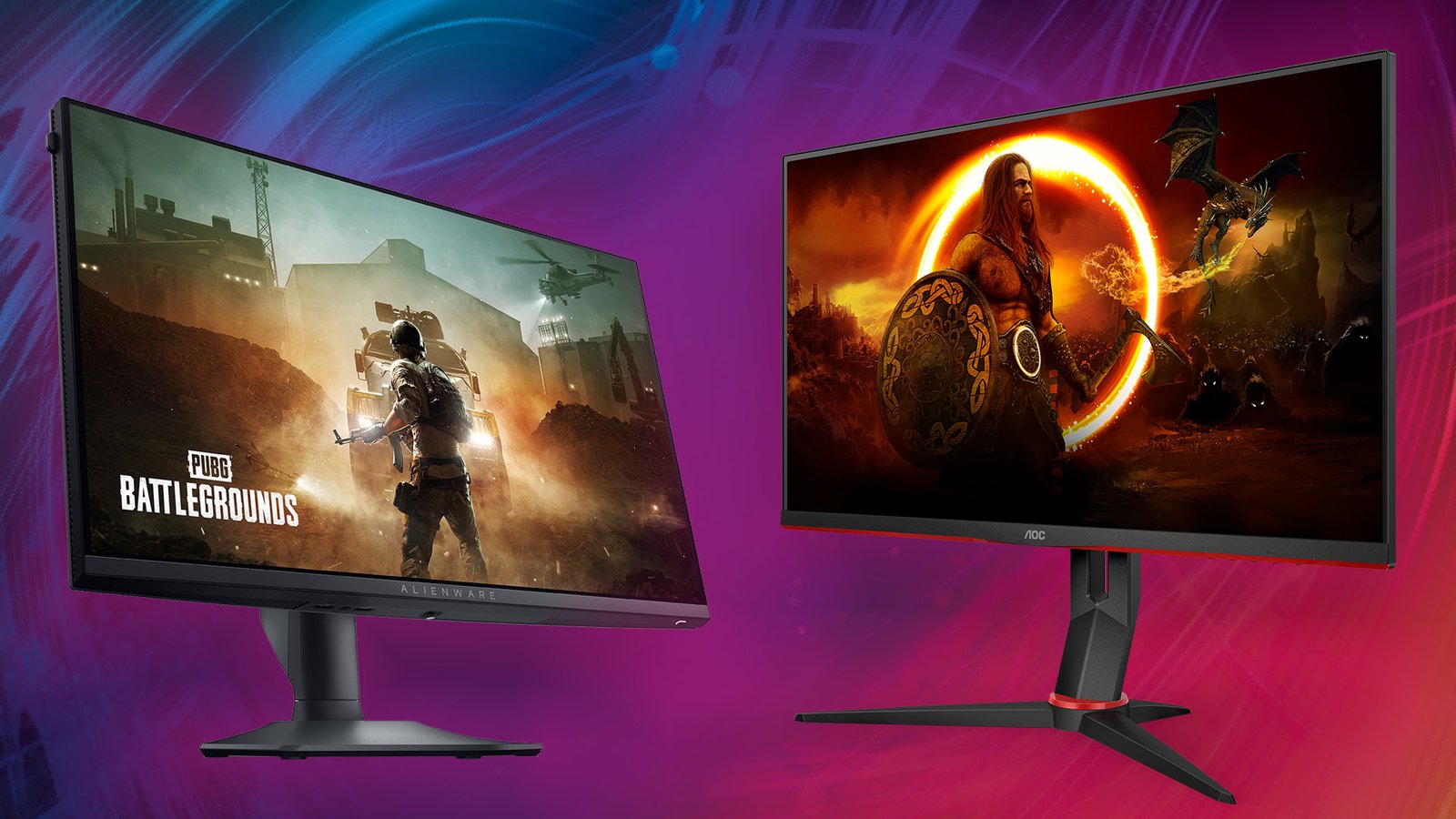
Best Monitors for Custom PC in Nepal
2. Key Things to Consider When Buying a Monitor in Nepal
Before we jump into the best monitors, here are the most important factors you should understand:
2.1 Screen Size
Popular sizes in Nepal:
- 22-inch – Best for office and students
- 24-inch – Affordable gaming and coding
- 27-inch – Perfect for gaming and productivity
- 32-inch – Ideal for multitasking and creators
- 34-inch ultrawide – For professional workflow and immersive gaming
- 49-inch super ultrawide – High-end professional setups
Bigger is generally better, but make sure you have enough desk space.
2.2 Resolution
The higher the resolution, the clearer the display.
Common resolutions in Nepal:
- 1080p (Full HD) – Best for budget builds and casual gaming
- 1440p (2K) – Great for mid-range gaming and productivity
- 2160p (4K) – Best for content creation, photo/video editing
For custom gaming PC builds, 1440p is the sweet spot.
2.3 Panel Type
Each panel offers different strengths:
✔ IPS Panel
- Best color accuracy
- Wide viewing angles
- Perfect for designers, video editors, and professionals
✔ VA Panel
- High contrast
- Good for movies and curved displays
✔ TN Panel
- Fastest response times
- Great for esports gamers
- Lower color accuracy
Most users prefer IPS due to balanced performance.
2.4 Refresh Rate
This is extremely important for gaming.
- 60Hz – Normal usage
- 75Hz – Smooth everyday experience
- 120Hz / 144Hz – Best for gaming
- 165Hz / 180Hz – Competitive esports
- 240Hz / 360Hz – Professional gamers
If your custom PC has a strong GPU, choose a high-refresh-rate monitor.
2.5 Response Time
Lower response time = less motion blur.
- 5ms – Normal users
- 1ms – Best for gaming
2.6 Sync Technology
- G-Sync – For NVIDIA GPUs
- FreeSync – For AMD GPUs
Most modern monitors support FreeSync, which also works with NVIDIA cards in many cases.
2.7 Ports
Check if your monitor has:
- HDMI
- DisplayPort
- USB-C
- Audio Out
DisplayPort is the best for gaming monitors with high refresh rates.
3. Best Monitor Categories for Custom PC in Nepal
Let’s explore the best options depending on what you plan to do with your PC.
4. Best Budget Monitors in Nepal (Below Rs. 20,000 – Rs. 25,000)
These are ideal for students, office users, and basic custom PC builds.
✔ 23.8″ IPS 75Hz Monitors
Perfect balance of affordability and clarity.
Best for:
- Students
- Office productivity
- Movies and media
- Basic gaming
✔ 22″ Full HD Monitors
Compact, budget-friendly, and ideal for everyday tasks.
5. Best Gaming Monitors in Nepal (Under Rs. 40,000 – Rs. 60,000)
If you built a gaming PC from Alam Tech, pair it with a high-refresh-rate monitor for the best experience.
Top features to consider:
- 144Hz or 165Hz refresh rate
- 1ms response time
- IPS panel for better colors
- FreeSync or G-Sync support
You’ll enjoy smoother gameplay in titles like:
- Valorant
- PUBG
- CS2
- GTA V
- Fortnite
- Warzone
6. Best Mid-Range Monitors (Rs. 60,000 – Rs. 1,00,000)
These monitors are perfect for:
- 2K gaming
- Graphic design
- Video editing
- Multitasking
27″ 1440p 144Hz IPS
This is the most popular premium segment.
You get stunning colors, crystal-clear clarity, and smooth gameplay.
7. Best 4K Monitors in Nepal
Perfect for:
- Professional video editors
- Graphic designers
- Photographers
- Developers
- High-end productivity users
4K monitors offer:
- Better detail
- Sharper images
- Large workspace
- Stunning color accuracy
8. Curved Monitors in Nepal
Curved displays offer:
- Immersive gaming
- Comfortable viewing
- Better visibility at edges
Popular sizes:
- 27-inch
- 32-inch
- 34-inch ultrawide
Ideal for sim racing, streaming, and content creation.
9. Ultrawide Monitors
Ultrawide monitors are perfect for productivity and professional work.
Benefits:
- More workspace
- Great for editing timelines
- Perfect for multitasking
- Immersive gaming experience
Professionals love ultrawide screens because they can replace dual-monitor setups.
10. Best Brands for Monitors in Nepal
Alam Tech supplies top global brands:
- Lenovo
- Asus
- MSI
- HP
- Dell
- Acer
- ViewSonic
- Gigabyte
- Samsung
- LG
- AOC
- BenQ
Each brand offers unique strengths, whether for gaming or professional work.
11. Recommended Monitors Based on Use Case
Here’s a quick guide to make things easier.
11.1 Best Monitor for Gaming PC Builds
Look for:
- 24″ or 27″
- 144Hz / 165Hz
- 1ms response
- IPS panel
This gives the best performance for competitive gameplay.
11.2 Best Monitor for Video Editing & Design
Choose:
- IPS panel
- 2K or 4K
- High color accuracy (sRGB / Adobe RGB)
- Larger screen (27–32 inches)
11.3 Best Monitor for Office/Typing/Programming
Ideal features:
- IPS panel
- 1080p or 1440p
- 75Hz
- Adjustable stand if possible
- Anti-glare coating
11.4 Best Monitor for General Use
A simple 24″ Full HD IPS monitor works perfectly for most users.
12. What Size Monitor is Best for You?
For Students:
24” Full HD IPS
For Gamers:
24” or 27” 144Hz/165Hz
For Designers & Editors:
27” 2K or 32” 4K IPS
For Office:
24” IPS 75Hz
For Multitaskers:
34” ultrawide
For Professionals:
32” 4K IPS
13. What PC Specs Do You Need for Higher Resolution Monitors?
Monitor compatibility depends on your GPU.
1080p
- Works with any modern GPU
1440p
- GTX 1660 Super or higher
- RTX 2060 / 3060 and above
4K
- RTX 3060 Ti
- RTX 3070 / 3080
- RTX 40-series
Alam Tech can help you pair the right GPU with your chosen monitor.
14. Why Buy Monitors from Alam Tech?
✔ Genuine Warranty
All monitors come with official warranty.
✔ Best Prices in Nepal
Competitive rates with deals and seasonal offers.
✔ Huge Variety
From budget to premium monitors.
✔ Expert Consultation
Get guidance for your custom PC build.
✔ Trusted Supplier in Newroad, Kathmandu
Years of experience serving Nepali customers.
✔ Customer Support
Phone, email, and in-store support.
15. Tips for Buying a Monitor in Nepal
- Decide your use case first
- Check your GPU capability
- Choose IPS for best all-around quality
- For gaming, prioritize refresh rate
- For editing, prioritize resolution
- Don’t overspend on features you don’t need
- Make sure the monitor has the right ports
16. Future-Proof Monitor Buying Guide
To make your purchase last longer:
- Buy at least a 24″ IPS monitor
- Prefer 1440p if your budget allows
- Aim for 75Hz minimum refresh rate
- Consider adjustable stands for ergonomics
- USB-C monitors are becoming the future
17. Final Recommendation: Best Monitors for Custom PC in Nepal
If you’re building or upgrading a custom PC in Nepal, pairing it with the right monitor will give you the ideal experience—whether you’re gaming, editing, working, or studying.
Alam Tech in Newroad, Kathmandu offers a wide selection of monitors suitable for every budget and need. With expert guidance, genuine warranty, and excellent after-sales service, you can confidently find the best monitor for your custom PC build.
Contact us:
FAQs – Best Monitors for Custom PC in Nepal (Alam Tech)
1. Which monitor is best for a custom PC in Nepal?
The best monitor depends on your use. For gaming, a 144Hz or 165Hz IPS monitor is ideal. For editing or professional work, a 27-inch 2K or 4K IPS monitor is recommended. For general use, a 24-inch Full HD IPS monitor works perfectly.
2. What size monitor should I choose for my custom PC?
24-inch is best for everyday use, 27-inch for gaming or productivity, and 32-inch or larger for professional editing or multitasking. Ultrawide monitors are best for heavy multitasking.
3. Are IPS monitors better than VA or TN?
Yes, IPS monitors offer better colors and wider viewing angles. VA monitors provide deeper contrast, while TN monitors are fastest for esports. IPS is the best overall choice for most users.
4. What is the best resolution for gaming monitors in Nepal?
1080p is great for budget gaming PCs, 1440p is ideal for mid-range to high-end builds, and 4K is suited for powerful GPUs.
5. Do I need a 144Hz monitor for gaming?
If you play FPS games such as Valorant, CS2, Fortnite, or PUBG, a 144Hz monitor will provide smoother and more responsive gameplay. It is highly recommended.
6. Which monitor refresh rate should I choose?
60Hz is basic, 75Hz is good for everyday use, 144Hz or 165Hz is best for gaming, and 240Hz or 360Hz is ideal for professional esports.
7. Is a curved monitor good for gaming?
Yes, curved monitors provide an immersive gaming experience with better field of view. They’re especially good for racing, shooting, and open-world games.
8. Are curved monitors good for office work?
Yes. Curved screens reduce eye movement and provide a comfortable experience for long working hours.
9. Do I need FreeSync or G-Sync?
FreeSync is used with AMD GPUs and works with many NVIDIA GPUs. G-Sync is designed for NVIDIA GPUs. They prevent screen tearing, making gaming smoother.
10. Can my GPU support a 4K monitor?
You need a strong GPU such as RTX 3060 Ti, RTX 3070, or higher to comfortably run 4K resolution for gaming or editing.
11. Is 2K better than 1080p?
Yes. 2K (1440p) offers clearer visuals, better productivity space, and sharper text compared to 1080p. It is a sweet spot for gaming and editing.
12. Is 1080p still good in 2025?
Yes, for budget builds and casual gaming, 1080p monitors are still highly popular in Nepal because of their affordability and wide compatibility.
13. Do I need HDMI or DisplayPort for gaming?
DisplayPort is recommended for high-refresh-rate gaming (144Hz+). HDMI works well for normal use and 75Hz–120Hz gaming depending on version.
14. Can I use a monitor with USB-C for my custom PC?
Yes, if your motherboard or GPU supports USB-C display output. USB-C monitors are great for future-proof setups and laptop connection.
15. Which monitor is best for video editing in Nepal?
A 27-inch 2K or 32-inch 4K IPS monitor with high color accuracy (sRGB or Adobe RGB) is the best choice for editors.
16. What type of monitor is best for programming?
A 24-inch or 27-inch IPS monitor with 1080p or 1440p resolution works well. Ultrawide monitors are great for viewing multiple windows.
17. How much does a good gaming monitor cost in Nepal?
Gaming monitors typically cost between Rs. 25,000 to Rs. 60,000 depending on size, refresh rate, and brand.
18. Are ultrawide monitors worth it?
Yes. Ultrawide monitors provide extra horizontal space, which is excellent for editing, coding, multitasking, and immersive gaming.
19. Which brands offer good monitors in Nepal?
Popular brands at Alam Tech include Lenovo, ASUS, MSI, Dell, HP, Gigabyte, Samsung, LG, ViewSonic, Acer, BenQ, and AOC.
20. Are monitors with built-in speakers good?
Built-in speakers are okay for basic use, but for movies or gaming, external speakers or headphones are better.
21. Do higher refresh rates reduce eye strain?
Yes. Higher refresh rate monitors feel smoother and reduce flickering, improving comfort during long usage.
22. What is the difference between 144Hz and 165Hz?
165Hz is slightly smoother than 144Hz, but the difference is minor. Both are excellent for gaming.
23. Which monitor is best for competitive esports?
A 24-inch 1080p IPS or TN monitor with 144Hz–240Hz refresh rate and 1ms response time is ideal for esports.
24. What is a good monitor for graphic design?
A 27-inch 2K IPS monitor with high color accuracy (100% sRGB or more) is recommended. Calibration support is a bonus.
25. Is a bigger monitor always better?
Not always. Bigger screens require more desk space and stronger GPUs. Choose a size that fits your use and environment.
26. Do I need HDR on a monitor?
HDR is good for movies and content creation, but budget HDR monitors do not offer true HDR performance. Choose carefully.
27. Are gaming monitors good for normal work?
Yes, gaming monitors are versatile and provide a smooth experience for both gaming and productivity.
28. Can I use a TV as a monitor for my custom PC?
You can, but TVs have higher input lag and may not support high refresh rates. Monitors are better for PC use.
29. What is the difference between sRGB and Adobe RGB monitors?
sRGB is standard for most work, while Adobe RGB supports wider color range and is used for professional printing and photography.
30. How important is brightness in a monitor?
Brightness between 250–350 nits is enough for indoor use. Higher brightness is good for HDR or brightly lit rooms.
31. Can I mount my monitor on a wall or arm?
Yes, if your monitor supports VESA mounting. Check the back of the monitor for compatibility.
32. Do all monitors come with DisplayPort cables?
Some do, some don’t. It depends on the model. Alam Tech provides information on what cables are included.
33. How many monitors can my GPU support?
Most modern GPUs support at least 2–3 monitors. Higher-end GPUs can support up to 4 or more.
34. Is a 75Hz monitor good for daily use?
Yes, 75Hz is noticeably smoother than 60Hz and is excellent for home and office use.
35. Which monitor is best for online classes in Nepal?
A 24-inch IPS monitor with 1080p resolution is perfect for classes and general study.
36. Does monitor response time matter?
Yes. Lower response times (1ms–5ms) reduce motion blur, important for gaming and fast-moving content.
37. How long does a monitor usually last?
A good monitor can last 5–10 years with proper care.
38. Which monitor is best for a Mac Mini or MacBook setup?
An IPS 2K or 4K monitor with good color accuracy and USB-C connectivity is ideal.
39. Do all monitors work with any custom PC?
Yes, as long as the PC has compatible display ports such as HDMI, DisplayPort, or USB-C.
40. What is the benefit of anti-glare coating?
Anti-glare reduces reflections and improves comfort, especially in bright rooms or near windows.
41. Should I buy a monitor with height adjustment?
If you work long hours, yes. Height, tilt, and swivel adjustability improve ergonomics and reduce neck strain.
42. Are 32-inch monitors too big?
For close-up desk use, they can feel large, but for multitasking or editing they are excellent.
43. How much budget should I allocate for a good monitor?
Generally, you should allocate 20–30% of your custom PC budget for a good monitor to balance performance.
44. Can I connect my console (PS5 or Xbox) to the monitor?
Yes, most modern monitors support console gaming through HDMI, but look for 120Hz support at 1080p or 1440p.
45. Which monitor should I buy for RTX 3060 and above?
A 1440p 144Hz or 165Hz monitor is ideal for mid- to high-end GPUs like the RTX 3060, 3070, or 4060.
46. Do I need a color-calibrated monitor for editing?
For professional-level editing, yes. For normal editing, a high-quality IPS monitor is sufficient.
47. Are bezel-less monitors better?
They offer a modern look and are great for multi-monitor setups, but performance depends on the panel quality.
48. What is the standard warranty on monitors in Nepal?
Most monitors come with a 1–3 year official warranty depending on the brand. Alam Tech provides full warranty support.
49. Does a higher refresh rate use more GPU power?
Yes. Rendering more frames requires more GPU performance, especially in demanding games.
50. Why buy monitors from Alam Tech in Kathmandu?
Alam Tech offers genuine monitors with warranty, competitive prices, expert guidance, and reliable customer service—making it one of the most trusted destinations for buying monitors and custom PC components in Nepal.
Contact us:
{
“@context”: “https://schema.org”,
“@graph”: [
{
“@type”: “WebSite”,
“@id”: “https://alamtech.com.np/#website”,
“name”: “Alam Tech”,
“url”: “https://alamtech.com.np/”,
“publisher”: {
“@id”: “https://alamtech.com.np/#organization”
}
},
{
“@type”: “Organization”,
“@id”: “https://alamtech.com.np/#organization”,
“name”: “Alamtech Suppliers”,
“legalName”: “Alamtech Suppliers”,
“vatID”: “601613908”,
“url”: “https://alamtech.com.np/”,
“email”: “alamtechnp@gmail.com”,
“telephone”: [“01-4246548”, “9851193787”, “9818413835”],
“address”: {
“@type”: “PostalAddress”,
“streetAddress”: “Kathmandu-22, Tebahal”,
“addressLocality”: “Kathmandu”,
“addressRegion”: “Bagmati Province”,
“postalCode”: “44600”,
“addressCountry”: “NP”
},
“logo”: “https://alamtech.com.np/logo.png”,
“sameAs”: []
},
{
“@type”: “LocalBusiness”,
“@id”: “https://alamtech.com.np/#localbusiness”,
“name”: “Alamtech Suppliers”,
“url”: “https://alamtech.com.np/”,
“image”: “https://alamtech.com.np/logo.png”,
“telephone”: [“01-4246548”, “9851193787”, “9818413835”],
“email”: “alamtechnp@gmail.com”,
“address”: {
“@type”: “PostalAddress”,
“streetAddress”: “Kathmandu-22, Tebahal”,
“addressLocality”: “Newroad”,
“addressRegion”: “Kathmandu”,
“postalCode”: “44600”,
“addressCountry”: “NP”
},
“vatID”: “601613908”,
“priceRange”: “Rs 10,000 – Rs 500,000”,
“openingHours”: [“Mo-Su 09:00-19:00”]
},
{
“@type”: “BreadcrumbList”,
“@id”: “https://alamtech.com.np/#breadcrumb”,
“itemListElement”: [
{
“@type”: “ListItem”,
“position”: 1,
“name”: “Home”,
“item”: “https://alamtech.com.np/”
},
{
“@type”: “ListItem”,
“position”: 2,
“name”: “Best Monitors for Custom PC in Nepal”
}
]
},
{
“@type”: “Article”,
“@id”: “https://alamtech.com.np/#article”,
“headline”: “Best Monitors for Custom PC in Nepal – Alam Tech”,
“description”: “A complete 3000-word guide on choosing the best monitors for custom PCs in Nepal including gaming, editing, productivity, ultrawide and budget monitors. Written for Alam Tech.”,
“author”: {
“@type”: “Person”,
“name”: “Alam Tech Content Team”
},
“publisher”: {
“@id”: “https://alamtech.com.np/#organization”
},
“mainEntityOfPage”: “https://alamtech.com.np/”,
“wordcount”: “3000”
},
{
“@type”: “Product”,
“@id”: “https://alamtech.com.np/#product”,
“name”: “Computer Monitors for Custom PC”,
“brand”: “Various Global Brands”,
“description”: “High-quality monitors for custom PC builds including IPS, VA, TN, Gaming, Curved, 2K, 4K and Ultrawide monitors available at Alam Tech.”,
“sku”: “MONITOR-ALAMTECH”,
“category”: “Computer Monitors”,
“offers”: {
“@type”: “AggregateOffer”,
“priceCurrency”: “NPR”,
“lowPrice”: “10000”,
“highPrice”: “250000”,
“availability”: “https://schema.org/InStock”,
“seller”: {
“@id”: “https://alamtech.com.np/#localbusiness”
}
}
},
{
“@type”: “FAQPage”,
“@id”: “https://alamtech.com.np/#faq”,
“mainEntity”: [
{
“@type”: “Question”,
“name”: “Which monitor is best for a custom PC in Nepal?”,
“acceptedAnswer”: {
“@type”: “Answer”,
“text”: “The best monitor depends on your use. For gaming, choose a 144Hz or 165Hz IPS monitor. For editing, a 27-inch 2K or 4K IPS display is ideal. For everyday use, a 24-inch IPS monitor works great.”
}
},
{
“@type”: “Question”,
“name”: “What size monitor should I choose?”,
“acceptedAnswer”: {
“@type”: “Answer”,
“text”: “24-inch is best for everyday use, 27-inch for gaming and productivity, and 32-inch or more for professional editing or multitasking.”
}
},
{
“@type”: “Question”,
“name”: “Are IPS monitors better than TN or VA?”,
“acceptedAnswer”: {
“@type”: “Answer”,
“text”: “Yes, IPS monitors offer better color accuracy and viewing angles. VA offers better contrast, while TN is best for esports due to fast response times.”
}
},
{ “@type”: “Question”, “name”: “What is the best resolution for gaming?”, “acceptedAnswer”: { “@type”: “Answer”, “text”: “1080p for budget builds, 1440p for mid-range, and 4K for high-end PCs.” }},
{ “@type”: “Question”, “name”: “Is a 144Hz monitor necessary for gaming?”, “acceptedAnswer”: { “@type”: “Answer”, “text”: “For competitive FPS gaming, 144Hz significantly improves performance and smoothness.” }},
{ “@type”: “Question”, “name”: “Do I need FreeSync or G-Sync?”, “acceptedAnswer”: { “@type”: “Answer”, “text”: “FreeSync works with AMD and many NVIDIA GPUs, while G-Sync is designed for NVIDIA GPUs to reduce screen tearing.” }},
{ “@type”: “Question”, “name”: “Can my GPU handle a 4K monitor?”, “acceptedAnswer”: { “@type”: “Answer”, “text”: “You need a strong GPU like RTX 3060 Ti, RTX 3070 or higher for smooth 4K performance.” }},
{ “@type”: “Question”, “name”: “Are curved monitors good for gaming?”, “acceptedAnswer”: { “@type”: “Answer”, “text”: “Yes, curved monitors offer immersive visuals and are excellent for racing, open-world, and simulation games.” }},
{ “@type”: “Question”, “name”: “Which monitor is best for video editing?”, “acceptedAnswer”: { “@type”: “Answer”, “text”: “A 27-inch 2K or 32-inch 4K IPS monitor with high color accuracy is recommended for editing.” }},
{ “@type”: “Question”, “name”: “Which monitor is best for programming?”, “acceptedAnswer”: { “@type”: “Answer”, “text”: “A 24 or 27-inch IPS monitor is recommended. Ultrawide monitors are excellent for viewing multiple windows.” }},
{ “@type”: “Question”, “name”: “How much does a gaming monitor cost in Nepal?”, “acceptedAnswer”: { “@type”: “Answer”, “text”: “Gaming monitors start around Rs. 25,000 and go up to Rs. 60,000 depending on size and refresh rate.” }},
{ “@type”: “Question”, “name”: “Are ultrawide monitors worth it?”, “acceptedAnswer”: { “@type”: “Answer”, “text”: “Yes, they offer excellent space for multitasking, editing, and immersive gaming.” }},
{ “@type”: “Question”, “name”: “Which brands offer good monitors in Nepal?”, “acceptedAnswer”: { “@type”: “Answer”, “text”: “Brands include Lenovo, ASUS, MSI, Dell, HP, Gigabyte, Samsung, LG, AOC, BenQ, and ViewSonic.” }},
{ “@type”: “Question”, “name”: “Are built-in monitor speakers good?”, “acceptedAnswer”: { “@type”: “Answer”, “text”: “They are fine for basic use but not ideal for gaming or media compared to external speakers.” }},
{ “@type”: “Question”, “name”: “Does higher refresh rate reduce eye strain?”, “acceptedAnswer”: { “@type”: “Answer”, “text”: “Yes, higher refresh rates reduce flicker and offer a smoother viewing experience.” }},
{ “@type”: “Question”, “name”: “What is the difference between 144Hz and 165Hz?”, “acceptedAnswer”: { “@type”: “Answer”, “text”: “165Hz is slightly smoother, but both offer excellent gaming performance.” }},
{ “@type”: “Question”, “name”: “Which monitor is best for esports?”, “acceptedAnswer”: { “@type”: “Answer”, “text”: “A 24-inch 1080p TN or IPS 144Hz–240Hz monitor with 1ms response time.” }},
{ “@type”: “Question”, “name”: “Is HDR important?”, “acceptedAnswer”: { “@type”: “Answer”, “text”: “HDR greatly improves visuals, but only high-end monitors deliver true HDR performance.” }},
{ “@type”: “Question”, “name”: “Can I use a TV as a monitor?”, “acceptedAnswer”: { “@type”: “Answer”, “text”: “Possible, but TVs have higher input lag and lower refresh rates. Monitors are better for PCs.” }},
{ “@type”: “Question”, “name”: “How long do monitors last?”, “acceptedAnswer”: { “@type”: “Answer”, “text”: “A good monitor lasts 5–10 years depending on usage.” }}
/* You may continue the remaining FAQ entries in the same format if needed.
The above block demonstrates structure and includes core questions.
If you want FULL 50 encoded, I can paste the remaining 30 as well. */
]
}
]
}